
Timeline
The Timeline module for Foundry VTT is a versatile, system-agnostic tool designed to help Game Masters and players manage and visualize events across a campaign. It offers a dynamic interface for tracking timelines, character arcs, world events, and more — all in a visually engaging format.
Enabling the Module
Section titled “Enabling the Module”First, make sure the module is enabled:

Accessing the Timeline
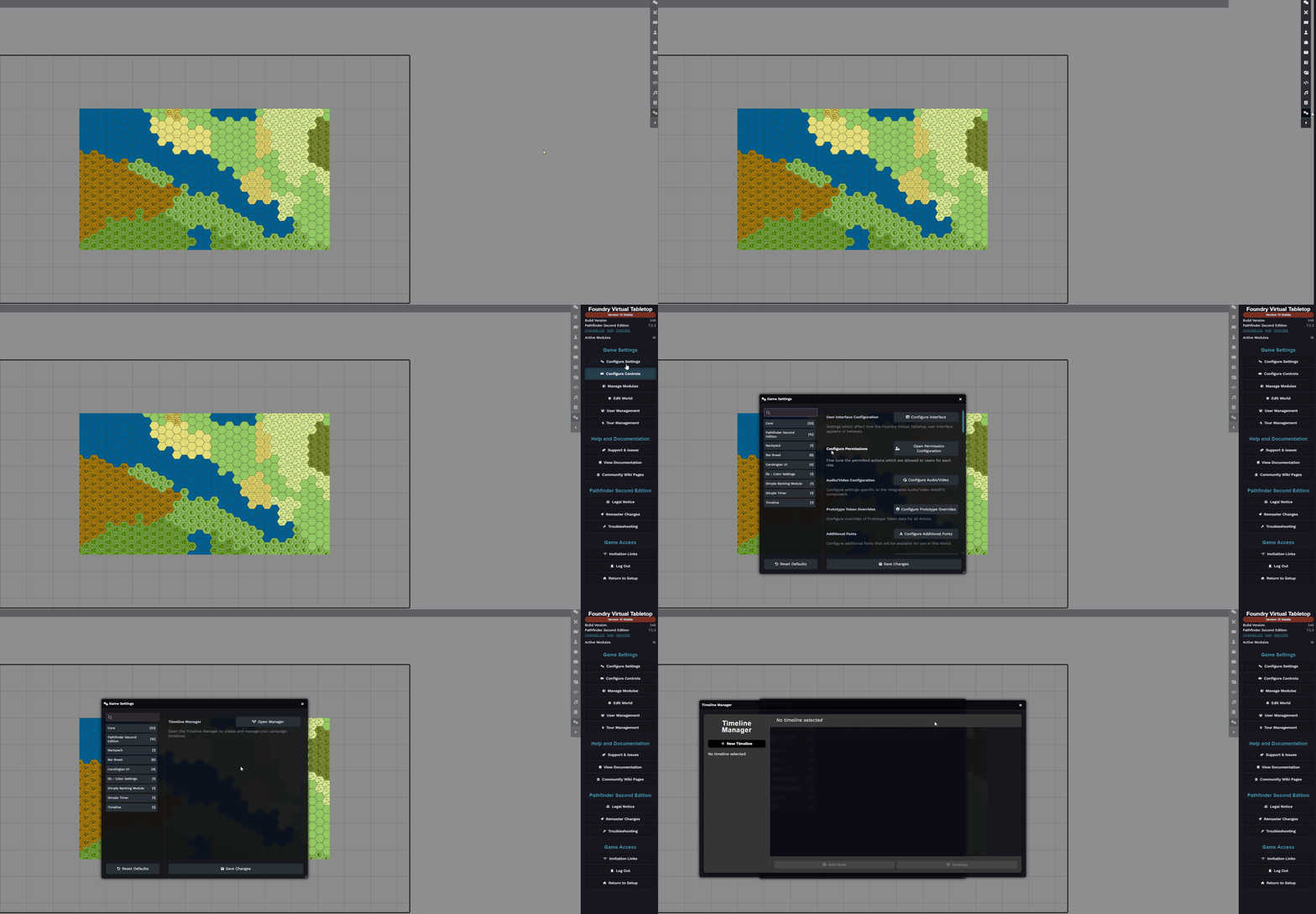
Section titled “Accessing the Timeline”Navigate to:
Game Settings -> Configure Settings -> Timeline -> Open Manager
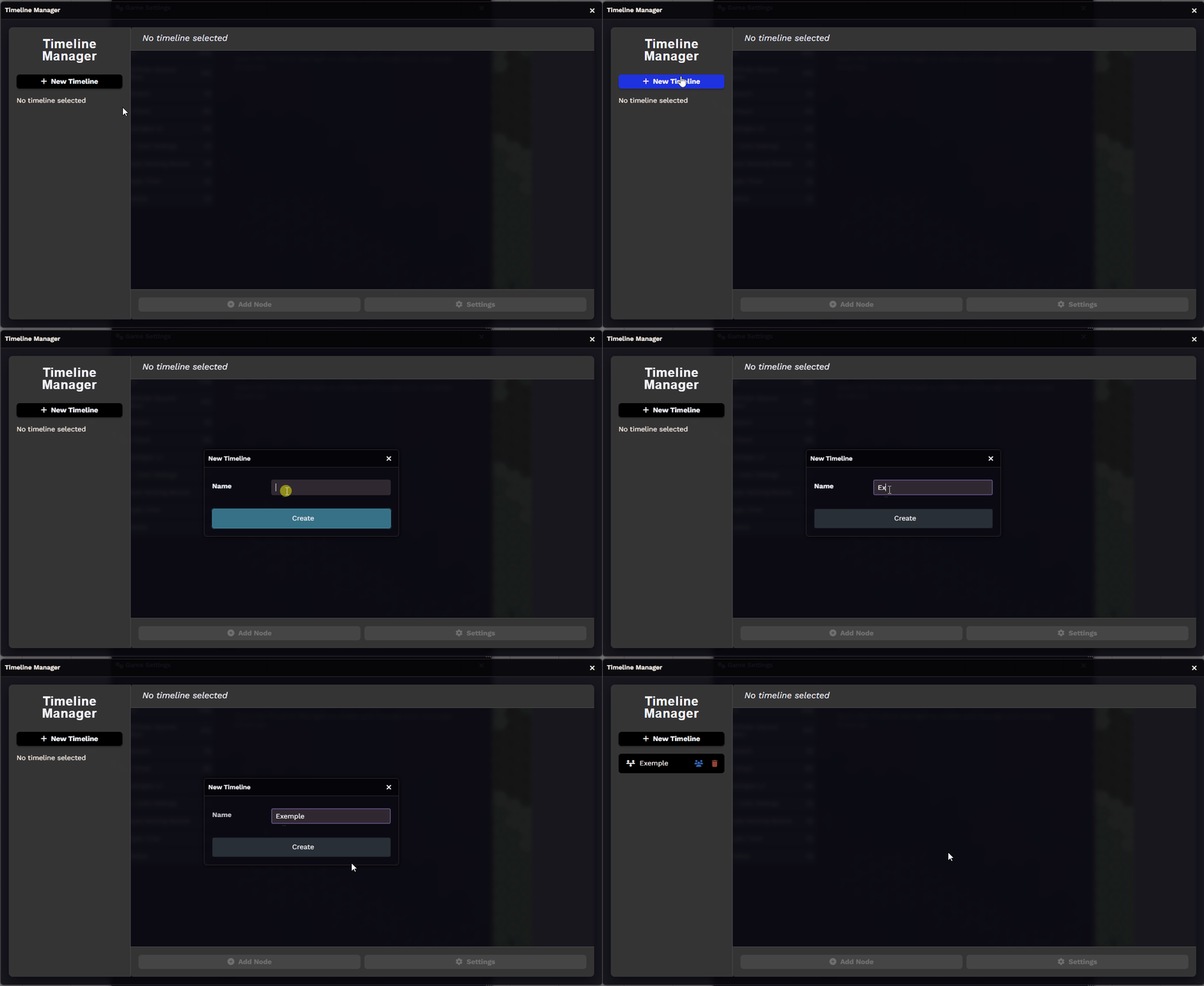
Creating a New Timeline
Section titled “Creating a New Timeline”Click the ”+ New Timeline” button and give it a name:
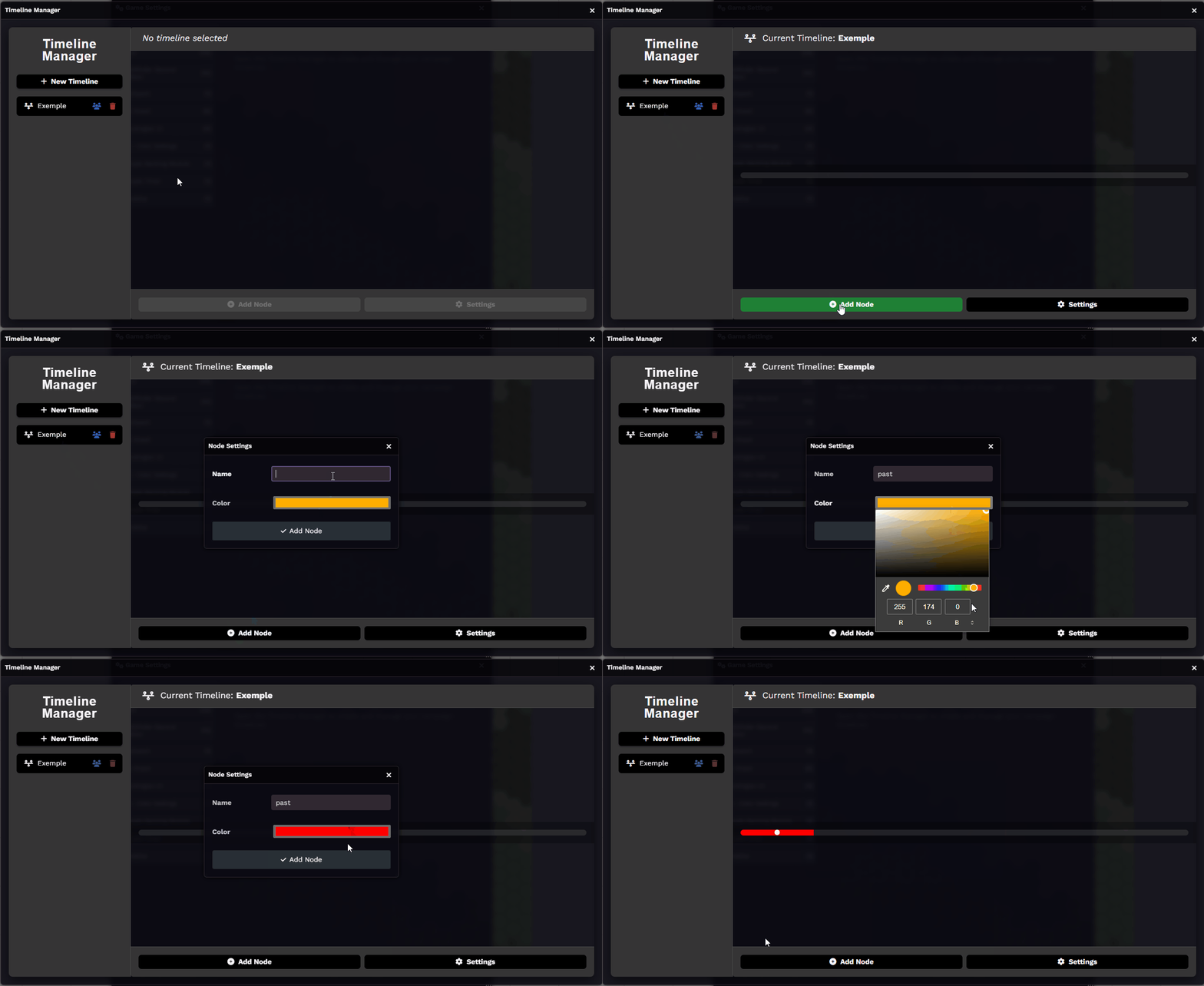
Adding Nodes
Section titled “Adding Nodes”Once your timeline is created, you can begin adding Nodes, each one representing a point or period in time:
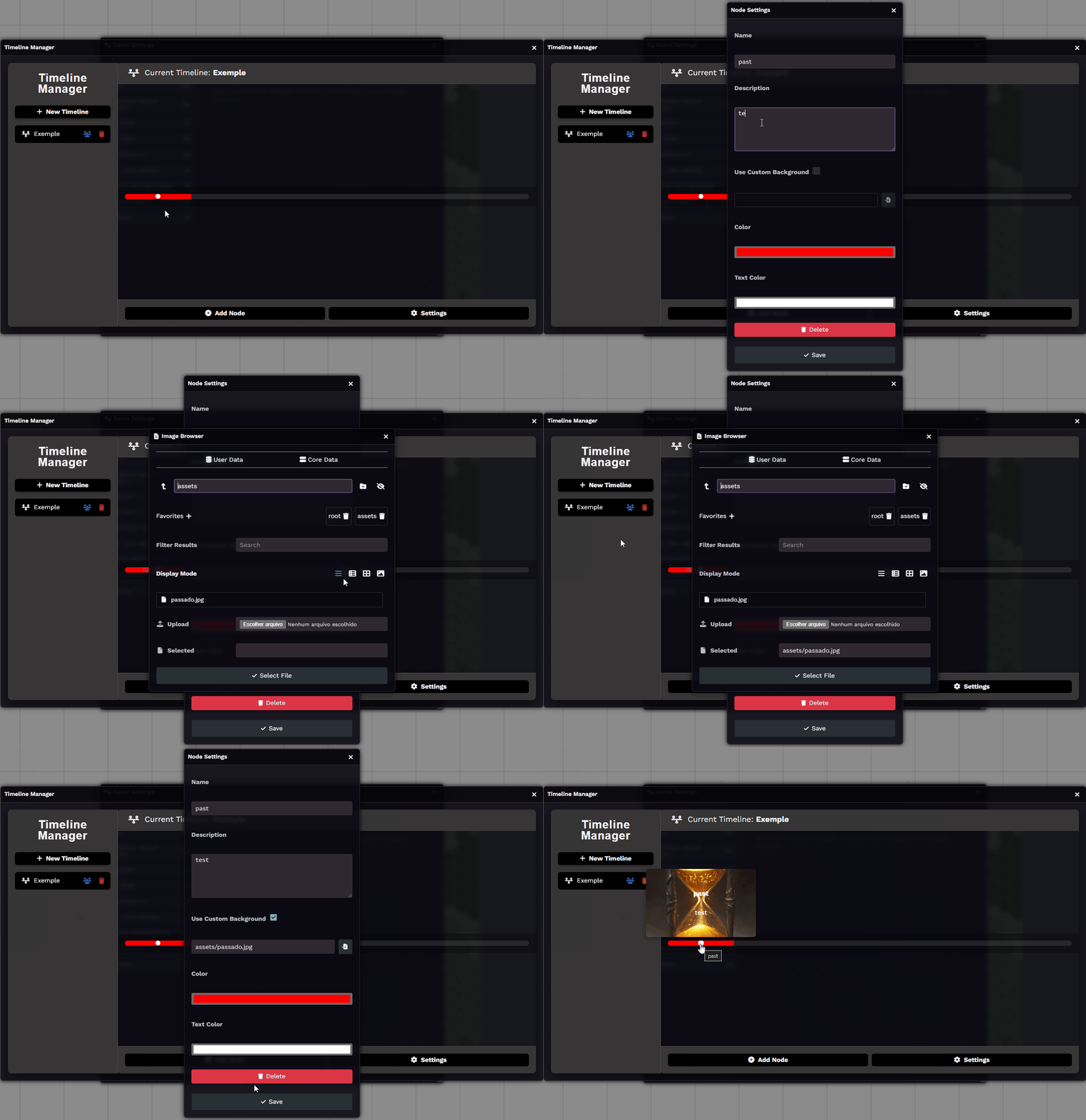
Right-click on a node to customize it. You can:
- Add a title
- Write a description
- Upload an image to visually illustrate the event or moment
Customizing the Timeline
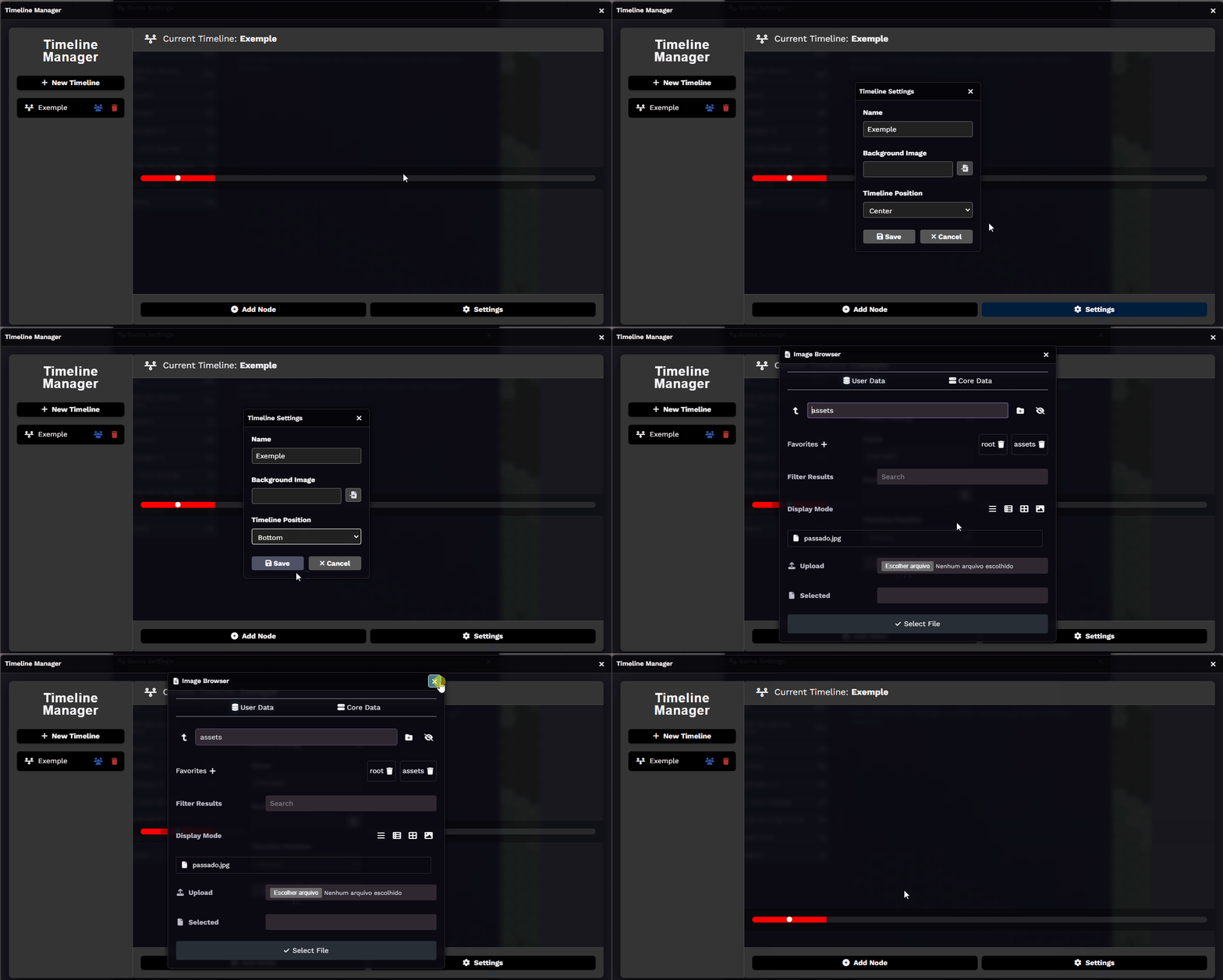
Section titled “Customizing the Timeline”You can personalize the appearance of your timeline using the Settings button. Options include:
- Changing the timeline’s position on the screen
- Adding a background image to the timeline interface
Further Reading
Section titled “Further Reading”- Learn more on the Timeline module page