
Simple Bank Module
The Simple Banking Module allows an actor to function as a banker, enabling the storage of items and currency from other actors. It supports the creation of multiple banks, each with its own separate inventory, enhancing immersion and flexibility within your campaign.
Enabling the Module
Section titled “Enabling the Module”First, ensure the module is enabled:

Accessing the Bank Manager
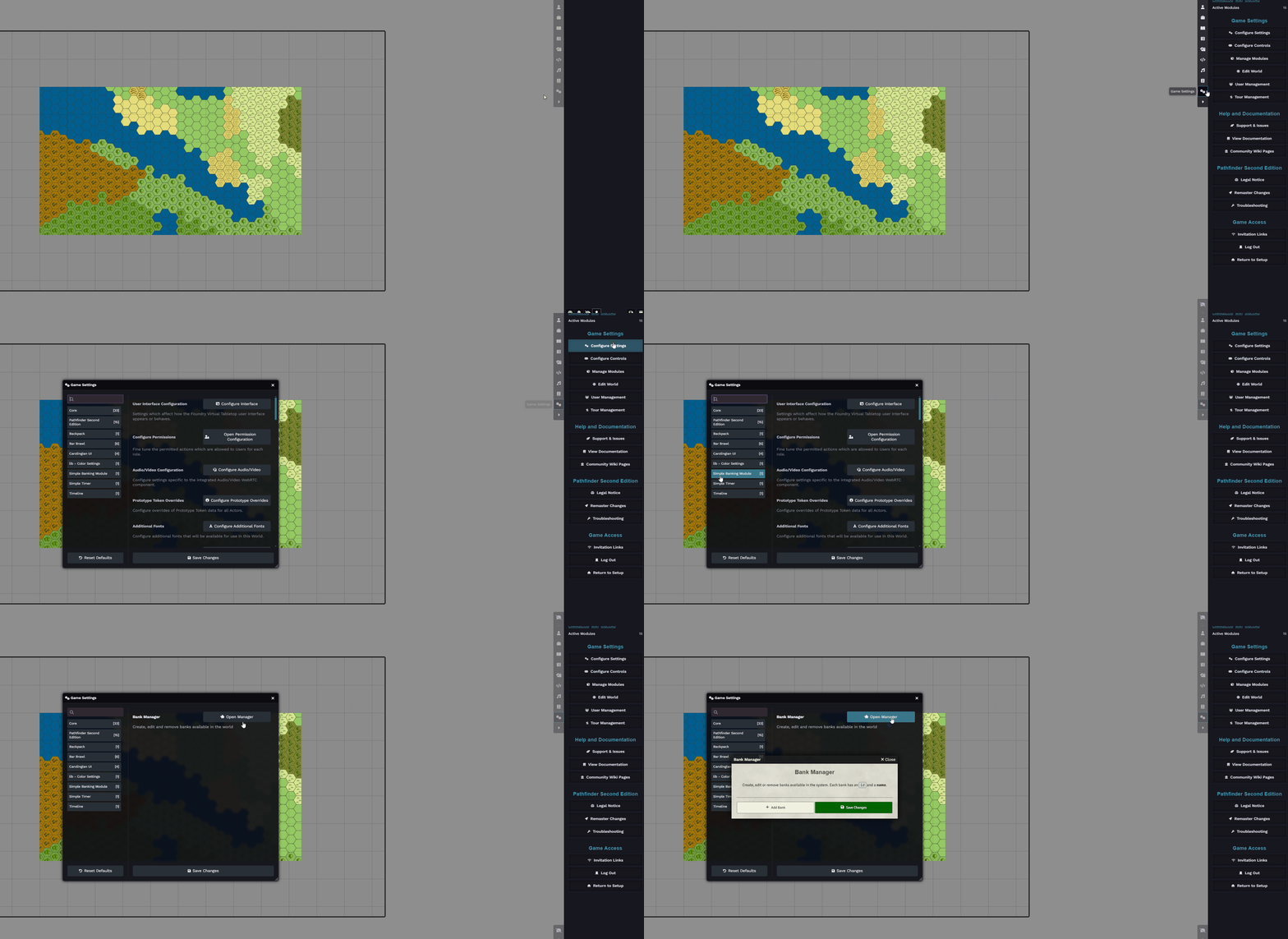
Section titled “Accessing the Bank Manager”Navigate to:
Game Settings -> Configure Settings -> Simple Banking Module -> Open Manager
Creating a Bank
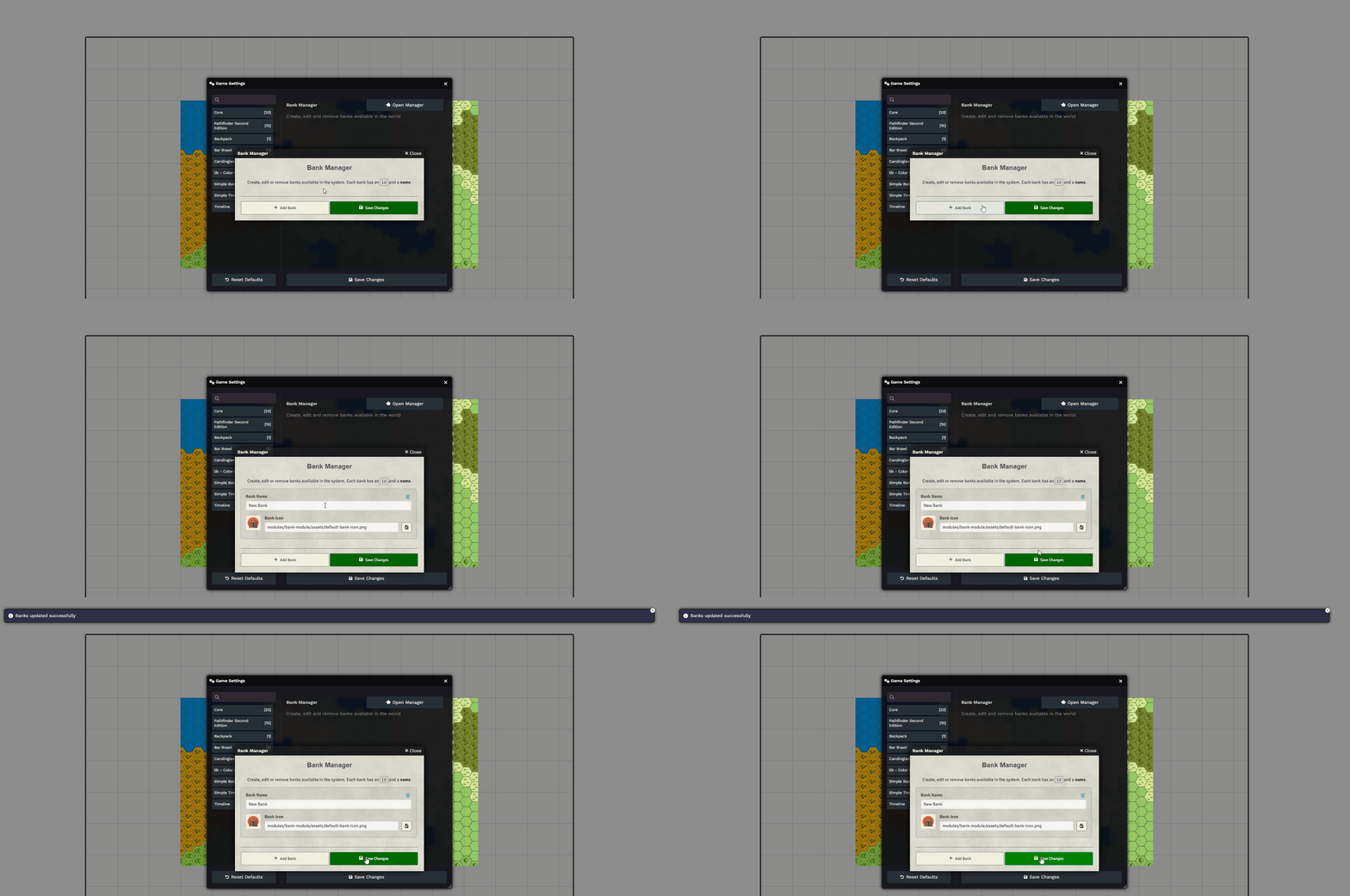
Section titled “Creating a Bank”Click the ”+ Add Bank” button to create a new bank. Assign it a name — a default icon will be used, but you can change it if desired:
Assigning a Banker
Section titled “Assigning a Banker”To assign an actor as a banker:
- Open the actor’s sheet.
- Go to the “Banker” section.
- Set Bank Status to Enabled.
- Select the desired bank from the dropdown.

Opening the Bank
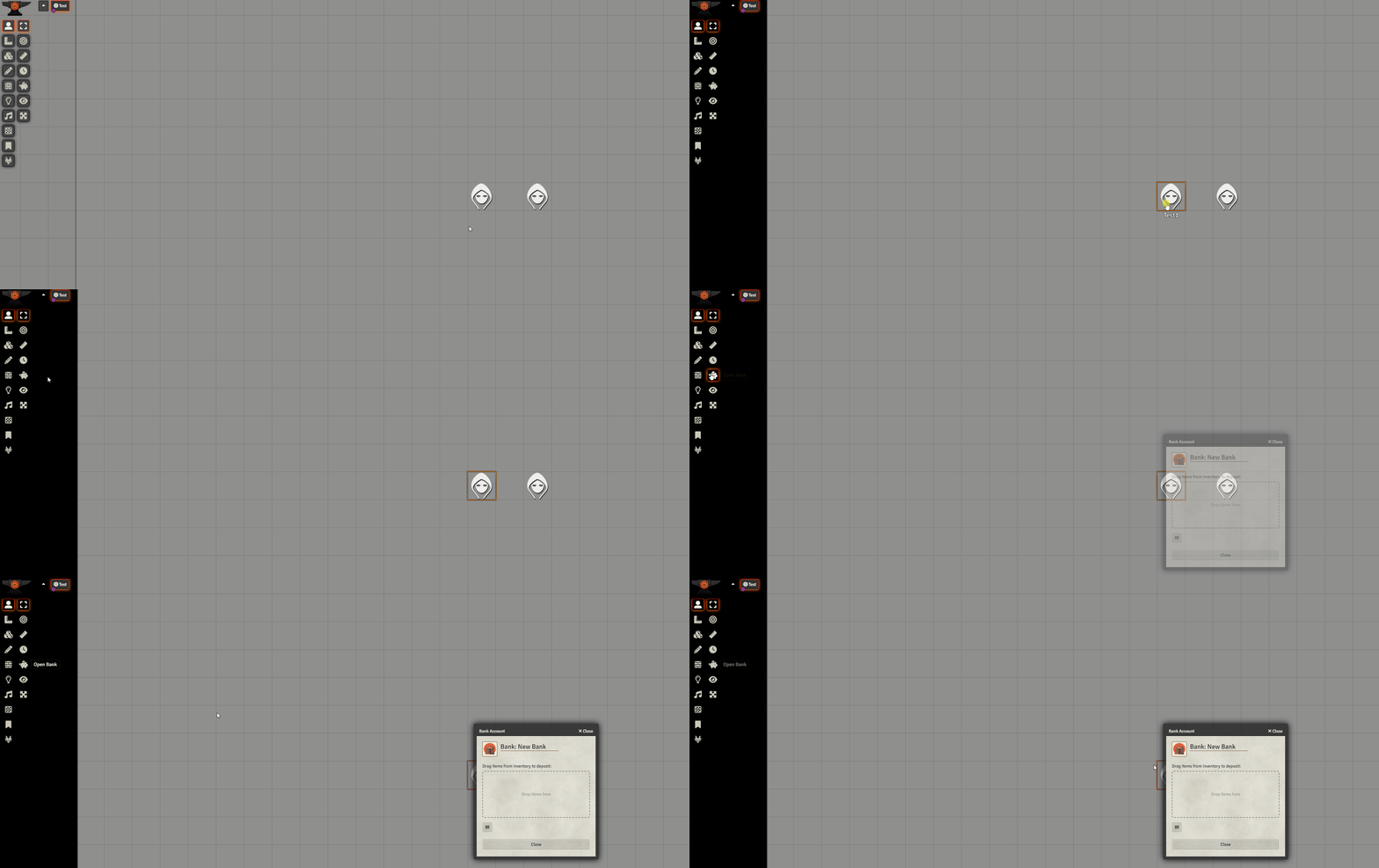
Section titled “Opening the Bank”With the banker’s token selected, click the “Open Bank” button to access the associated bank:
Transferring Items and Currency
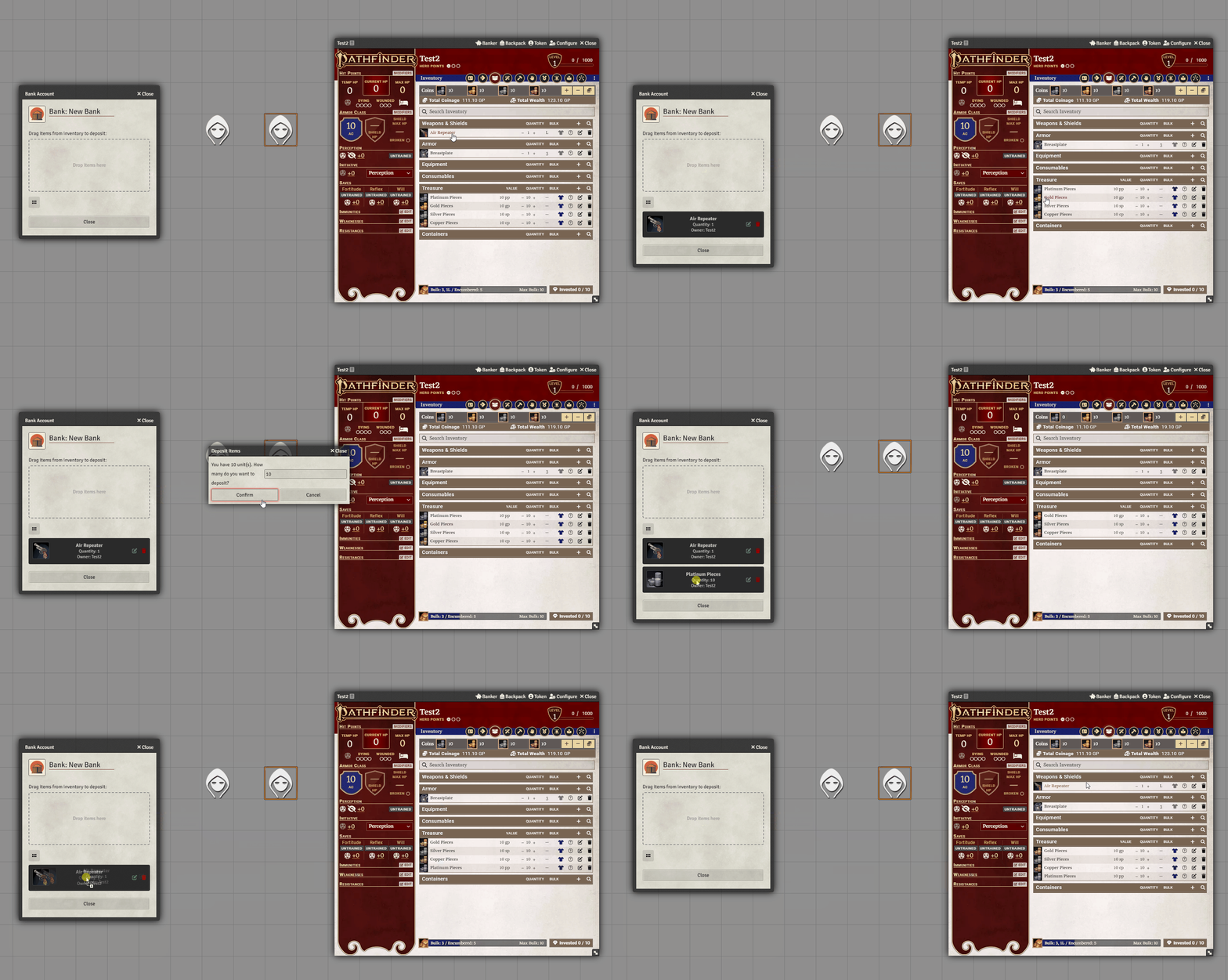
Section titled “Transferring Items and Currency”You can now drag items or currency between any player’s sheet and the bank — and vice versa:
Further Reading
Section titled “Further Reading”- Learn more on the Simple Banking Module page