
Foundry Financial System
Gold moves worlds and now, it can move yours.
This module brings banks, stock markets, properties, and real financial transactions into your campaign. Turn wealth into a living tool of power, intrigue, and influence within Foundry VTT.
Create unique economies, build financial empires, and explore the intricate web of trade between characters and factions. The Foundry Financial System module delivers a complete and immersive economic management system, fully integrated with Foundry including banks, accounts, properties, and a fictional stock market.
Key Features
Section titled “Key Features”-
Independent economies: Create distinct monetary systems for different regions, kingdoms, or factions.
-
Banking system with linked accounts: Allow characters to open accounts and perform secure transactions.
-
Properties & assets: Assign and track ownership of properties and wealth.
-
Fictional stock market: Add dynamic stocks that fluctuate over time for strategic depth and roleplay.
-
Automatic transaction logging: Every action is recorded for transparency and narrative richness.
-
Multiplayer support via socket: Real-time synchronization between players and GM.
-
Clean UI: Tab-based layout with multilingual support.
-
Compatible with Foundry VTT v13+
-
Easy to set up, with automatic data persistence
-
Ideal for campaigns involving politics, trade, factions, or complex urban intrigue
Enabling the Module
Section titled “Enabling the Module”First, make sure the module is enabled:

Creating an Economy
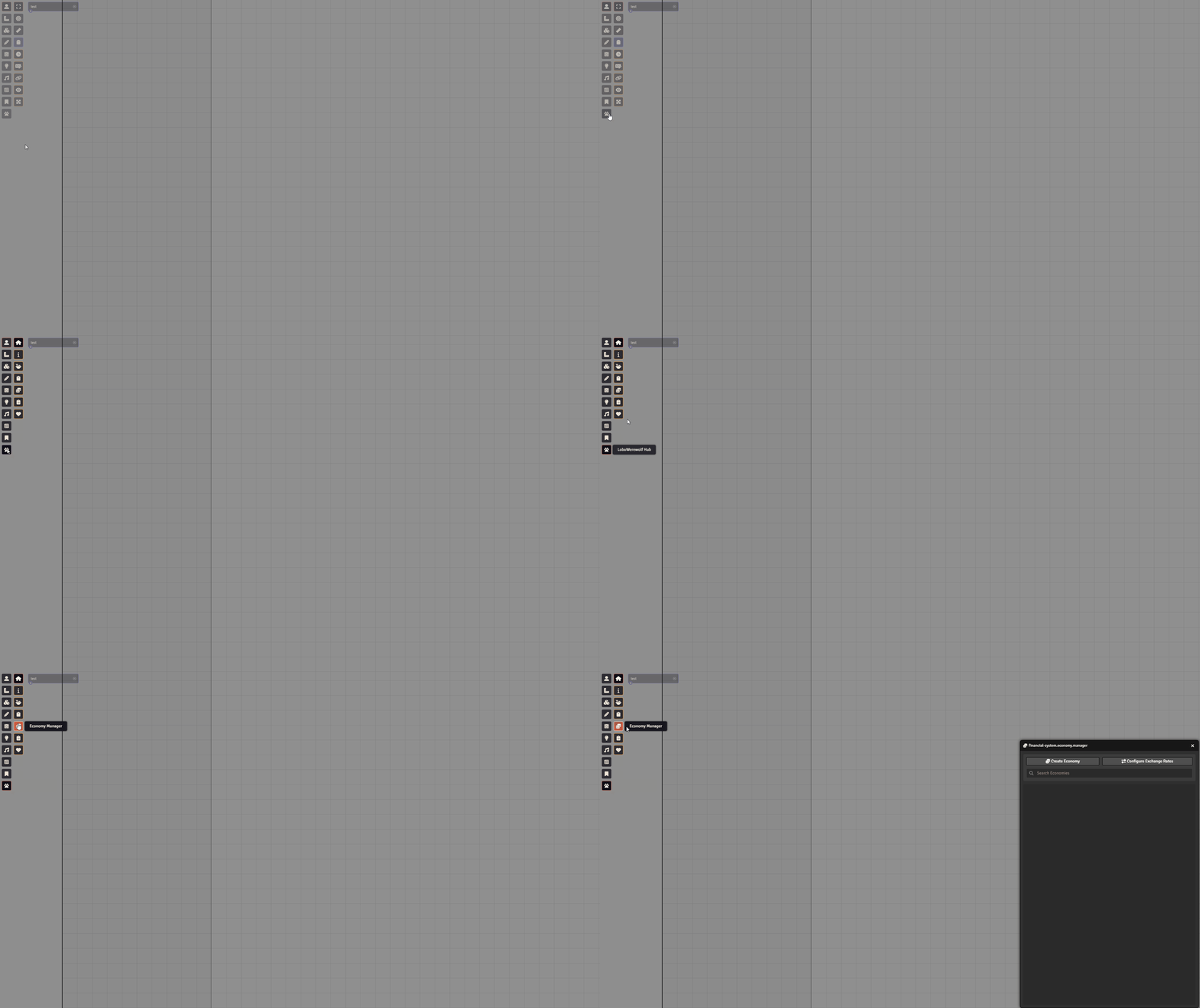
Section titled “Creating an Economy”To get started, go to Token Controls -> Economy Manager to open the module:
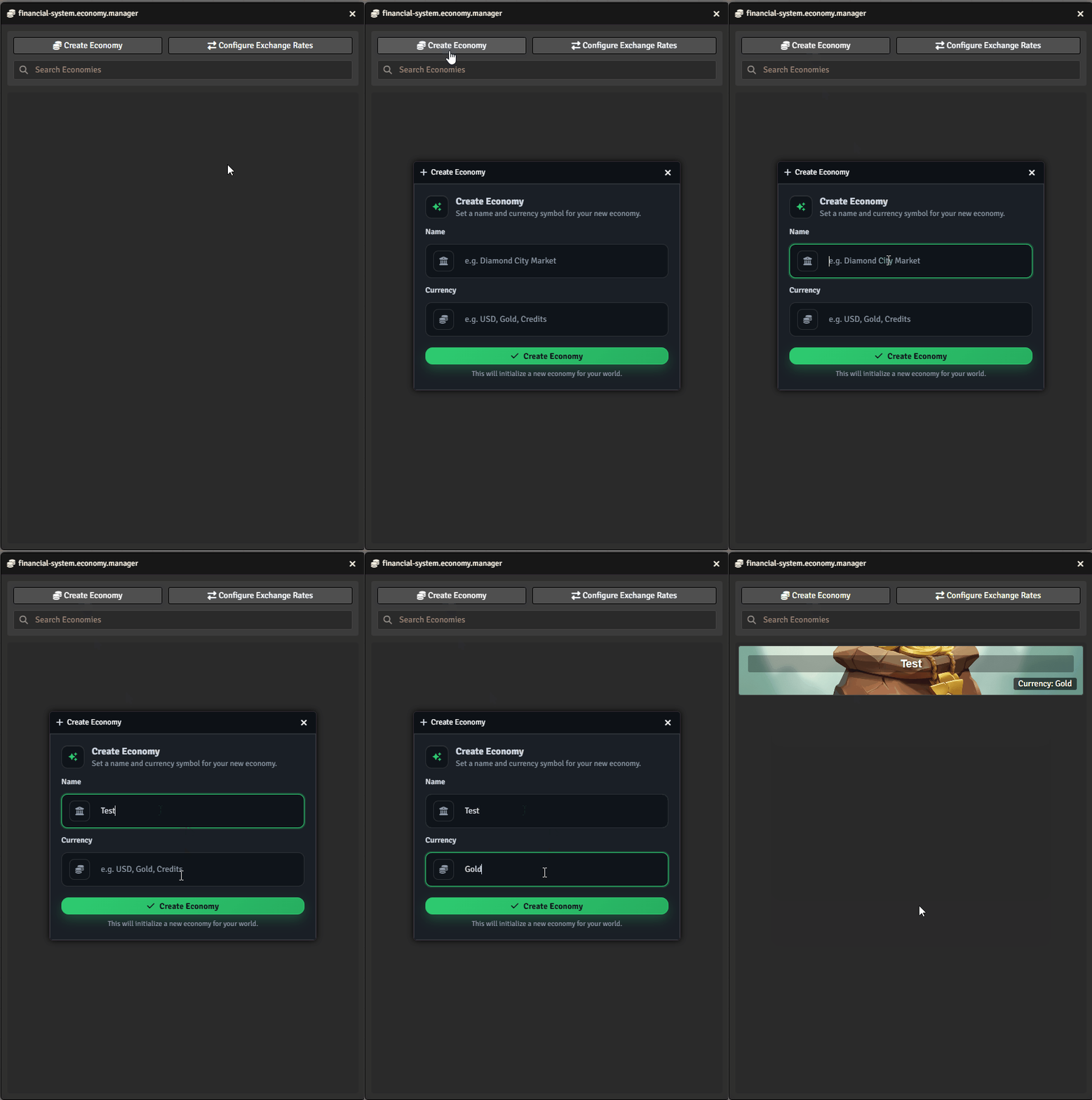
Click “Create Economy”, name your economy, and define its currency:
Managing the Economy
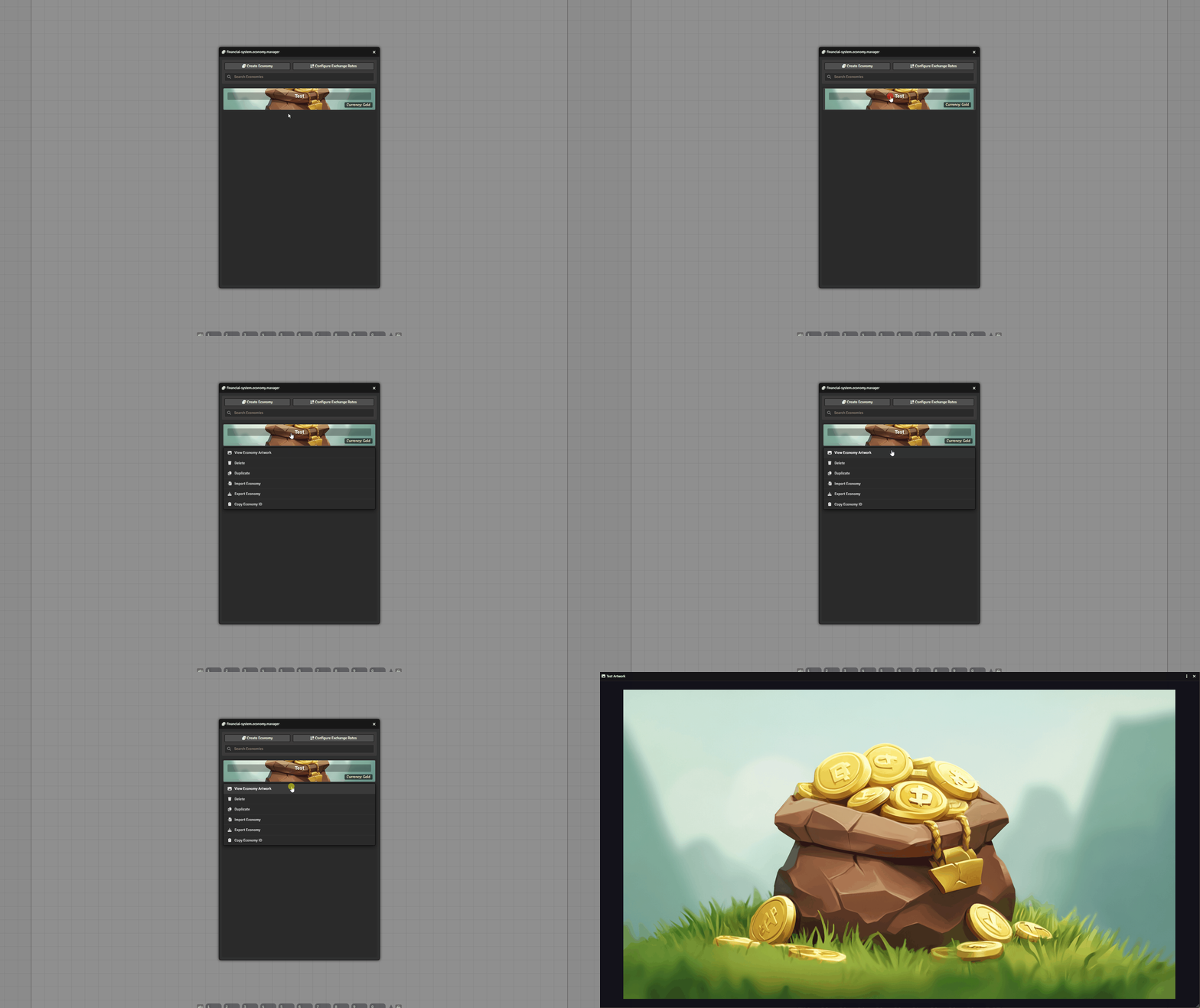
Section titled “Managing the Economy”Right-click the economy to View Artwork:
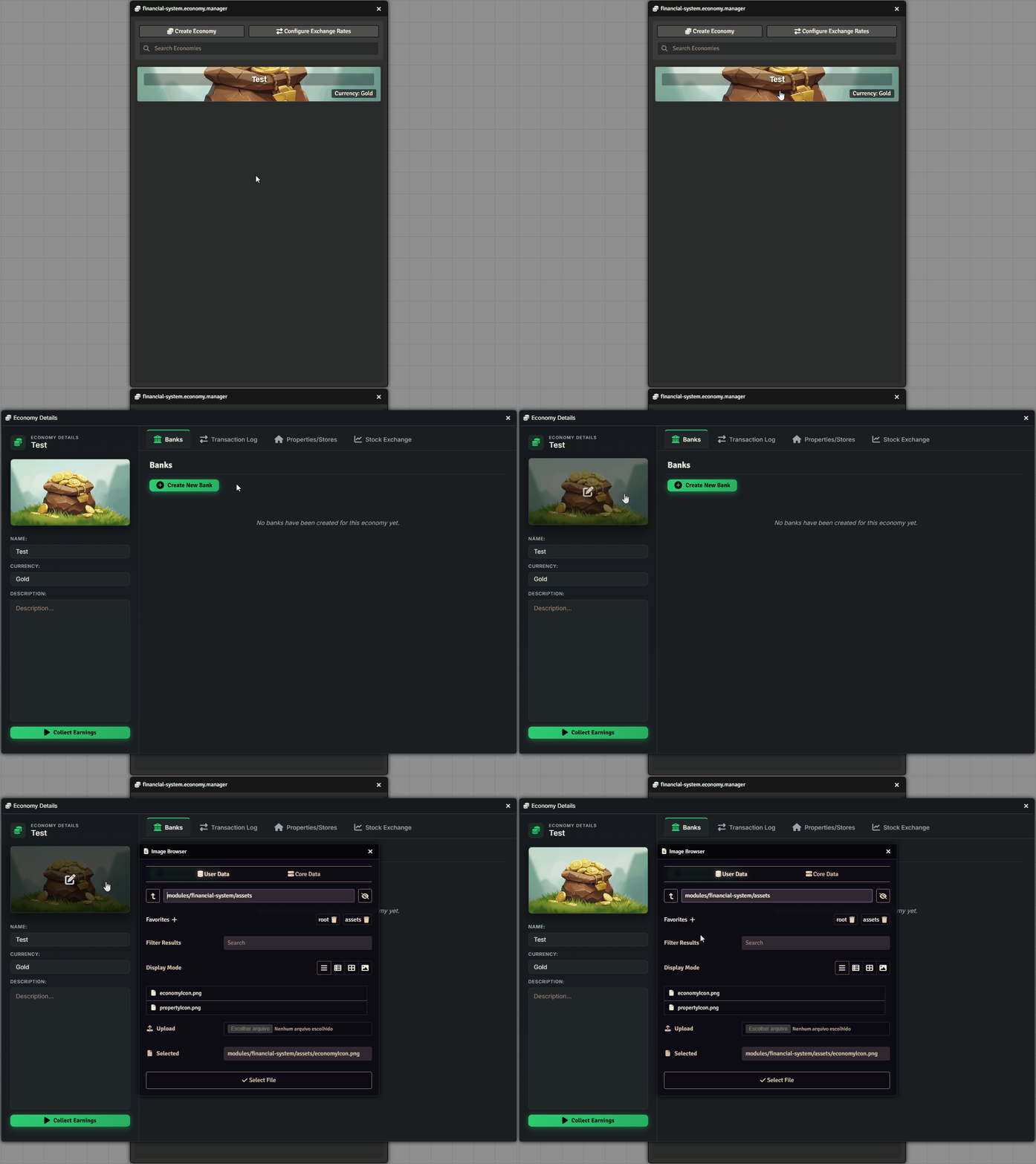
To change the image, left-click the economy, then click the art area beneath the economy details:
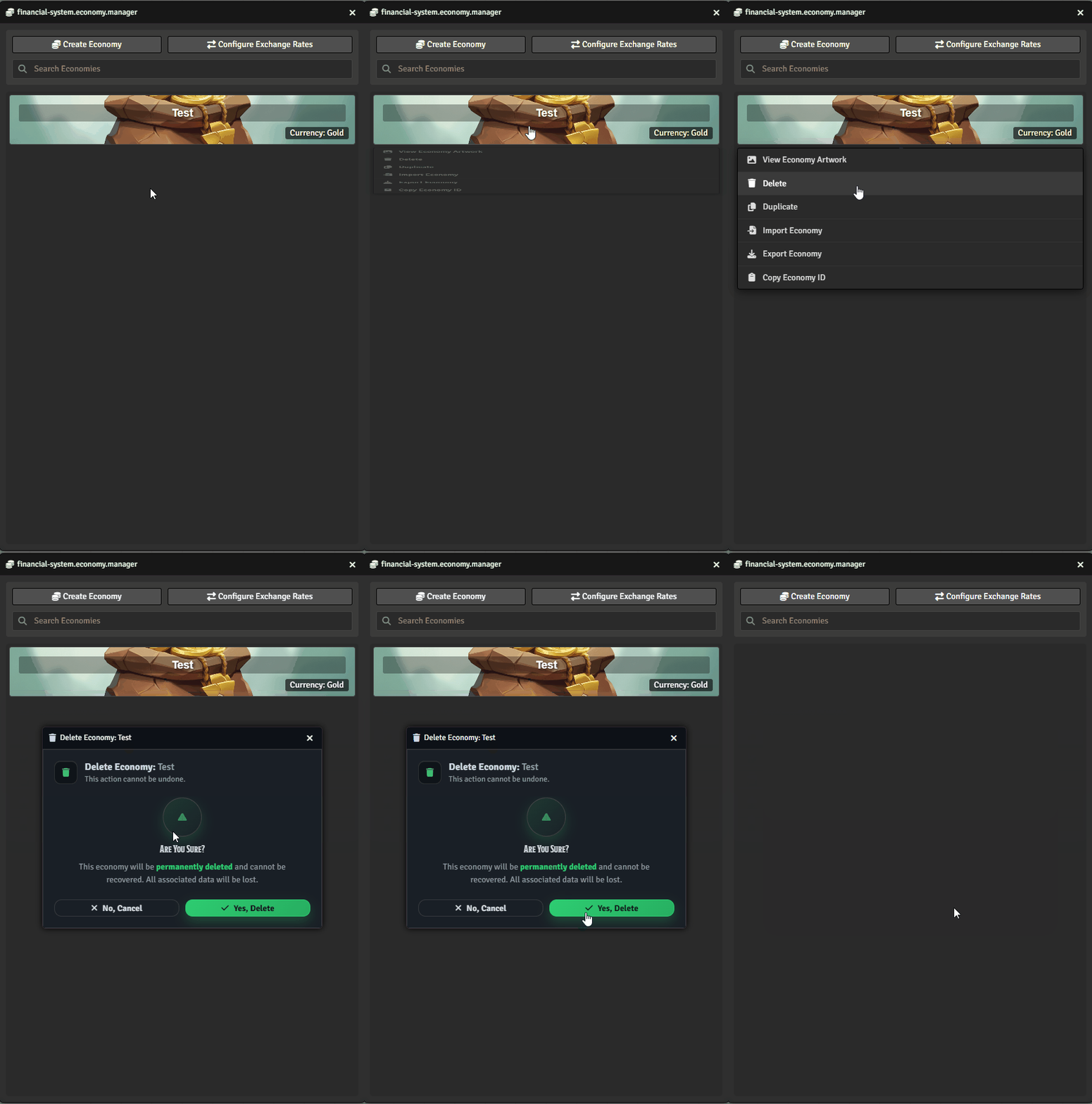
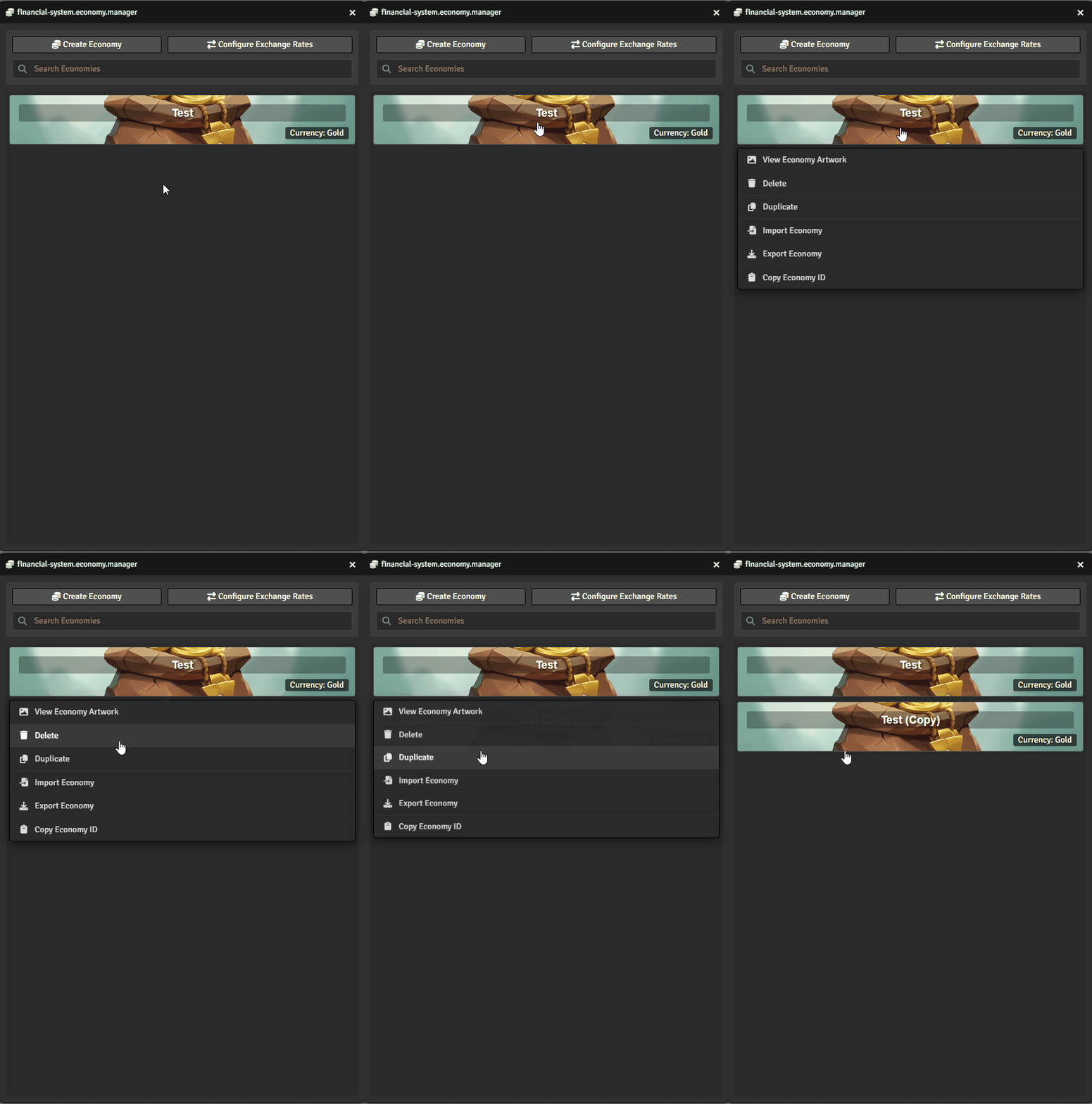
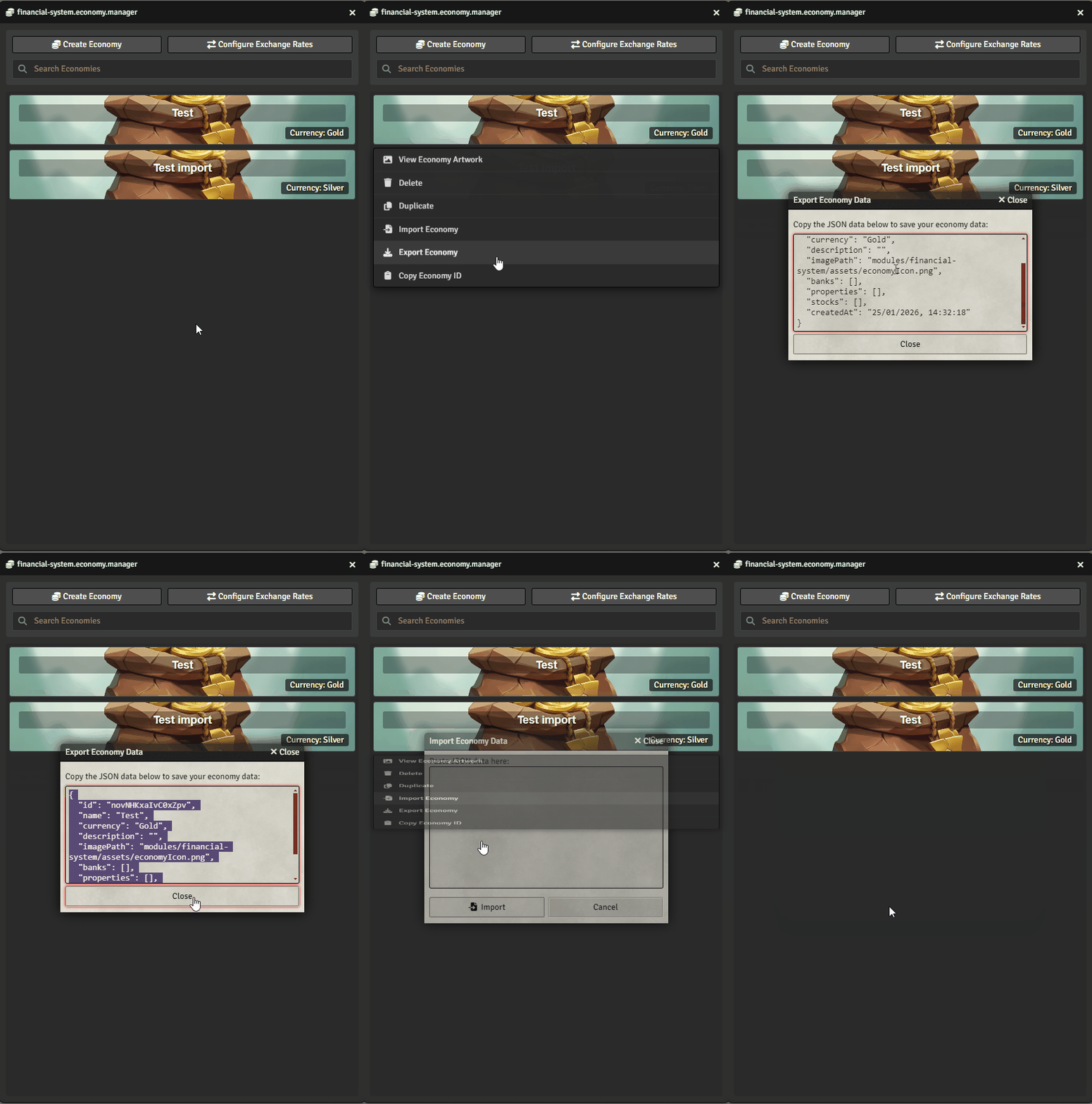
From the right-click menu, you can also:
- Delete the economy
- Duplicate the economy
- Export/Import the economy using JSON files:
Creating a Bank
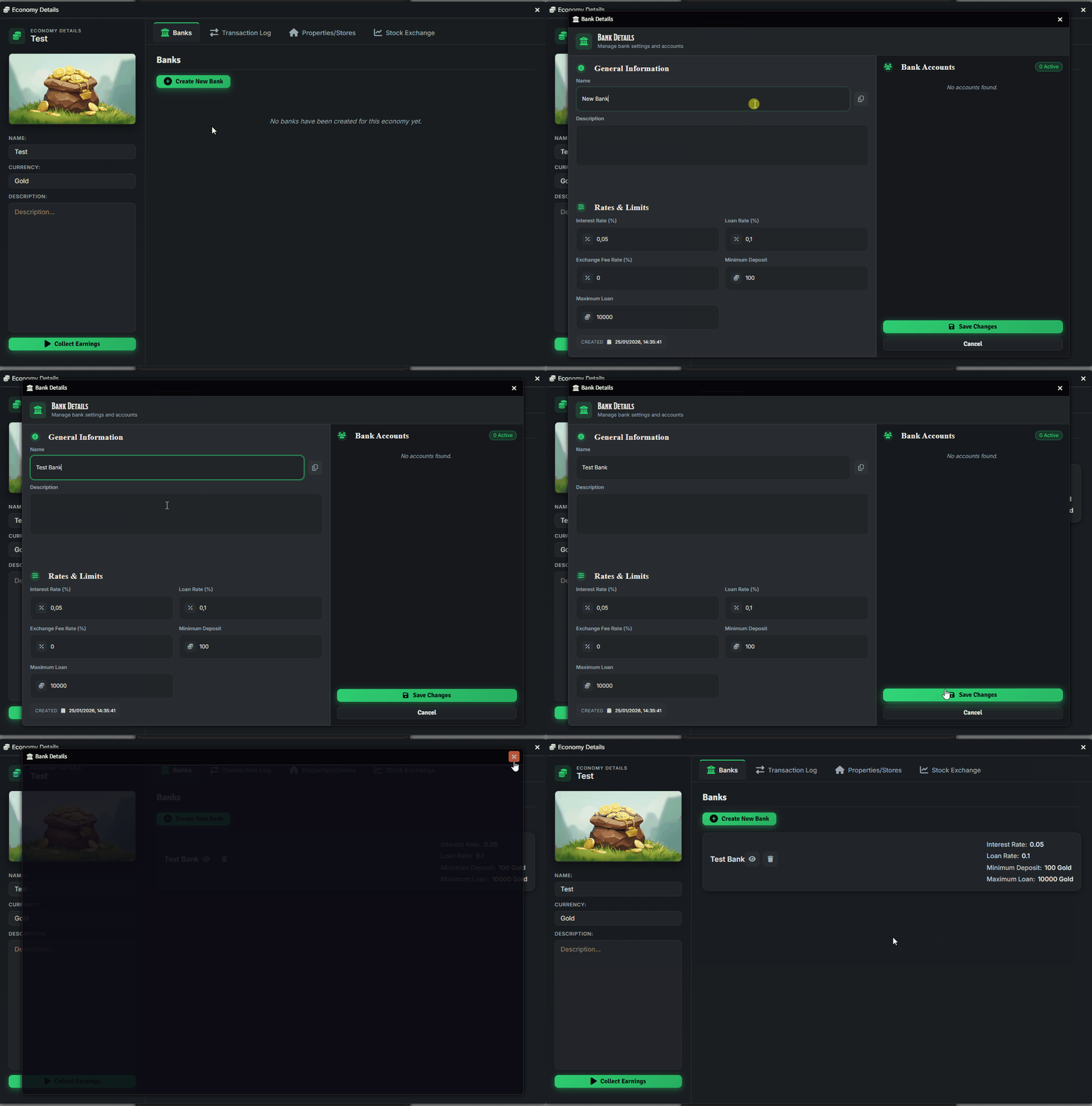
Section titled “Creating a Bank”Left-click the economy, then add a bank (press Enter to confirm):
Creating Properties
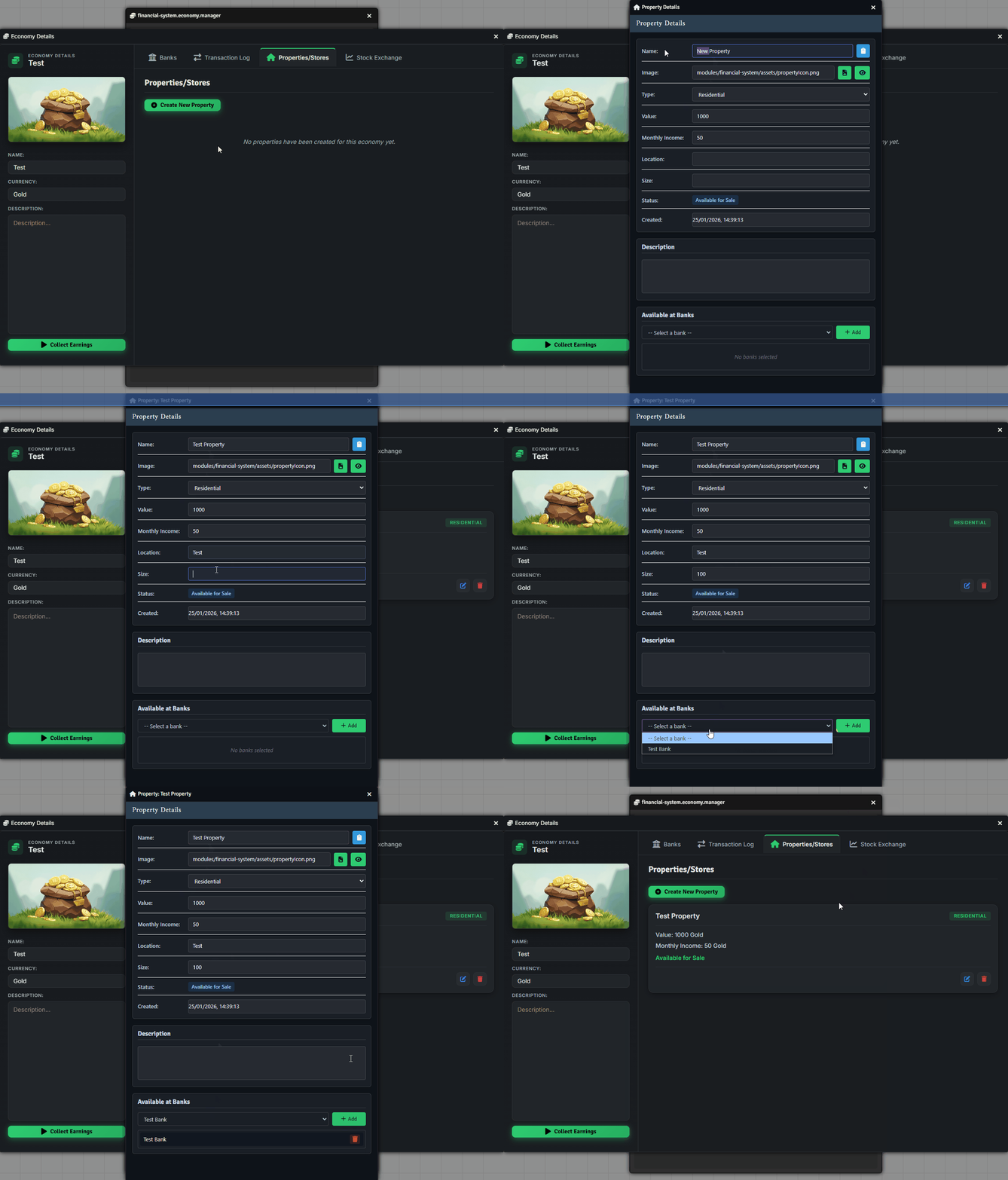
Section titled “Creating Properties”Go to the Properties/Store tab and click ”+ Create New Property”. You can configure:
- Name & Image
- Type: Residential, Commercial, or Land
- Value and Monthly Income
- Location & Description
- Assigned Bank
Creating Stocks
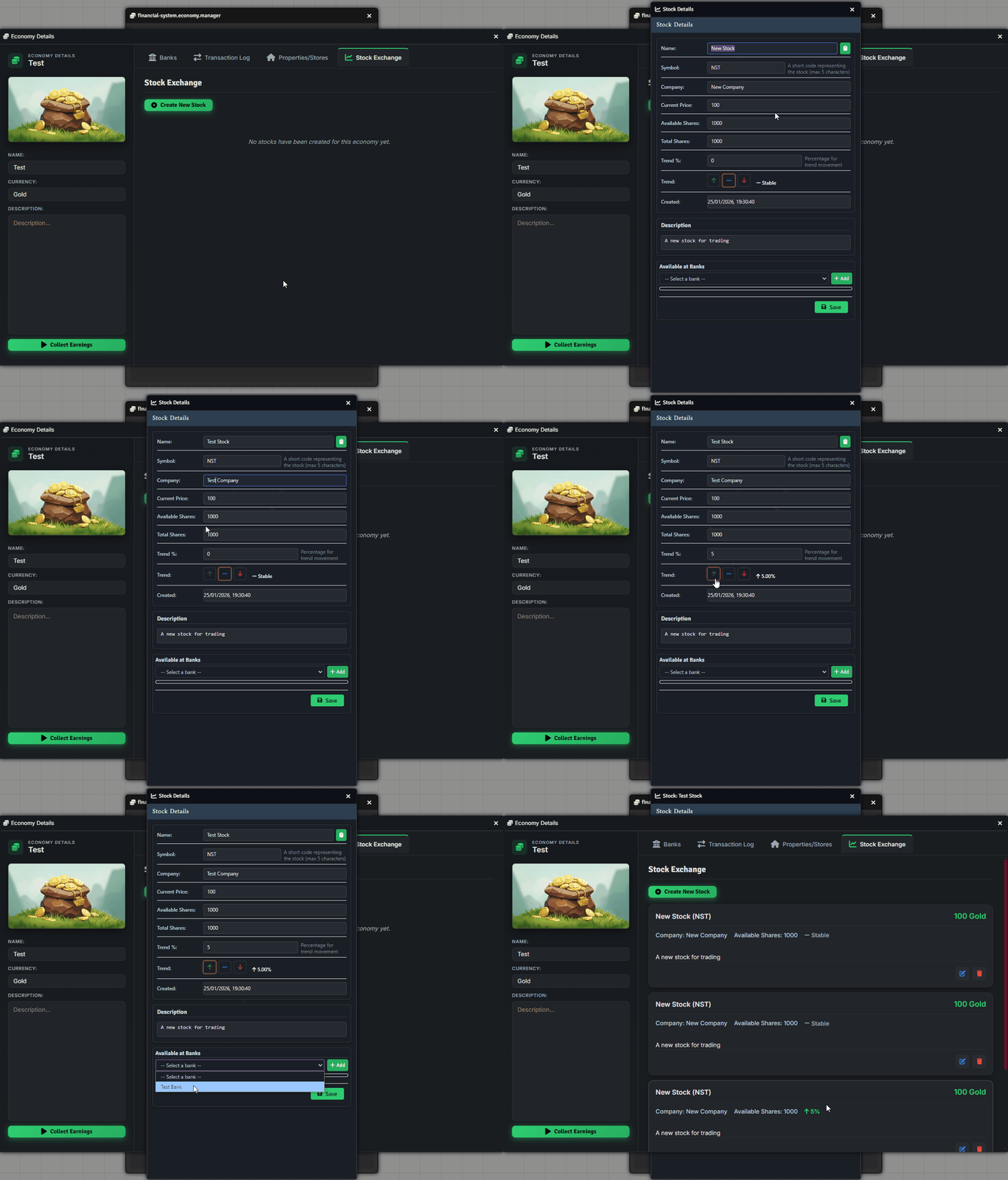
Section titled “Creating Stocks”In the Stock Exchange tab, click ”+ Create New Stock” and set:
- Name & Symbol
- Company name
- Price, total shares, and available shares
- Trend (%), status (Up, Stable, Down)
- Description
- Linked Bank
Assigning a Banker
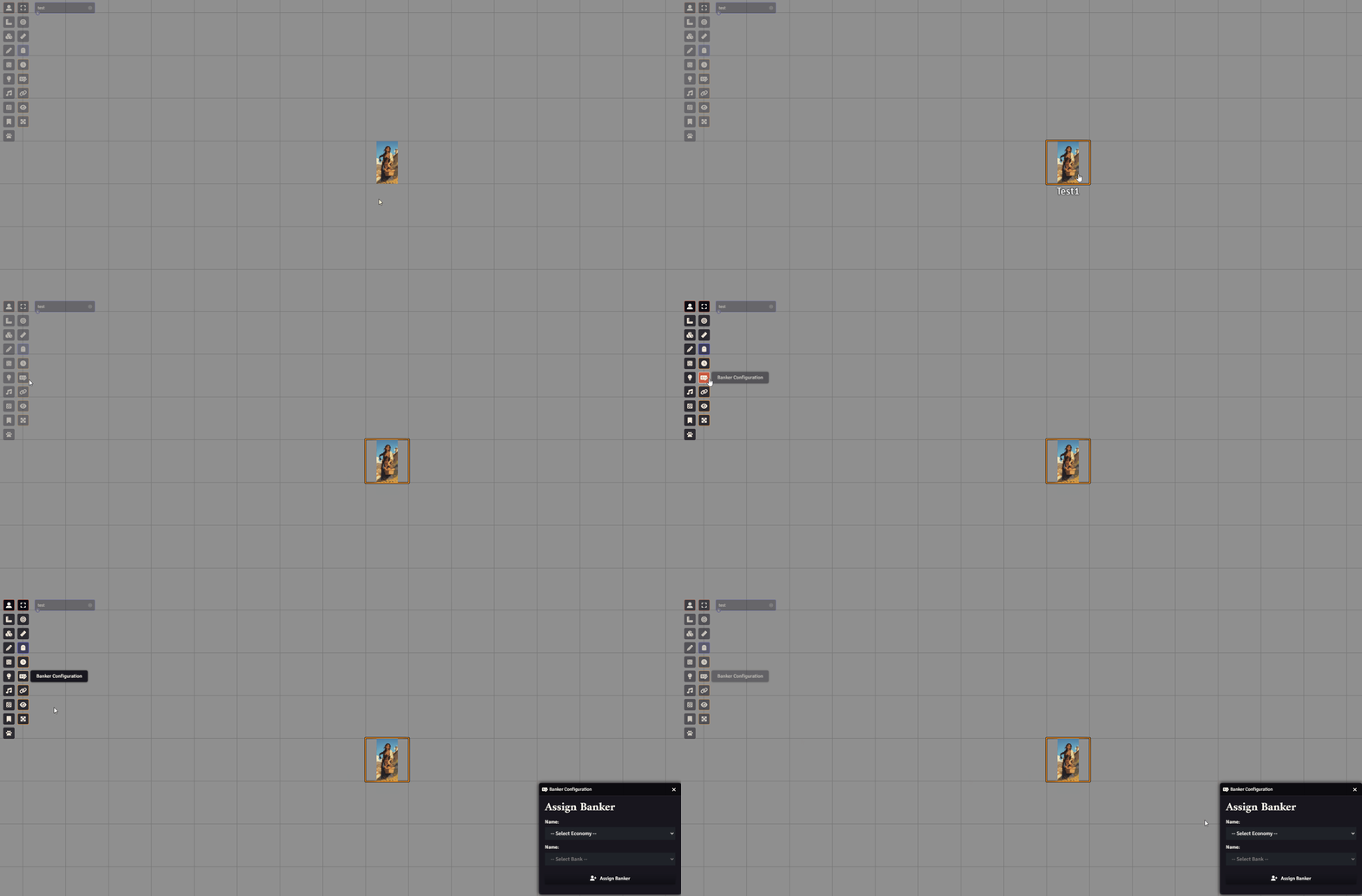
Section titled “Assigning a Banker”To make a bank functional, assign a banker. Select a token and go to Token Controls -> Banker Configuration:
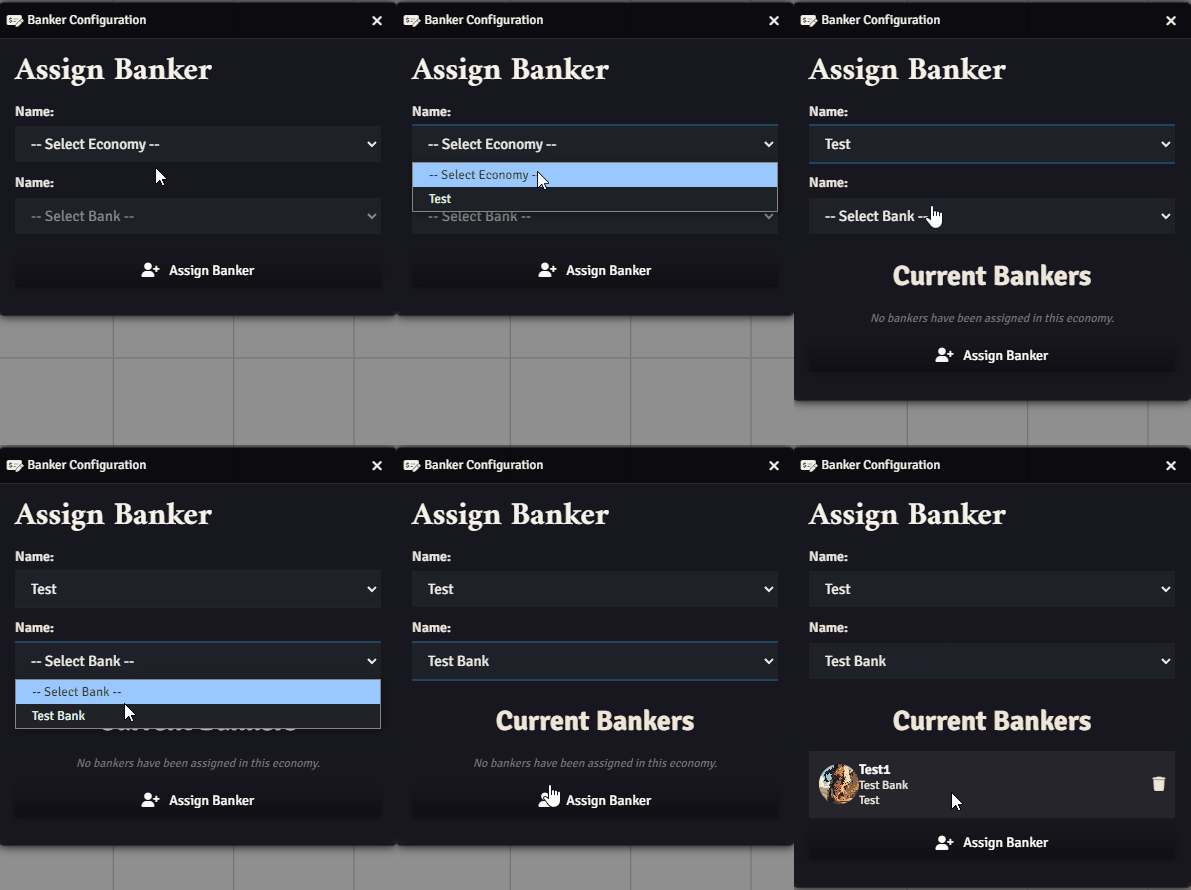
Select the economy and the bank, then click “Assign Banker”:
Using the Bank
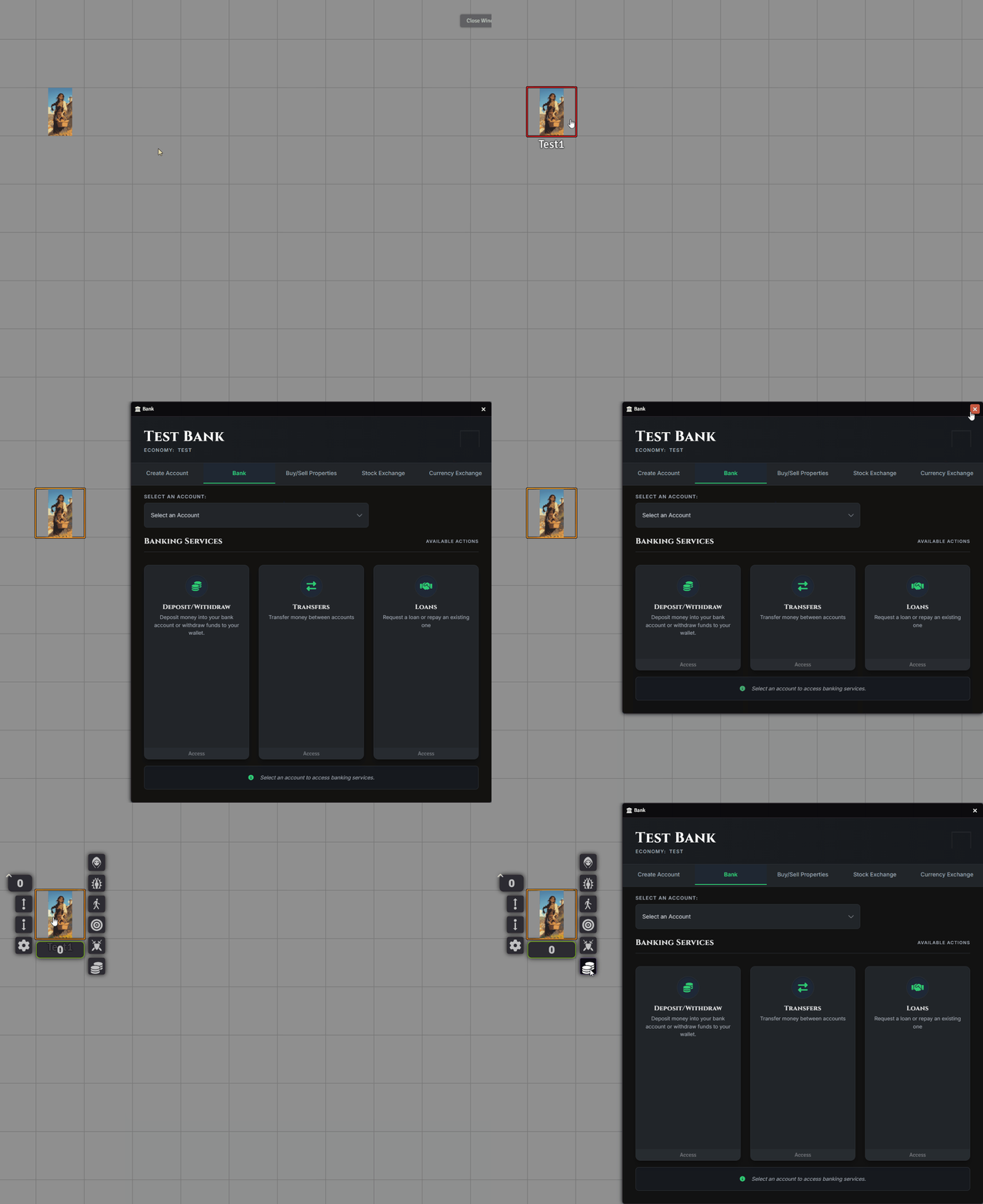
Section titled “Using the Bank”Players and GMs can access a bank by holding Shift and left-clicking the banker token, or right-clicking it and selecting “Open Bank”:
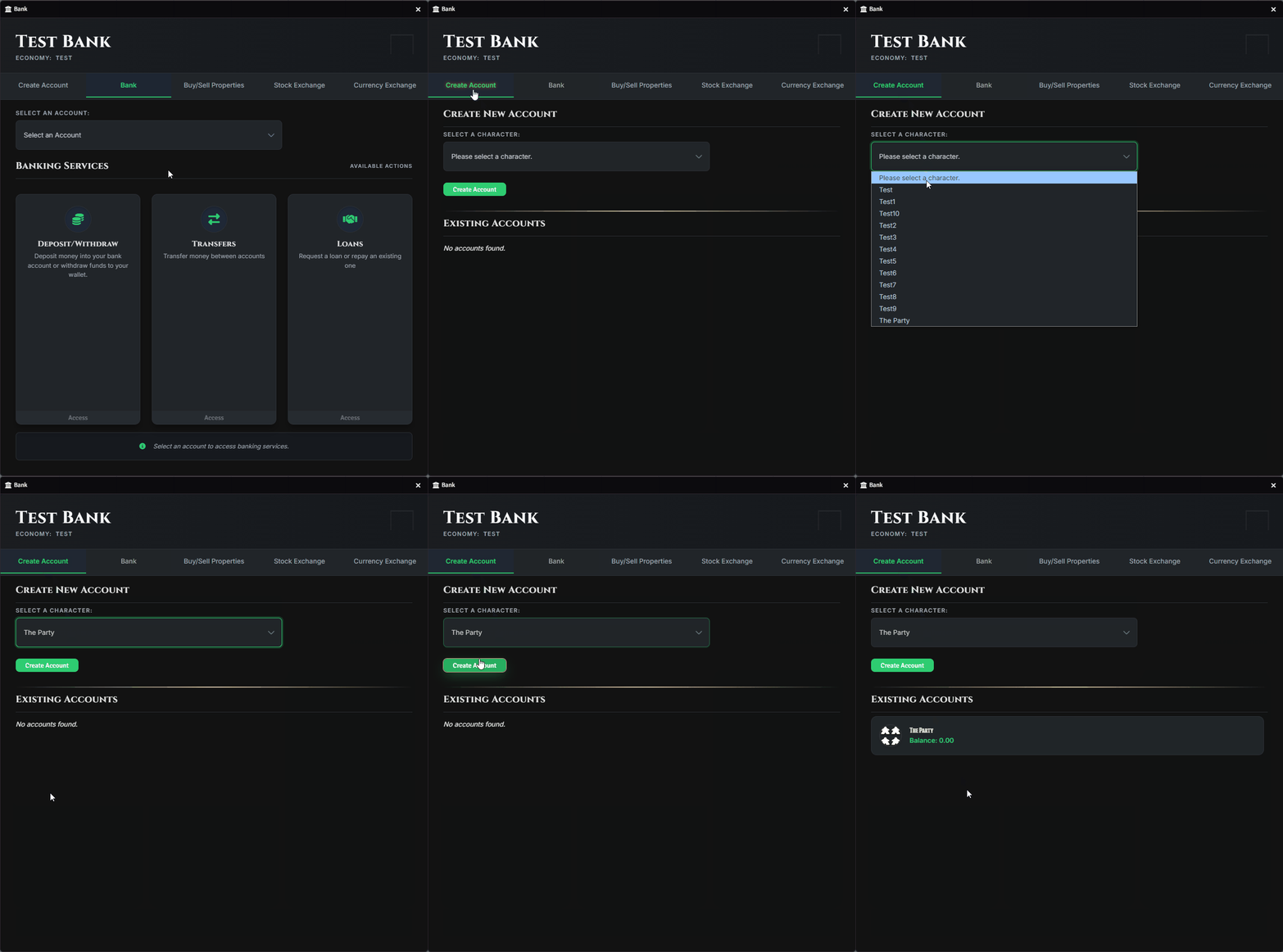
To use the bank, a PC or the Party must first create an account:
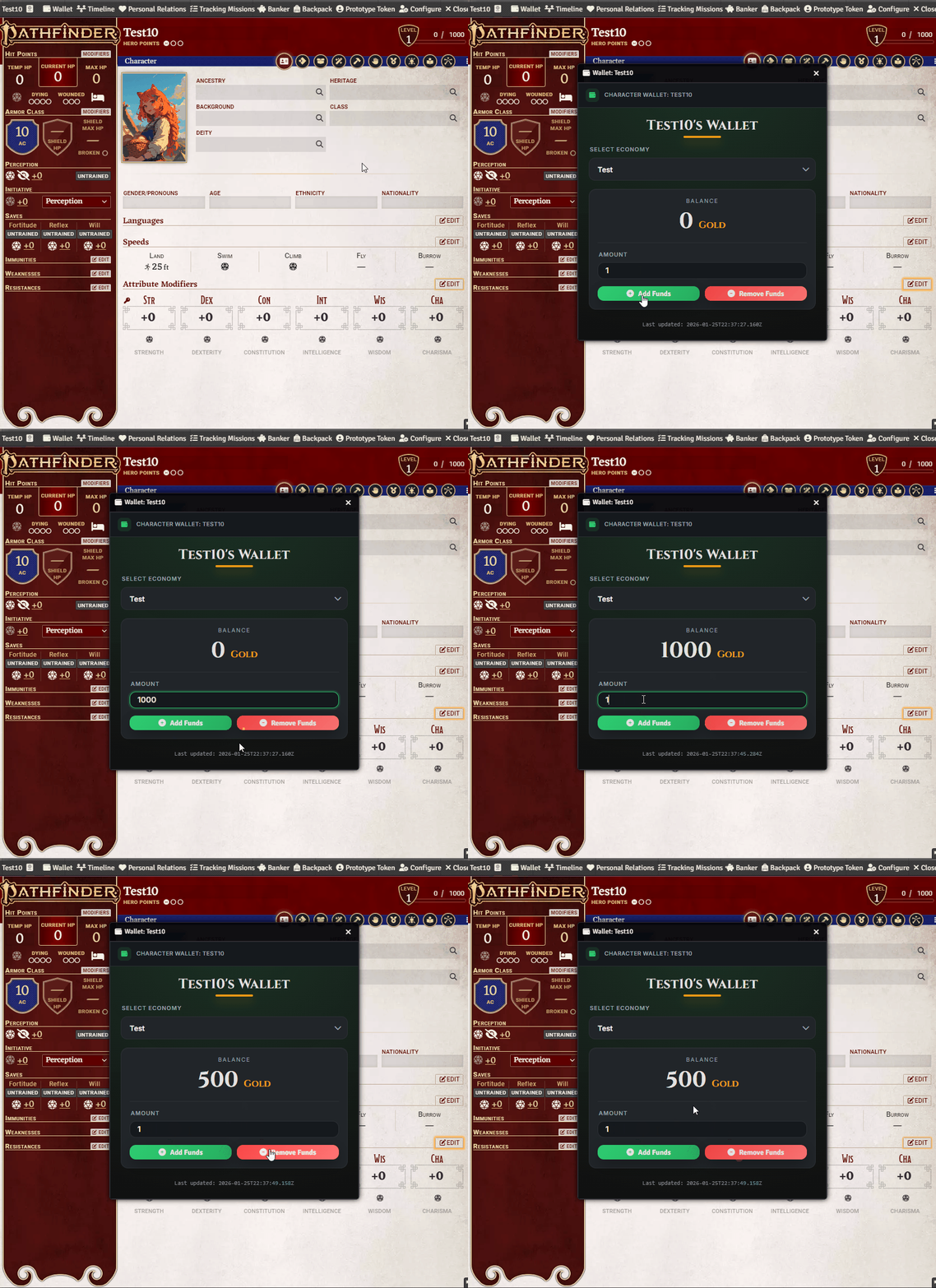
To perform transactions, the character must have a balance in their Wallet. Funds can be added or removed via the character sheet:
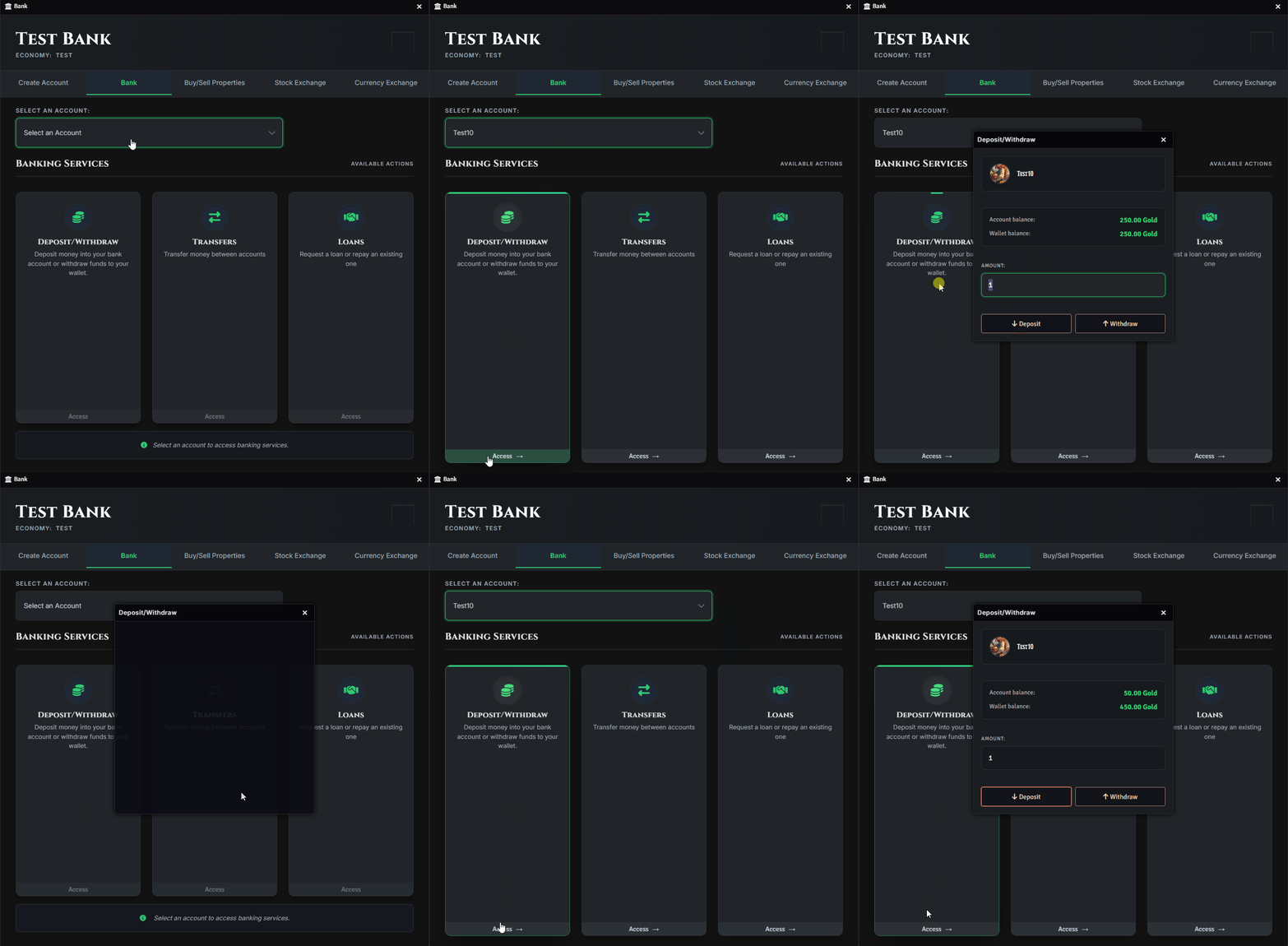
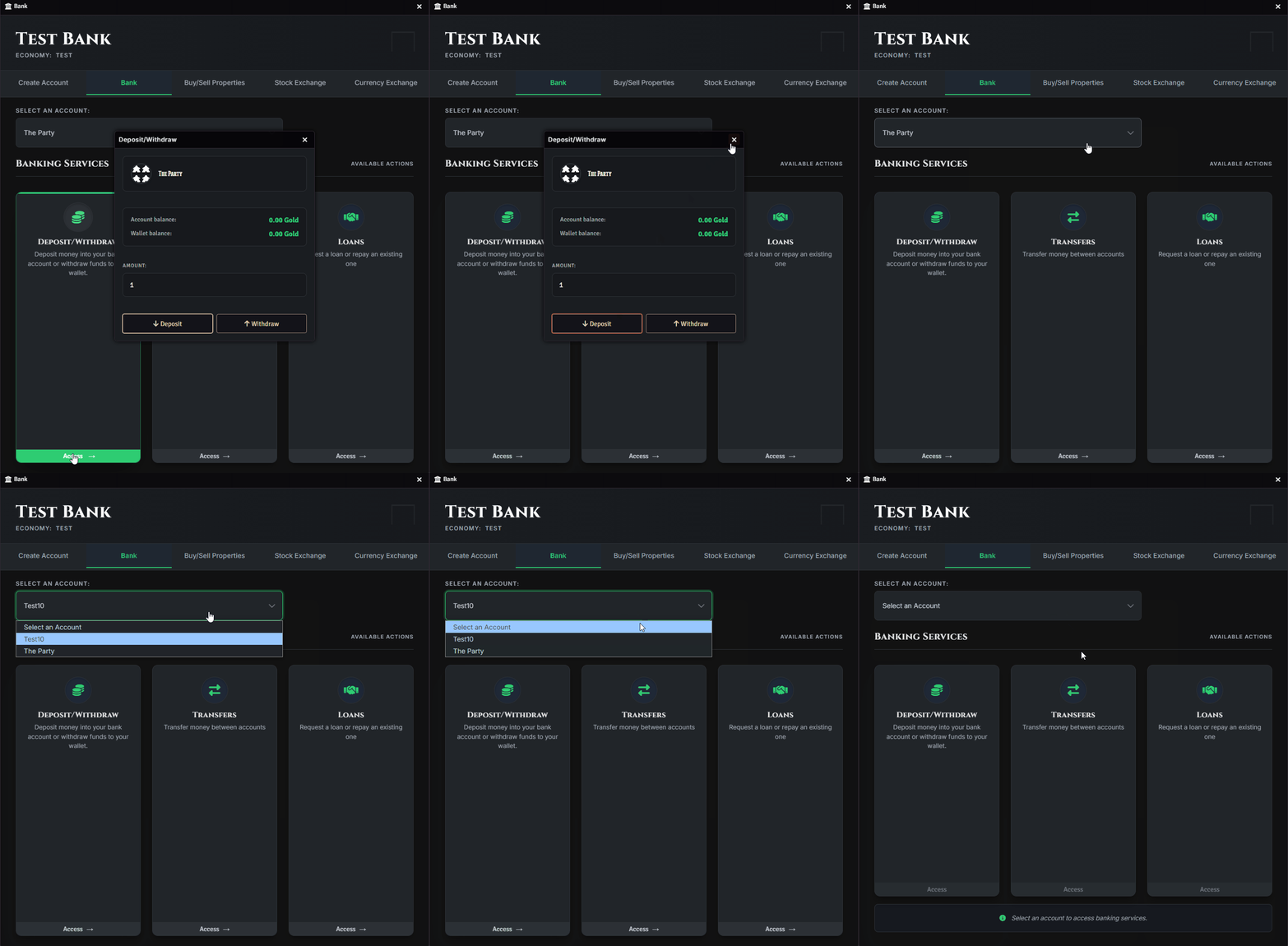
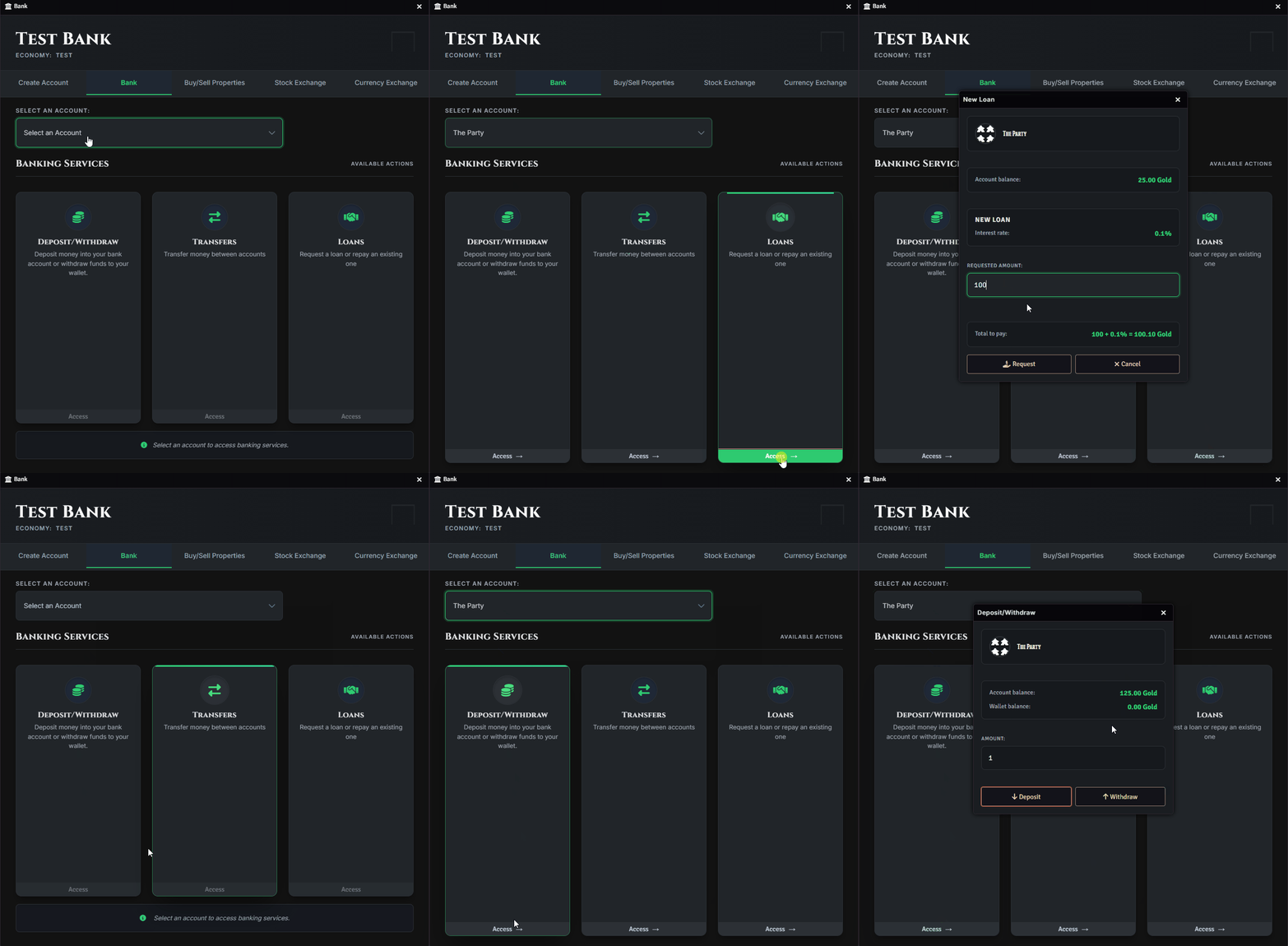
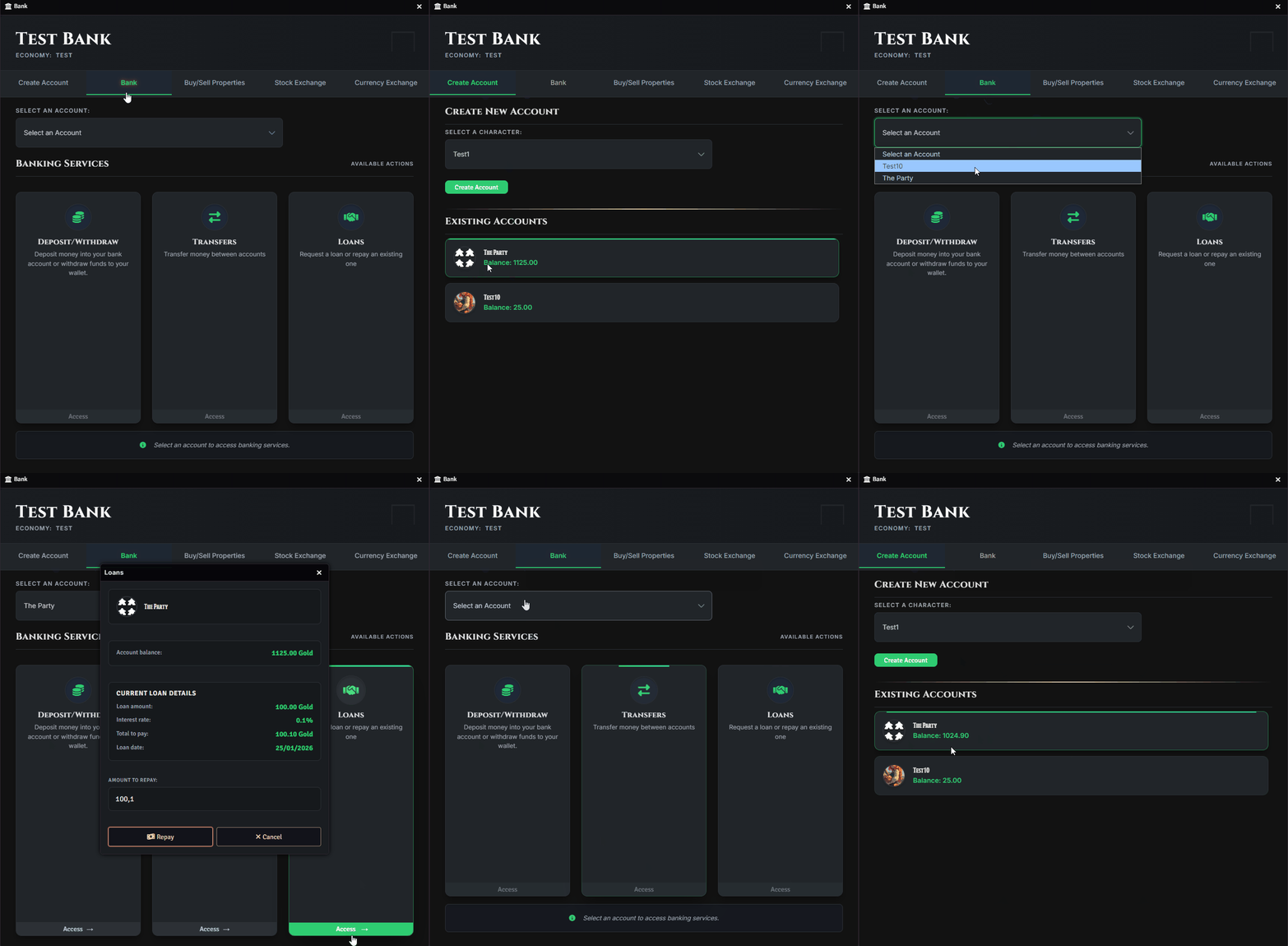
Available banking actions:
- Deposit:
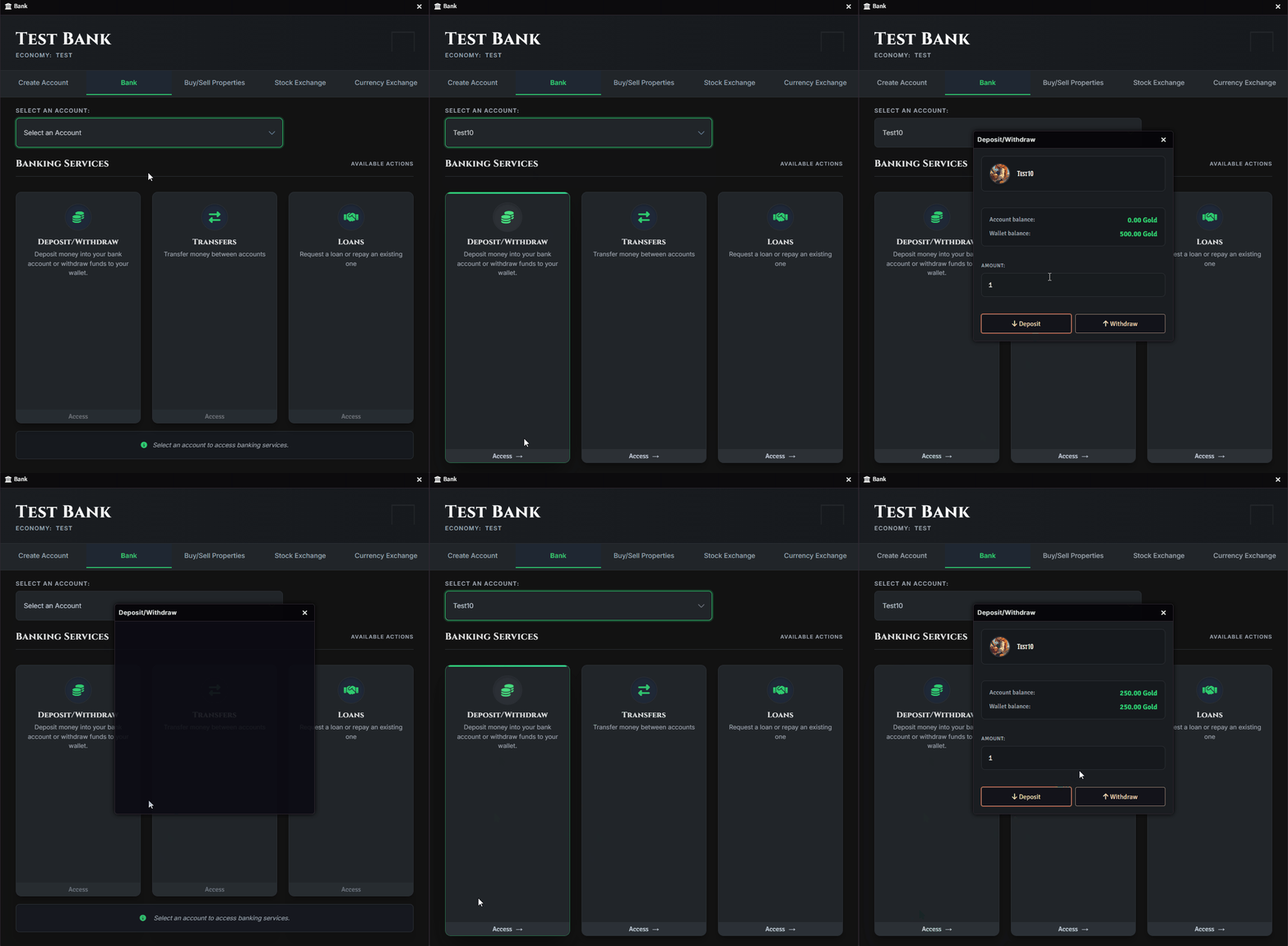
- Withdraw:
- Transfer:
- Take Loans:
- Pay Loans:
Buying & Selling Properties
Section titled “Buying & Selling Properties”Navigate to the Buy/Sell Properties tab:
- Buy:

- Sell (bank pays 80% of the original value):

Buying & Selling Stocks
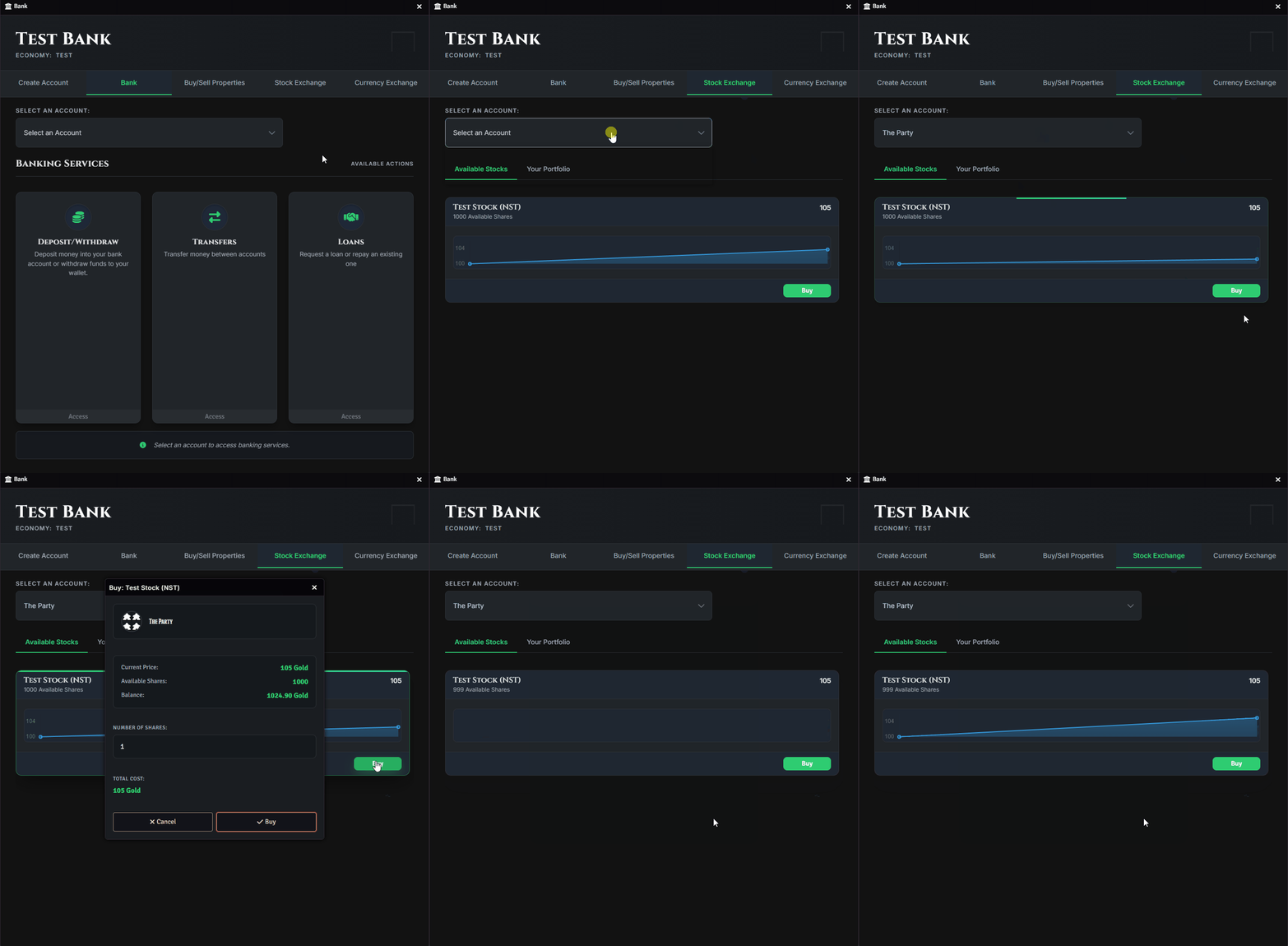
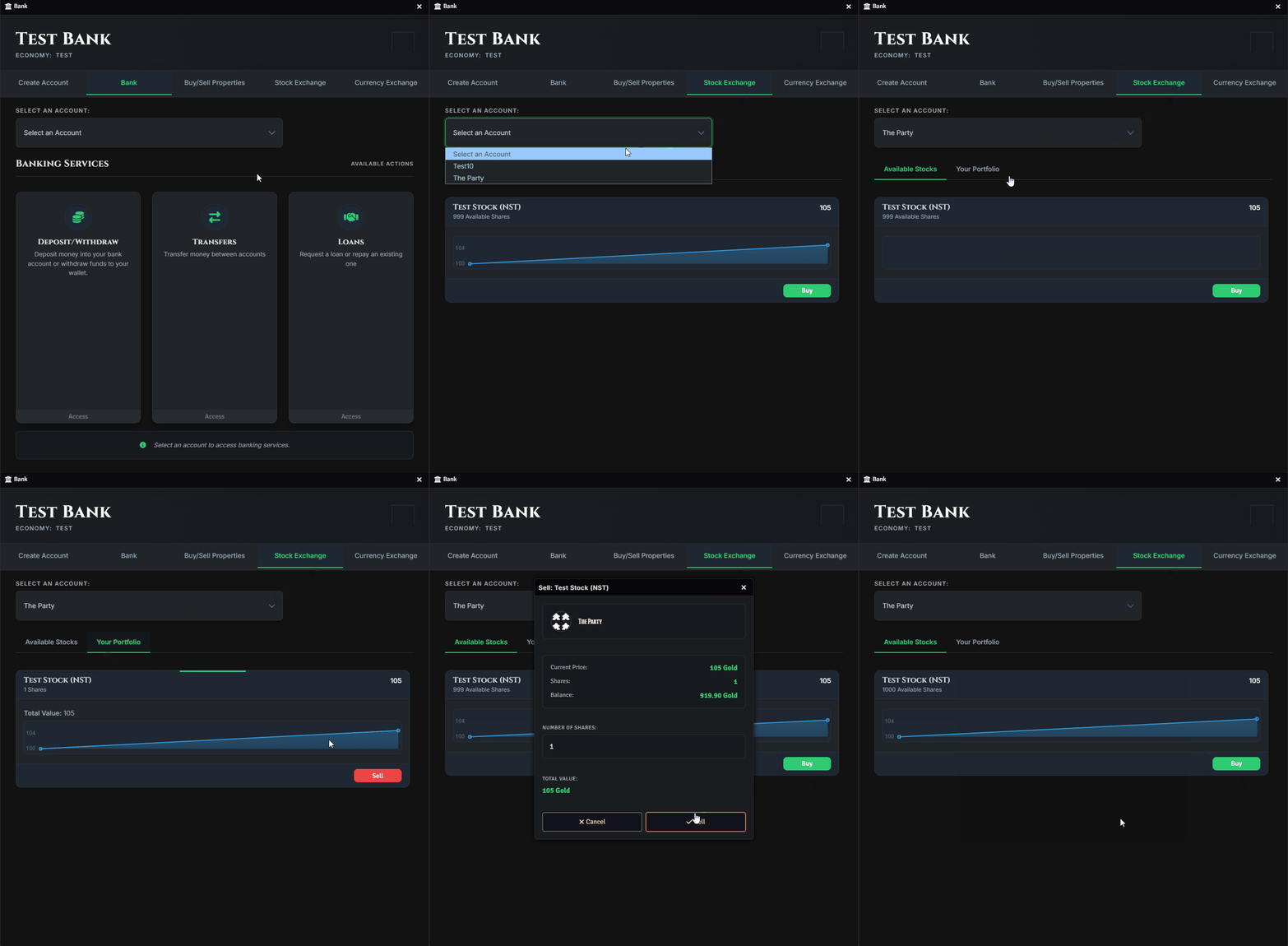
Section titled “Buying & Selling Stocks”In the Stock Exchange tab, you can:
- Buy Stocks:
- Sell Stocks:
Collecting Earnings
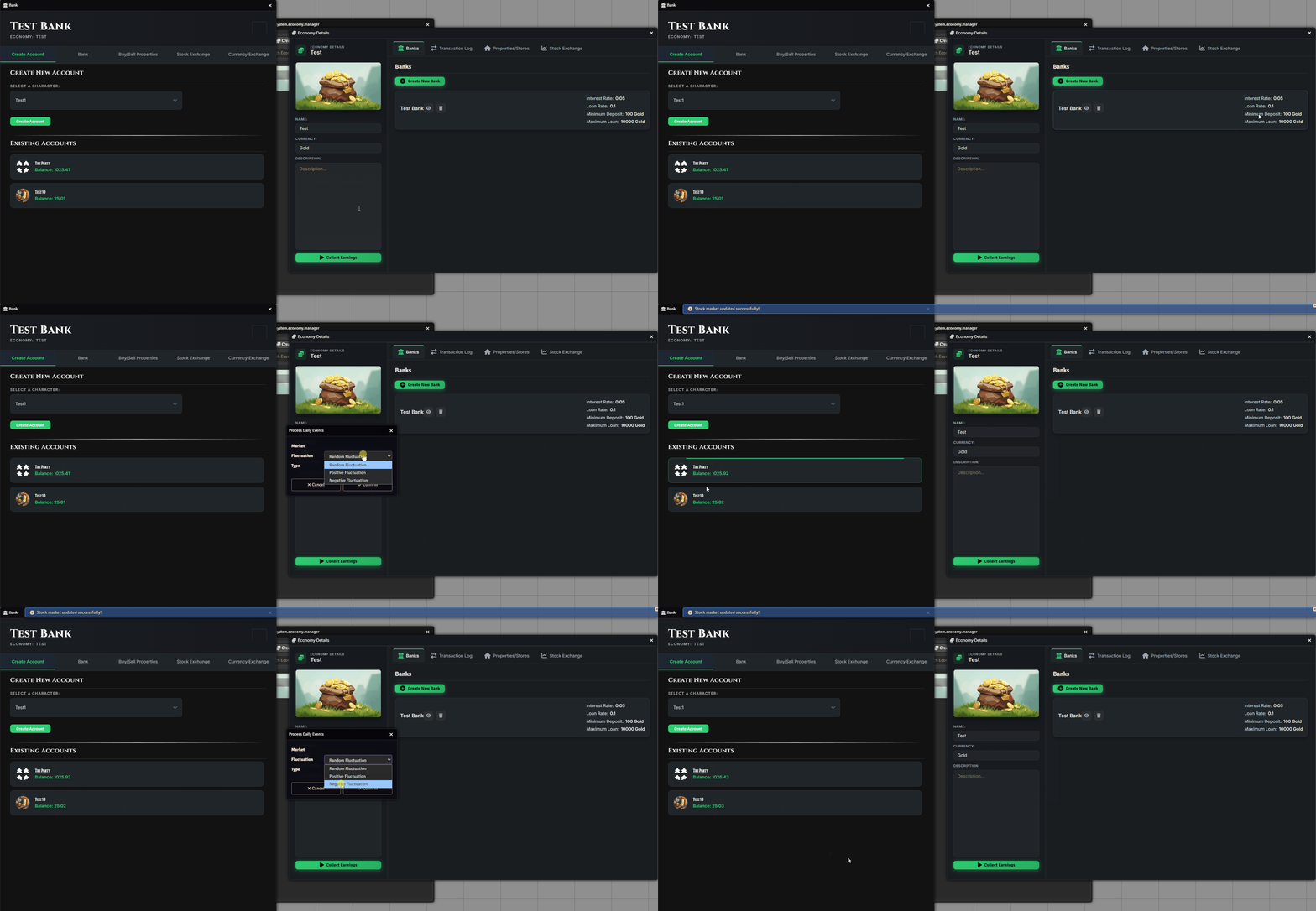
Section titled “Collecting Earnings”Back in the Economy View, only the GM has access to the “Collect Earnings” button.
When used, this will:
- Transfer rent from rented properties to their owners’ bank accounts
- Update the value of each stock, increasing or decreasing account balances accordingly
Transferring Funds Between Economies
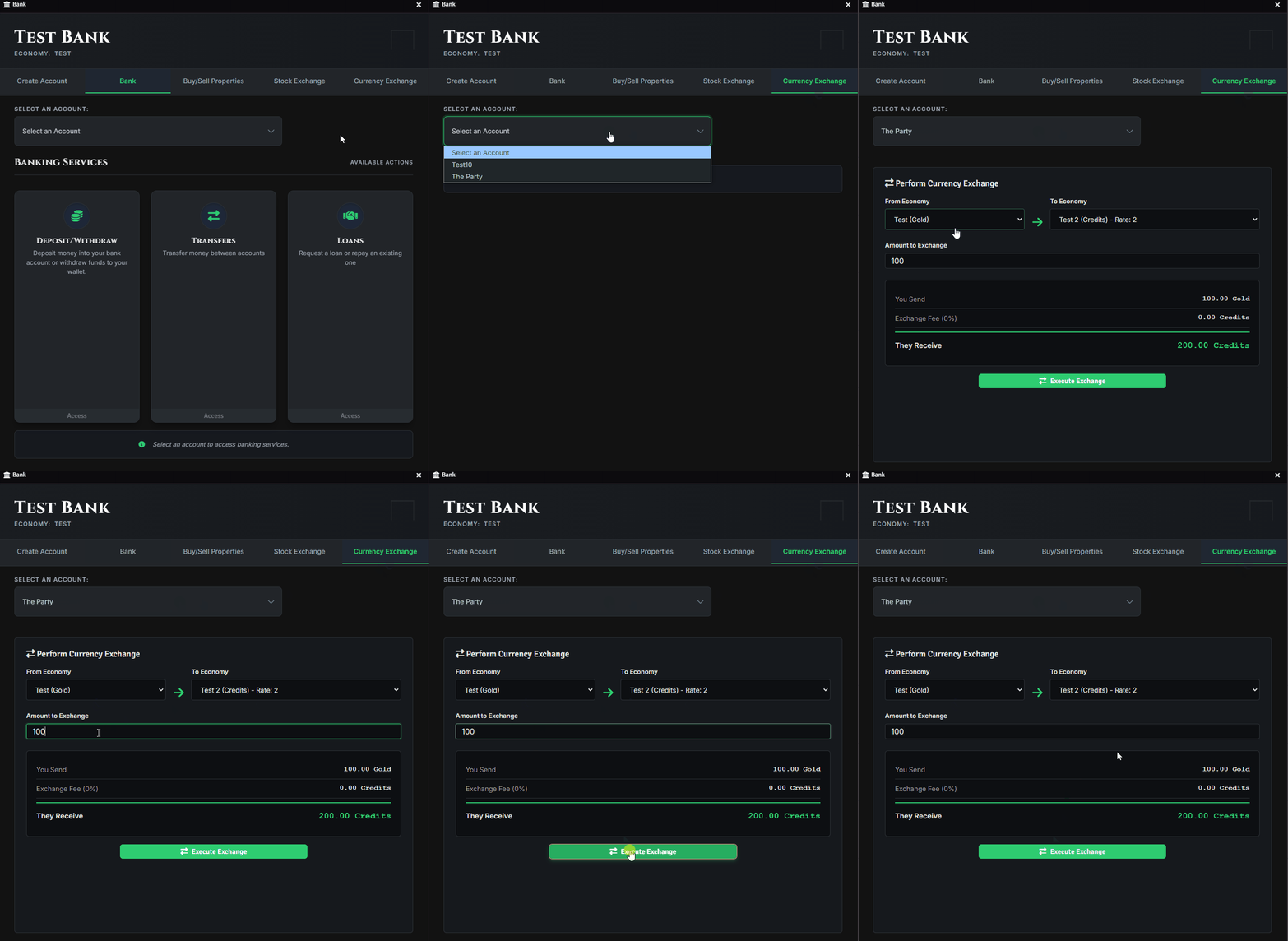
Section titled “Transferring Funds Between Economies”With the new version of the Foundry Financial System, you can transfer funds between different economies. To do this, you must first configure the Exchange Rates between each economy:
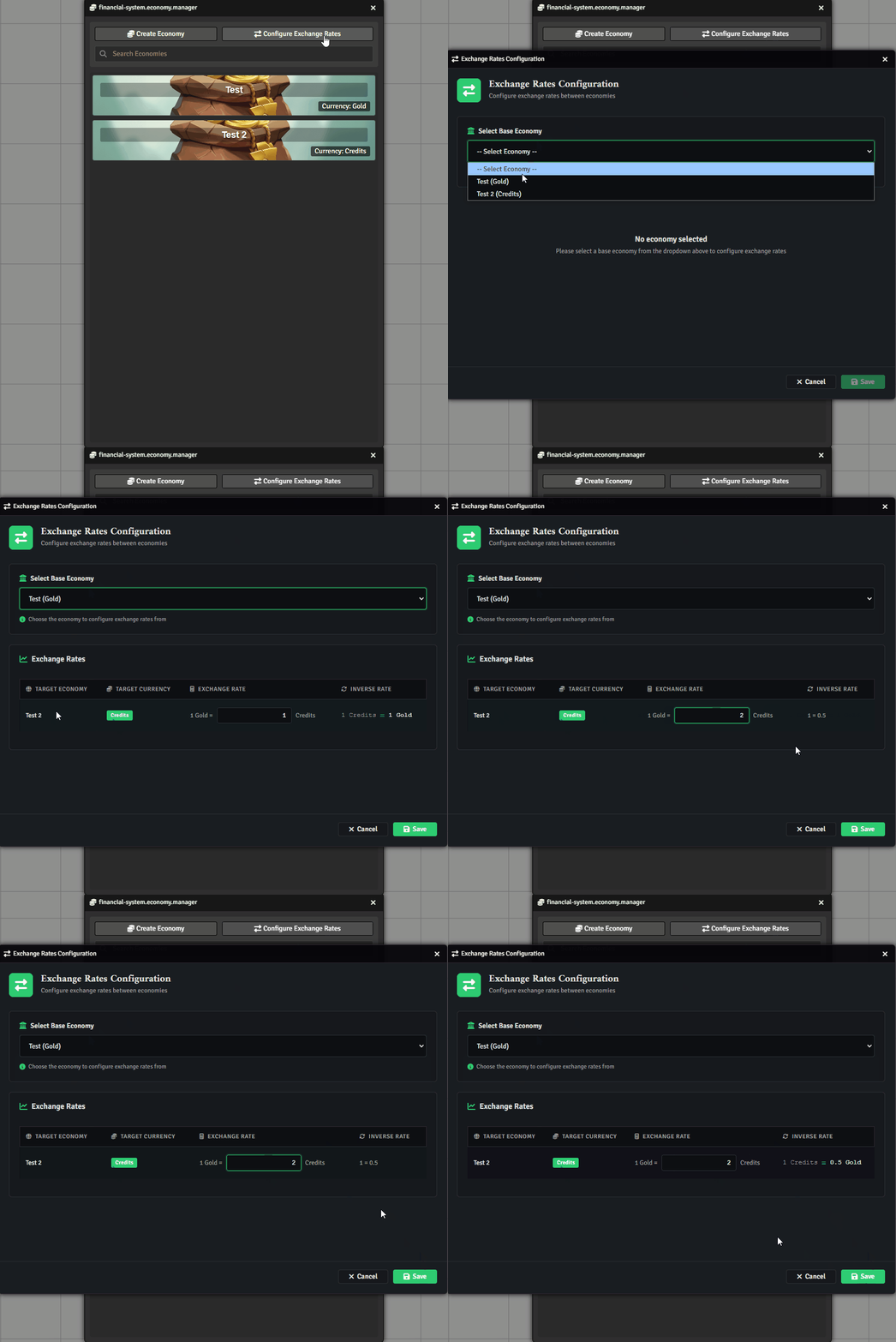
After that, go to any bank, open the Currency Exchange tab, select the target economy and the account you wish to transfer to, and confirm the transaction:
Further Reading
Section titled “Further Reading”- Visit the Foundry Financial System module page to learn more.