
Quick Display Change
Quick Display Change is a practical module that allows you to quickly control the visibility of names and status bars for selected tokens with just a few clicks. Fast, simple, and efficient.
You can apply changes to multiple tokens simultaneously and choose from various display options, all through an intuitive and user-friendly interface.
Enabling the Module
Section titled “Enabling the Module”First, ensure the module is enabled:

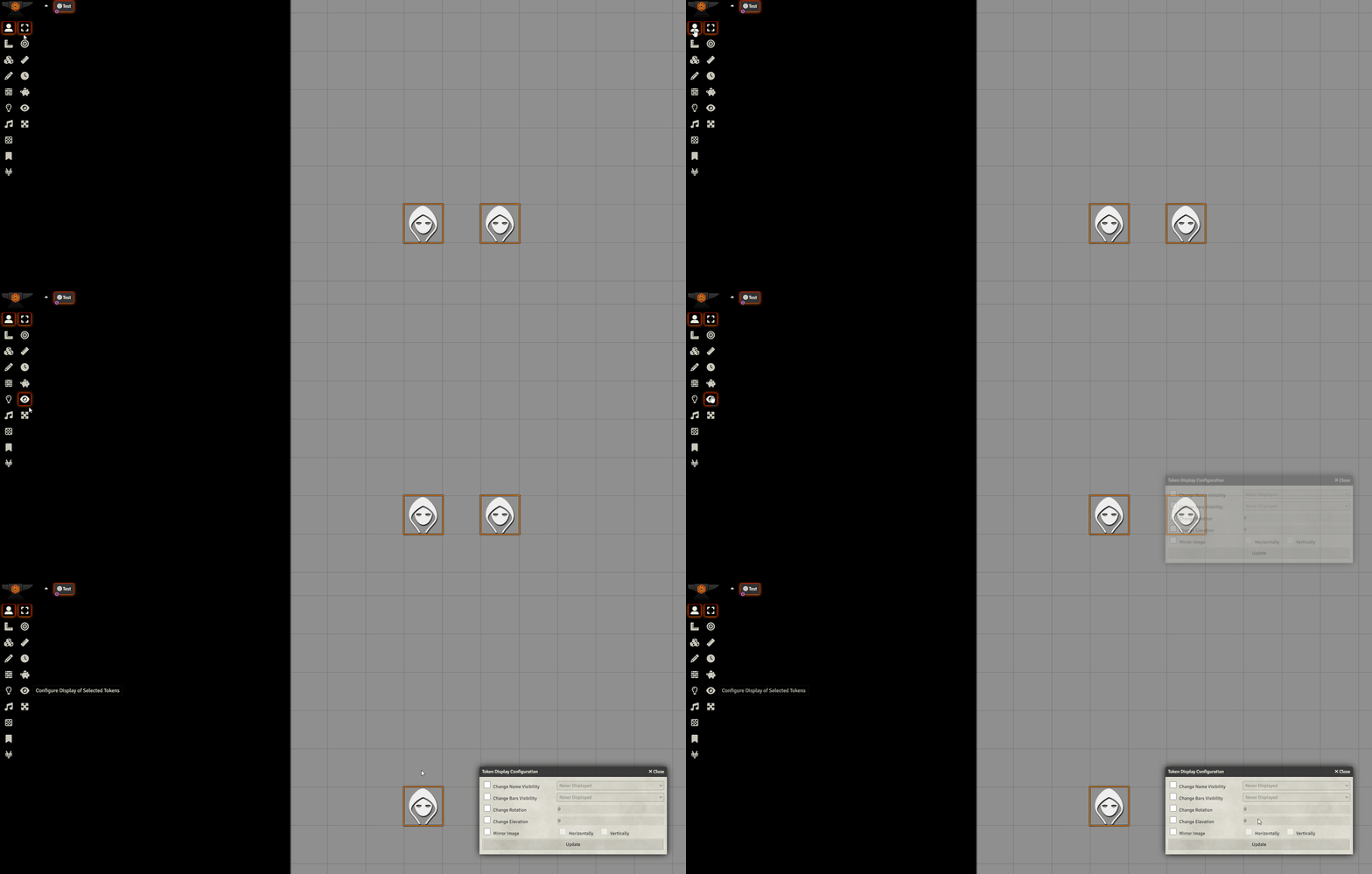
Accessing the Tool
Section titled “Accessing the Tool”To access the display options, go to:
Token Controls -> Configure Display of Selected Tokens
Available Features
Section titled “Available Features”Once opened, you can apply the following settings to the selected tokens:
Change Name Visibility
Section titled “Change Name Visibility”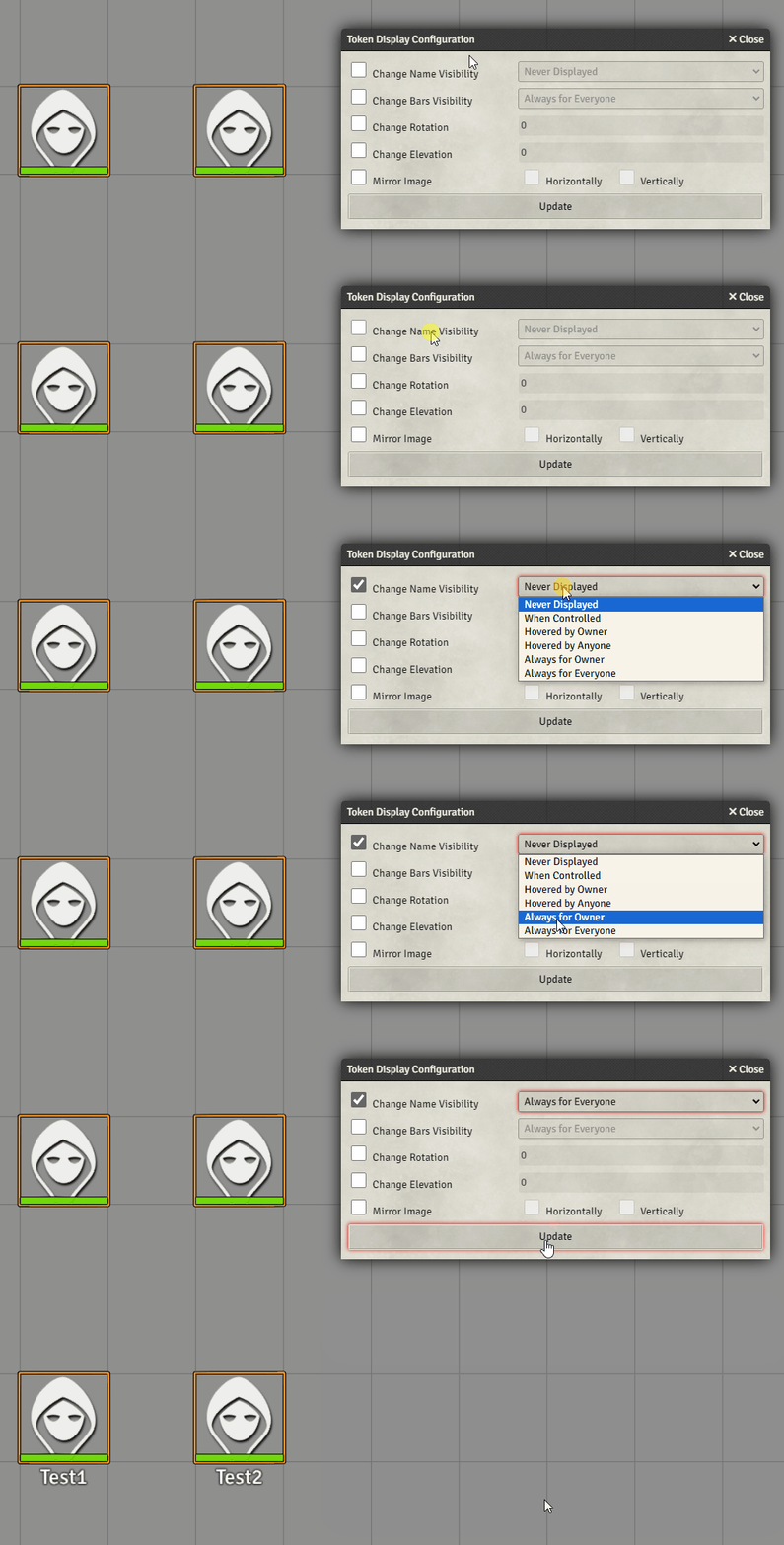
Change Bars Visibility
Section titled “Change Bars Visibility”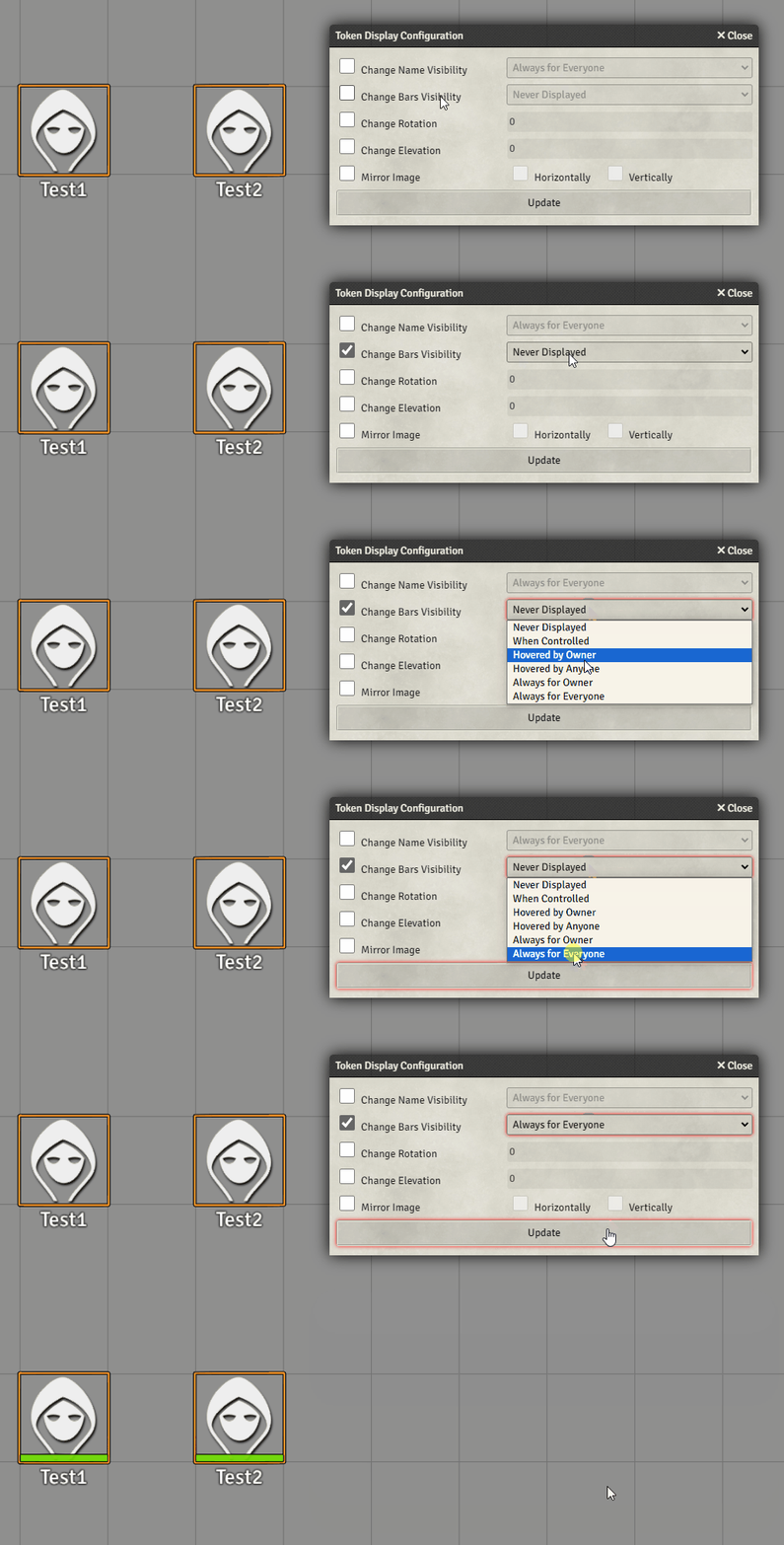
Adjust Rotation
Section titled “Adjust Rotation”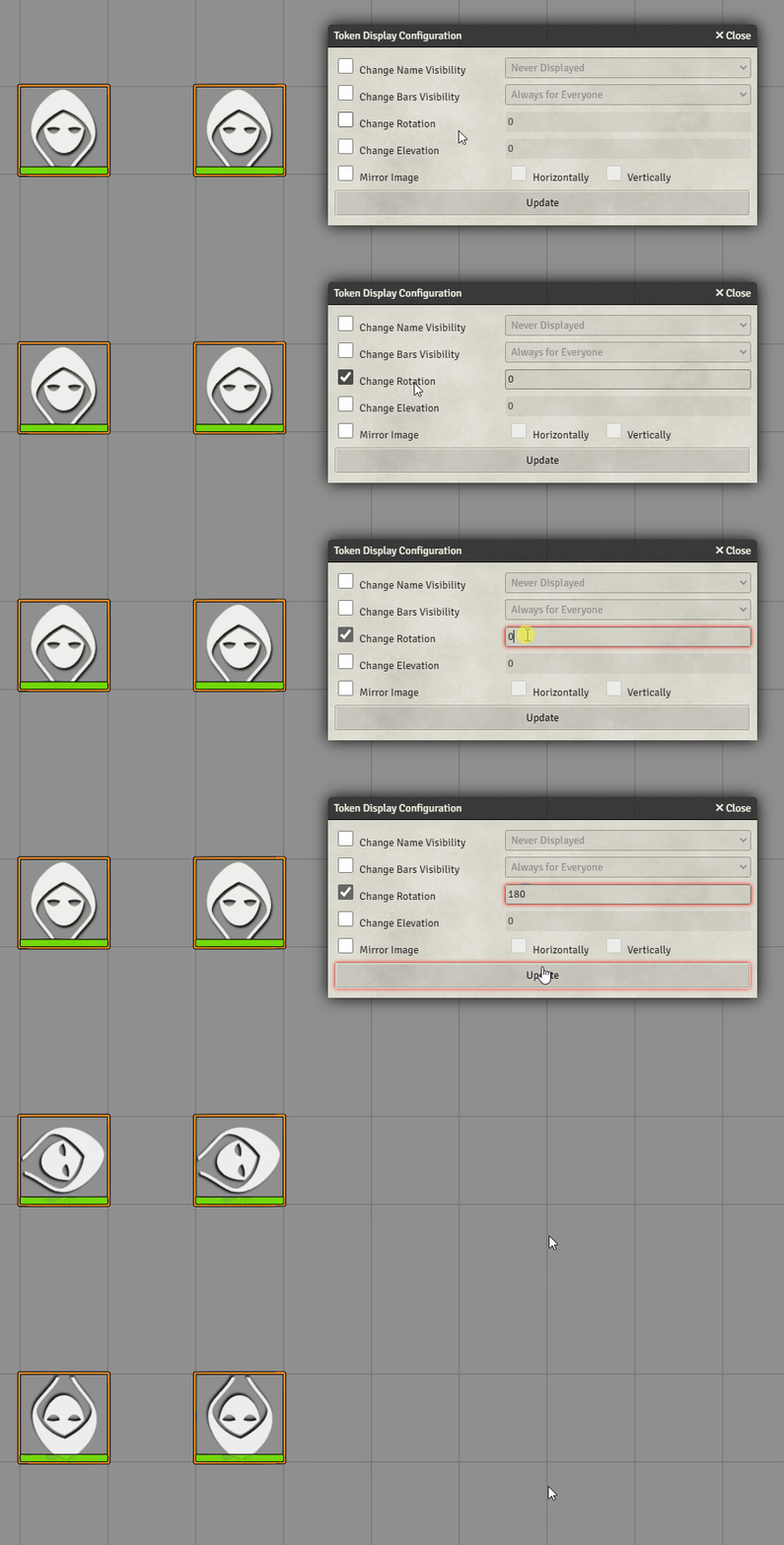
Adjust Elevation
Section titled “Adjust Elevation”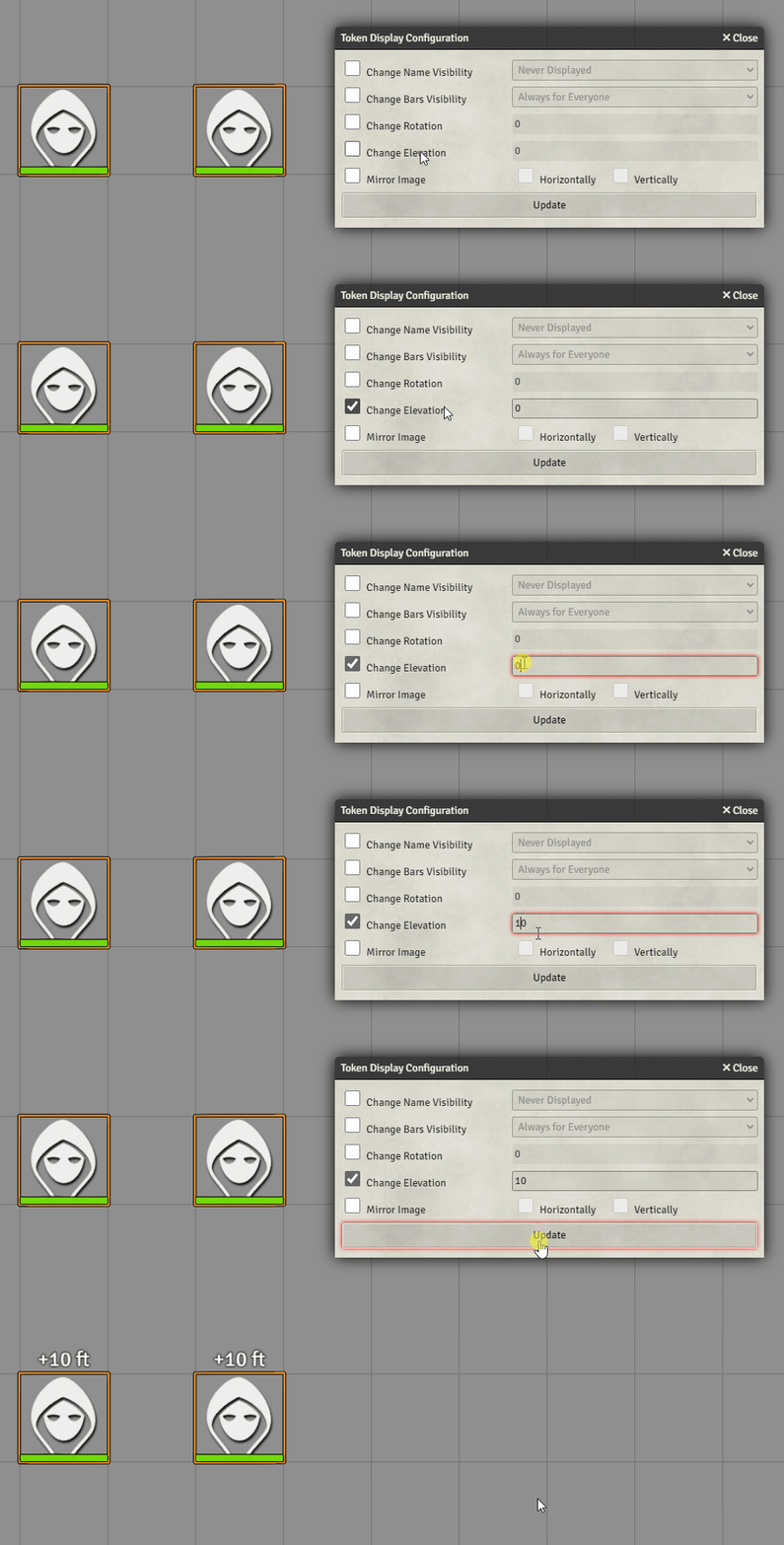
Mirror Token Image
Section titled “Mirror Token Image”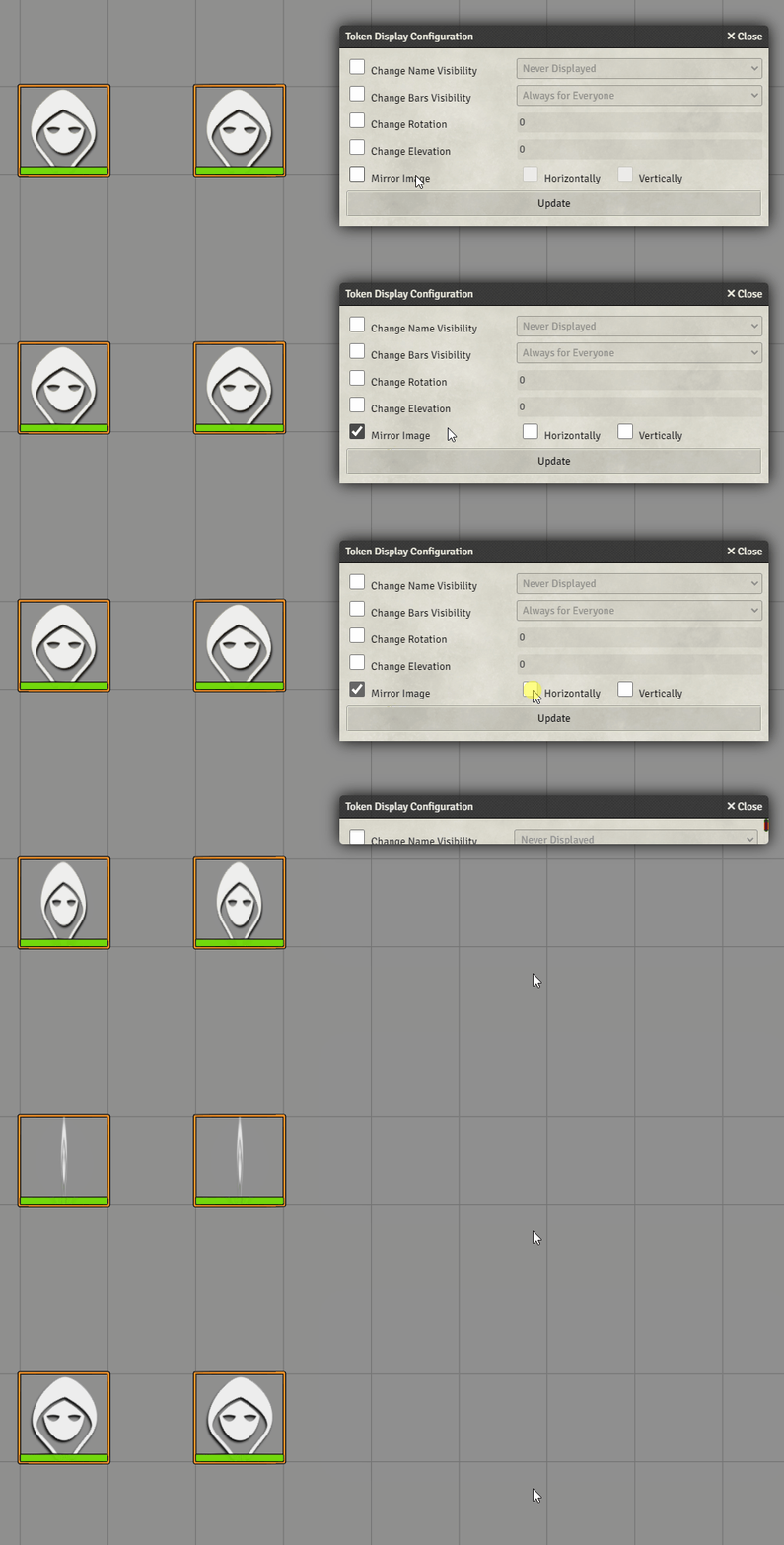
Further Reading
Section titled “Further Reading”- Visit the Quick Display Change module page to learn more.