Relations Tracker
The Relations Tracker is a system-agnostic module that introduces a complete relationship management system to Foundry VTT, adding depth, emotion, and narrative immersion to your campaigns.
Key Features
Section titled “Key Features”Manage Relationships: Create, edit, and monitor connections between characters — such as friendships, rivalries, alliances, reputations, or any type of bond that fits your story.
Character Sheet Integration: A dedicated button in the character sheet header opens the personal relations panel, offering quick and organized access to all connections.
Shared Access: When enabled by the Game Master, players can view and edit their own relationships, supporting dynamic and collaborative storytelling.
Enabling the Module
Section titled “Enabling the Module”First, make sure the module is enabled:

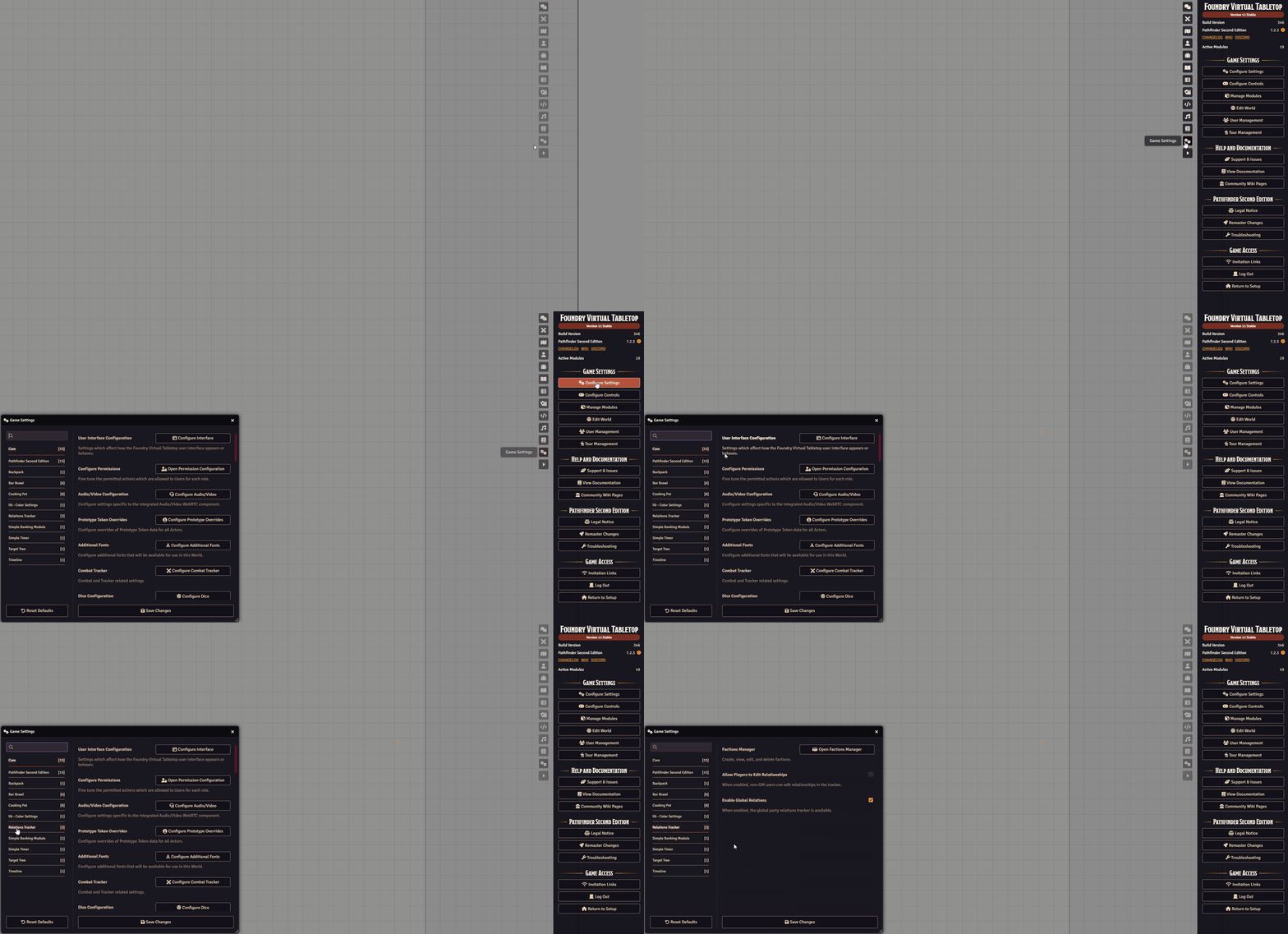
To access the configuration, go to Settings -> Configure Settings -> Relations Tracker:
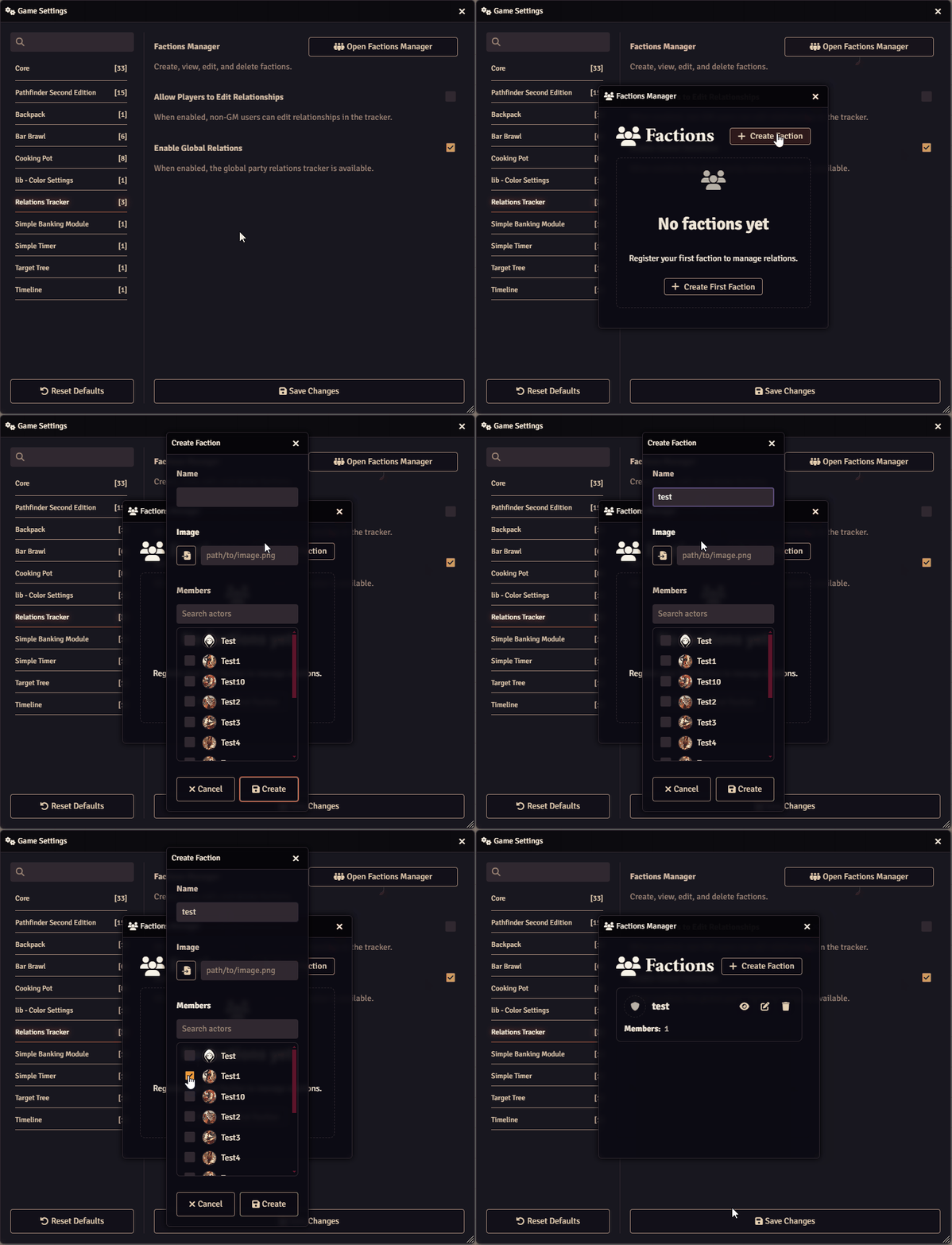
You can start by creating a Faction for your players or NPCs.
Open the Faction Manager, then click + Create Faction:
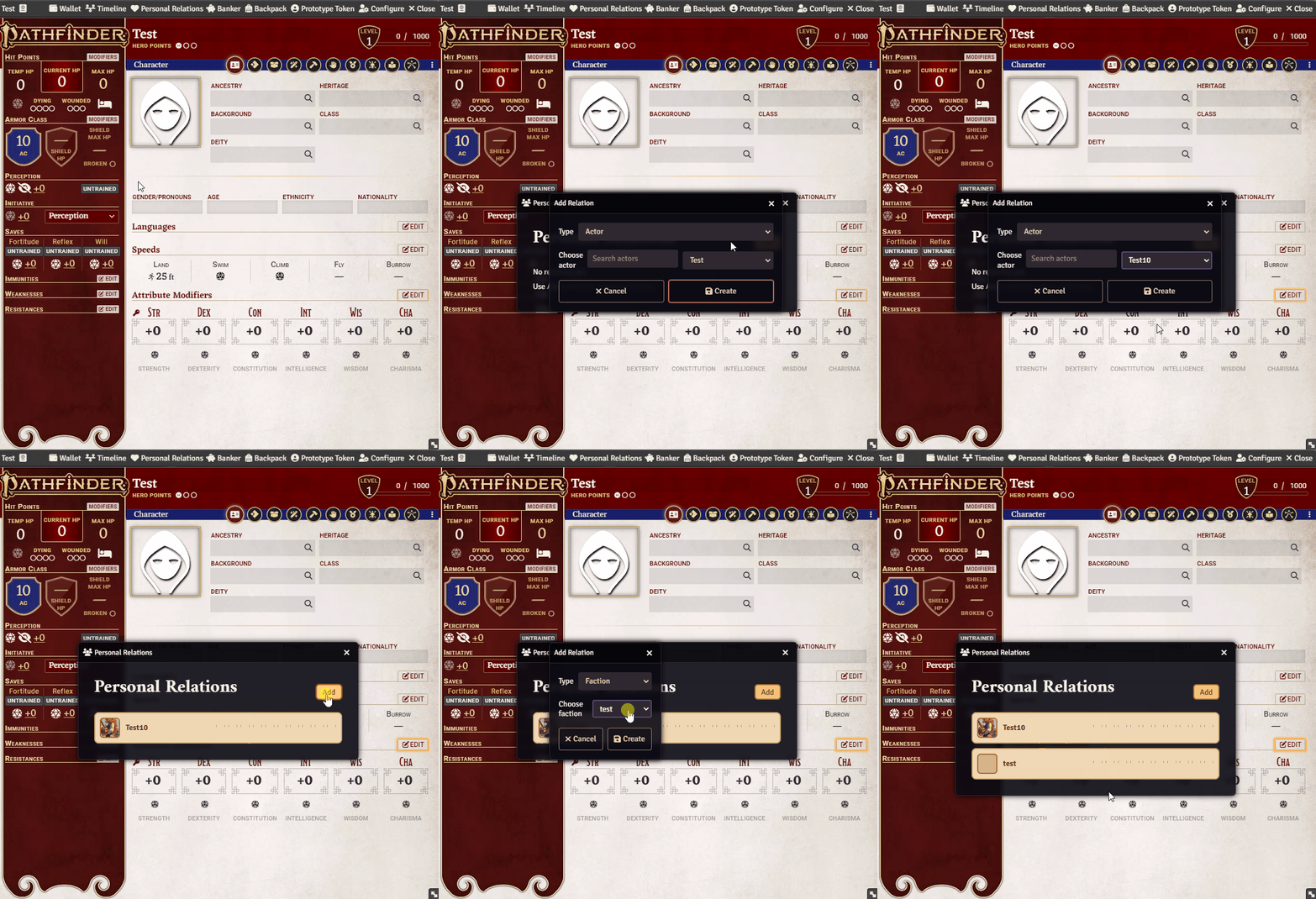
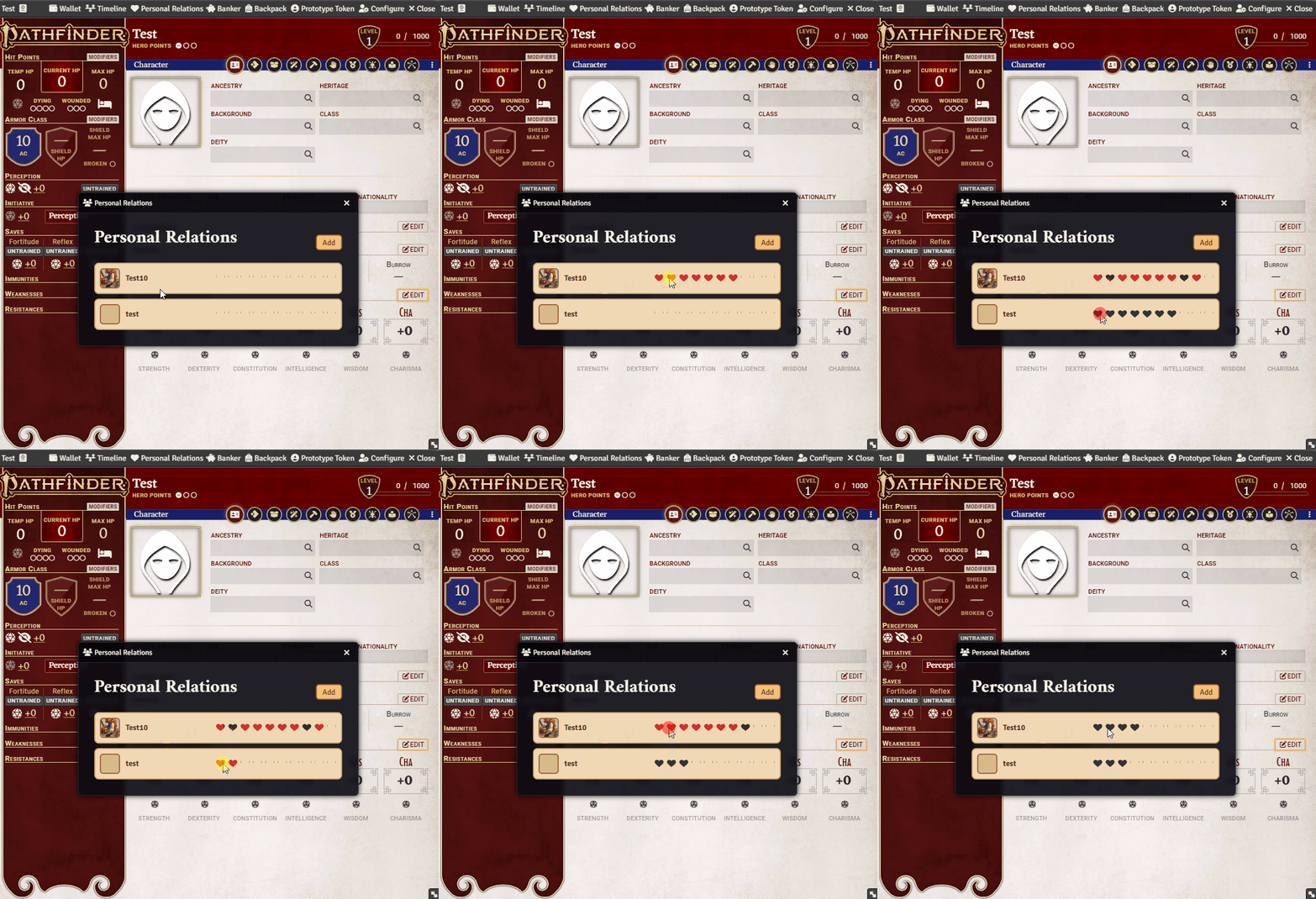
Next, open any character sheet and access the Personal Relations panel for that actor (Player or NPC).
From there, you can register other Actors or Factions to establish their relationships:
You can increase the relationship level with a left-click, or decrease it with a right-click:
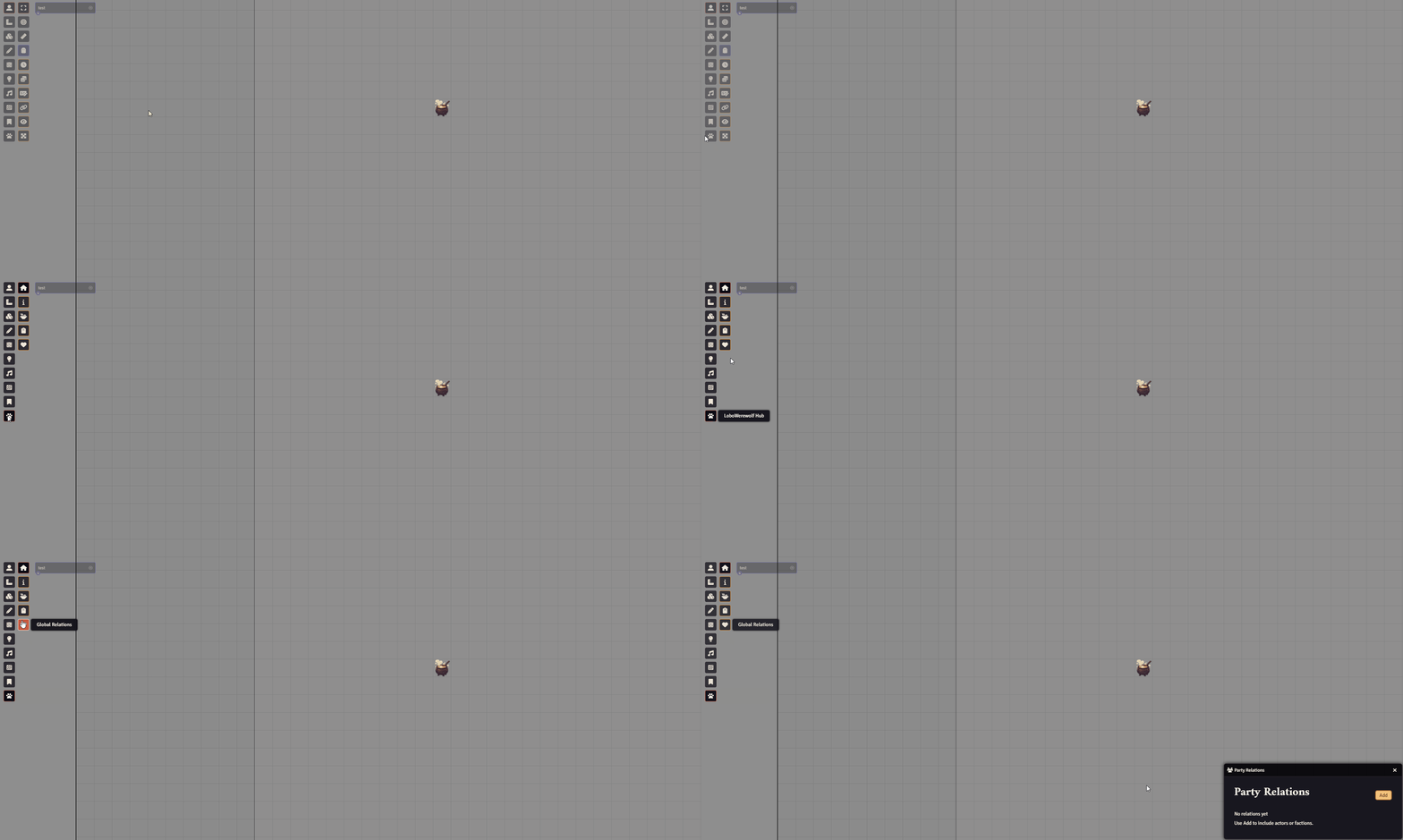
The module also supports Global Relations, representing the overall attitude of all NPCs toward the party.
To access it, open the LoboWerewolf Hub and select Global Relations:
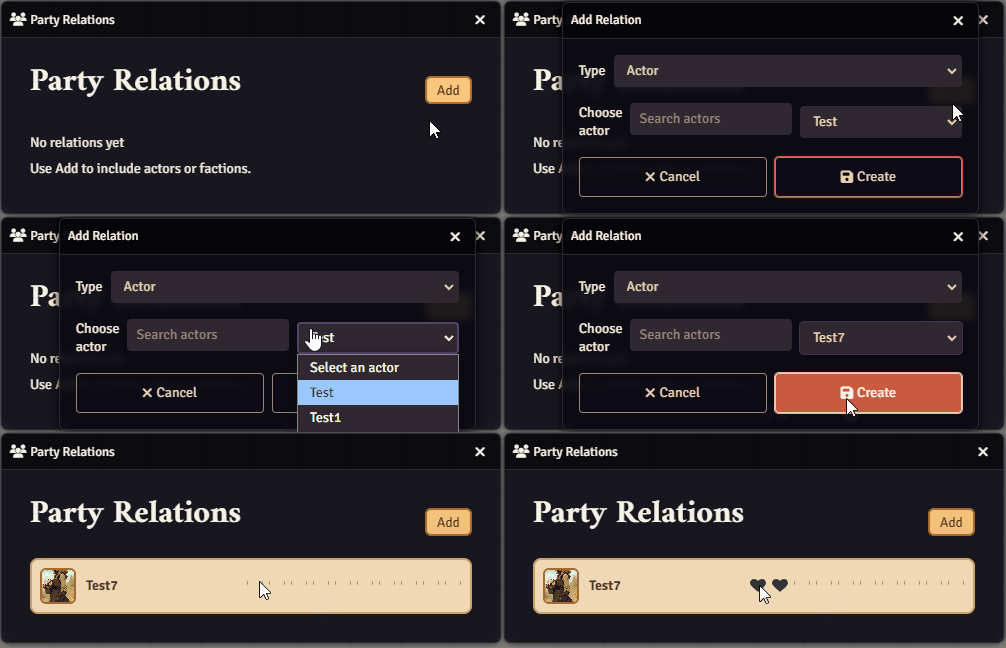
In this panel, you can assign NPCs and Factions just like in the Personal Relations view:
Further Reading
Section titled “Further Reading”- Visit the Relations Tracker module page for more information.
- You can also watch the official video guide: https://www.youtube.com/watch?v=6sH4MTf4TpA