
Cooking Pot
The Cooking Pot module introduces a complete cooking system fully integrated into Foundry VTT. It enhances immersion and adds resource management to your games, allowing GMs to create and manage recipes, handle ingredients, cook meals, and seamlessly integrate everything with the Backpack module.
Key Features
Section titled “Key Features”- Create and Manage Recipes: Define ingredients, cooking steps, and resulting items.
- Ingredient Management: Add, categorize, and organize ingredients with ease.
- Cook and Consume: Use the Cooking Pot and Cutting Board interfaces to prepare recipes, consume ingredients directly from character backpacks, and instantly produce results.
- Seamless Integration: Connects with the Backpack module for inventory handling and synchronizes actions across all players in real time.
[!] Notice:
This module is system-agnostic. By default, it includes a small sample of recipes and ingredients, which can be completely disabled. GMs can also link system-specific items directly to recipes and ingredients for full integration with their chosen ruleset.
Enabling the Module
Section titled “Enabling the Module”First, ensure the module is enabled:

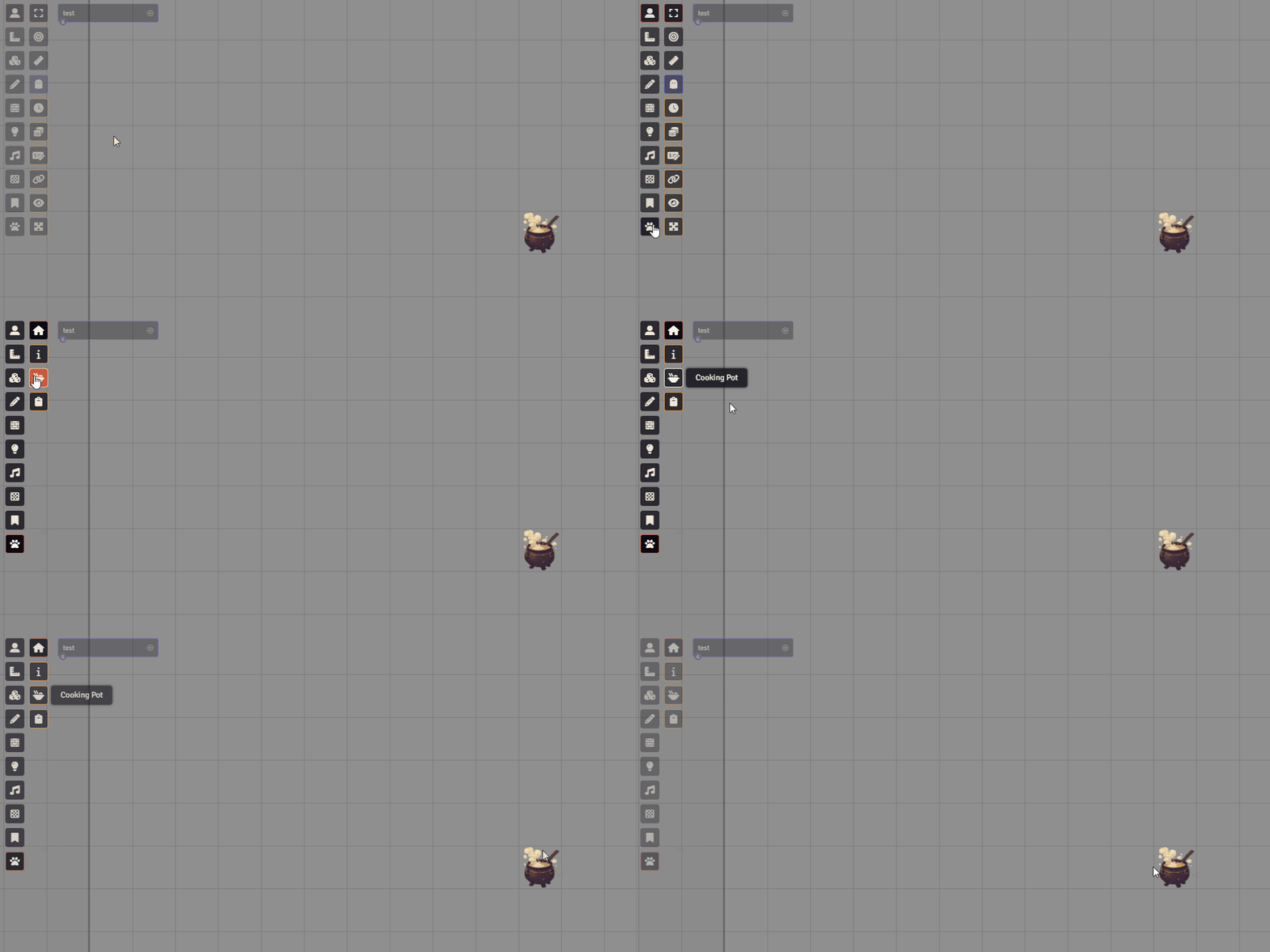
To access the module, open the LoboWerewolf Hub and click on the Cooking Pot icon. This will create the Pot token:
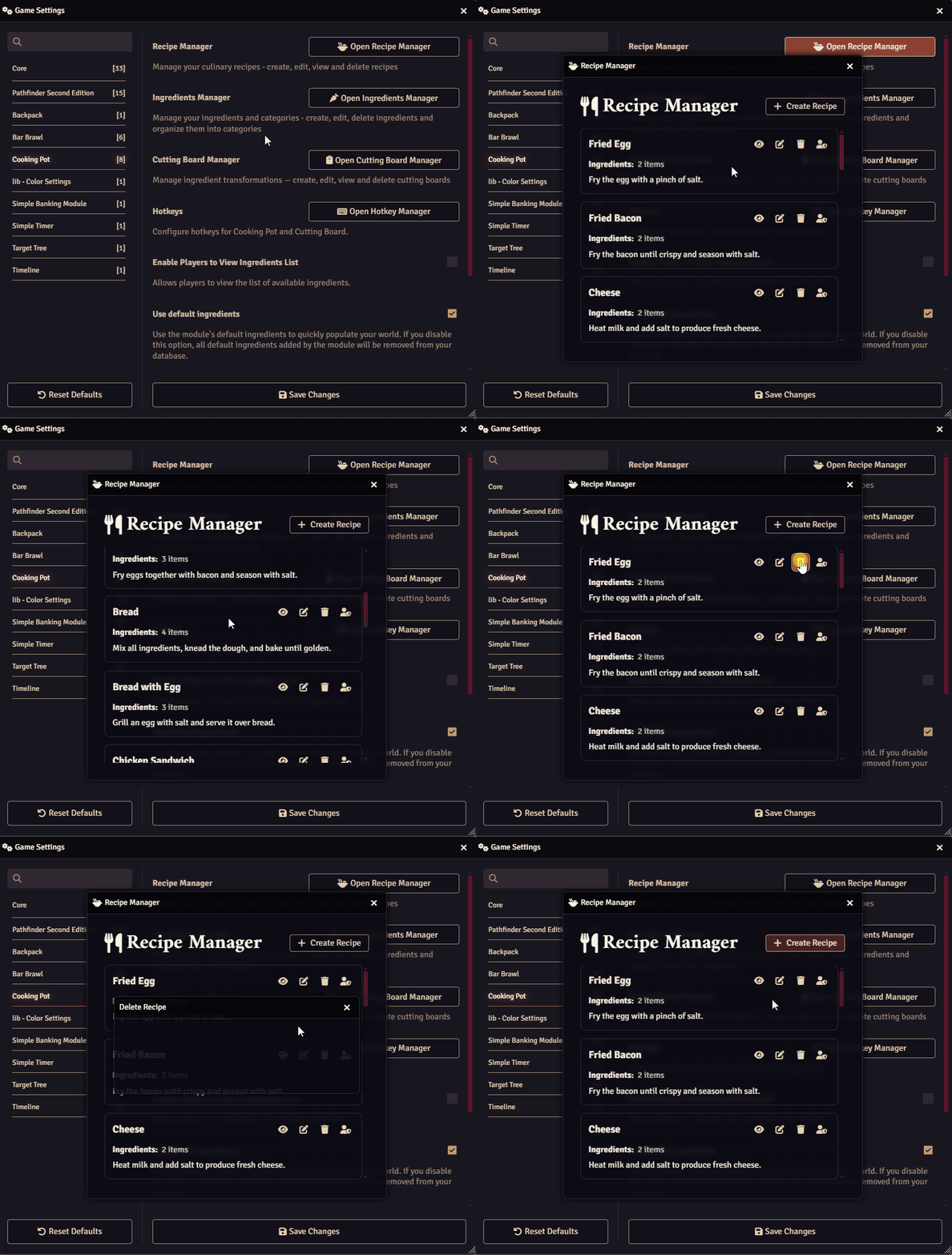
Under Game Settings -> Configure Settings -> Cooking Pot, you can configure the module. Here, you may also remove all default recipes and ingredients:

Use the Open Recipe Manager and Open Ingredients Manager to control recipes and ingredients. You can create, edit, or delete entries as needed:
Creating a Recipe
Section titled “Creating a Recipe”Before creating a recipe, ensure all required ingredients and the resulting item already exist.
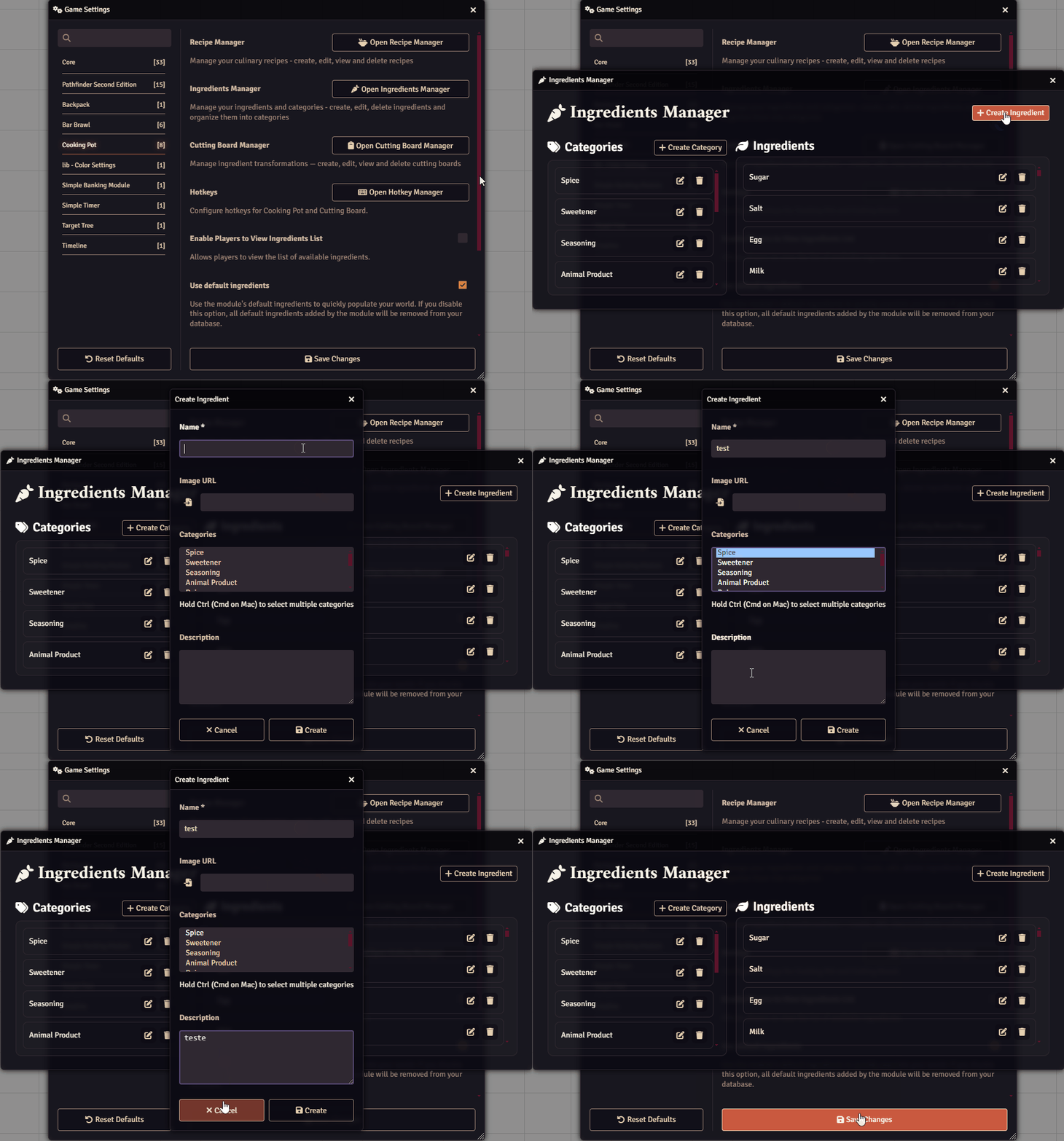
For example, let’s start by creating a new ingredient:
- Go to Open Ingredients Manager -> + Create Ingredient.
- Define its Name, Image, Category, and Description.
- Fields marked with
*are required for recipe creation.
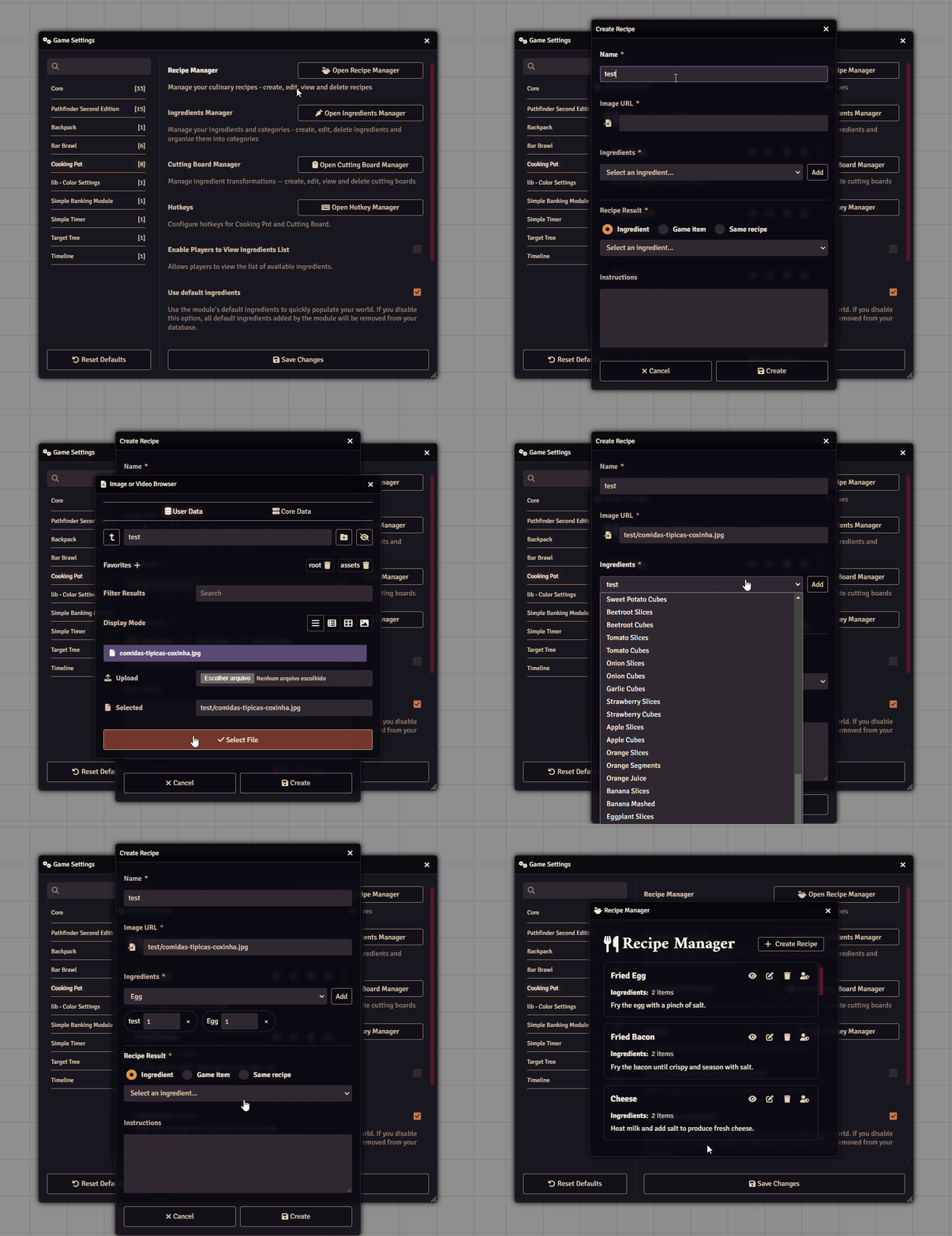
Now, with all ingredients prepared, go to Open Recipe Manager -> + Create Recipe:
Managing Ingredients in Inventories
Section titled “Managing Ingredients in Inventories”To manage ingredients in player or NPC inventories, open the Items tab and select the Ingredient List menu:

Right-click on the desired ingredient to send it directly to the backpack of a player or NPC:
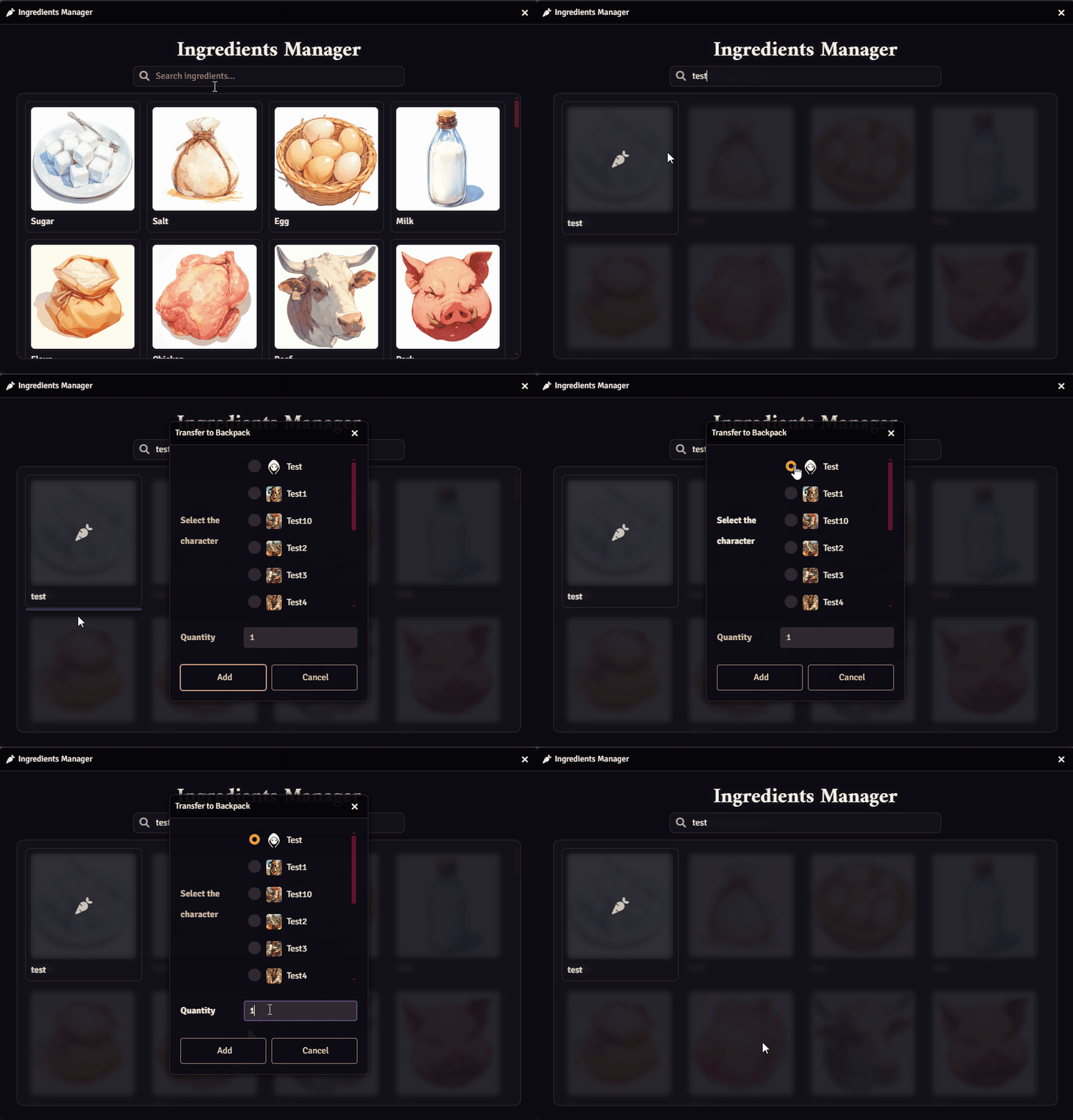
Players can then check the ingredient inside their Backpack:
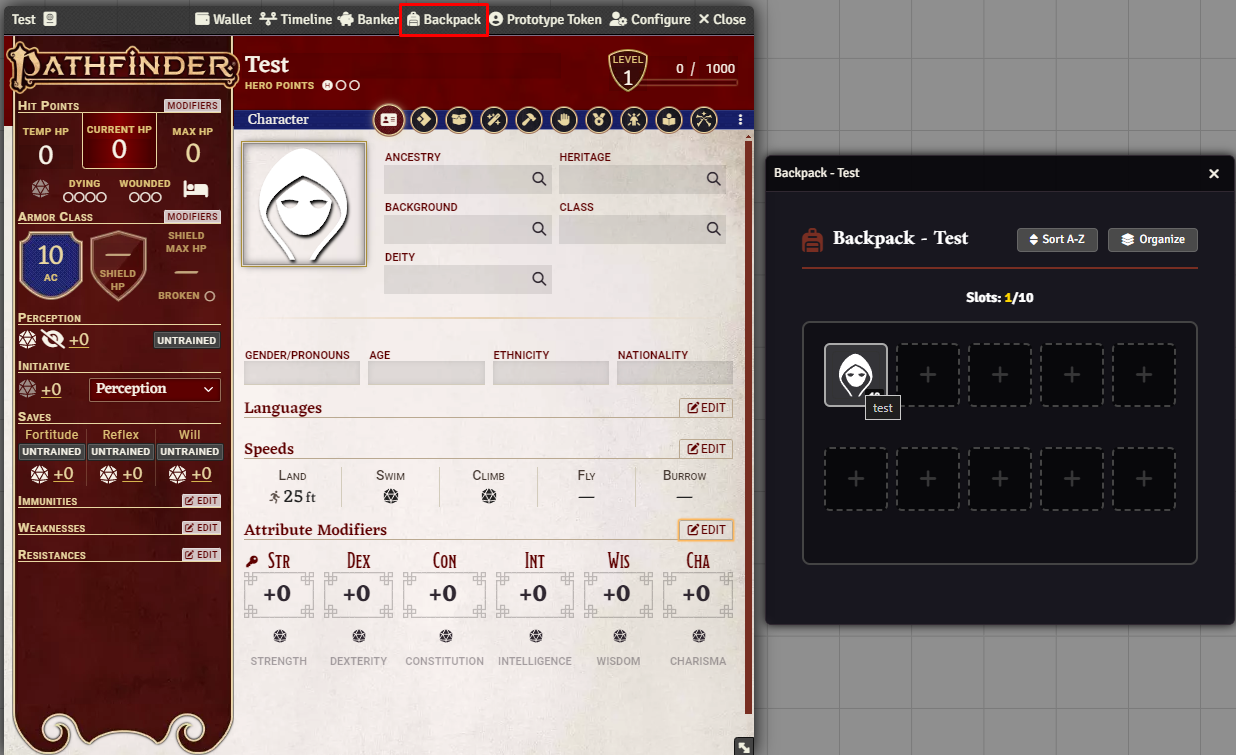
Cooking
Section titled “Cooking”To start cooking, hold Shift and click on the Pot to open the Cooking Pot Interface:
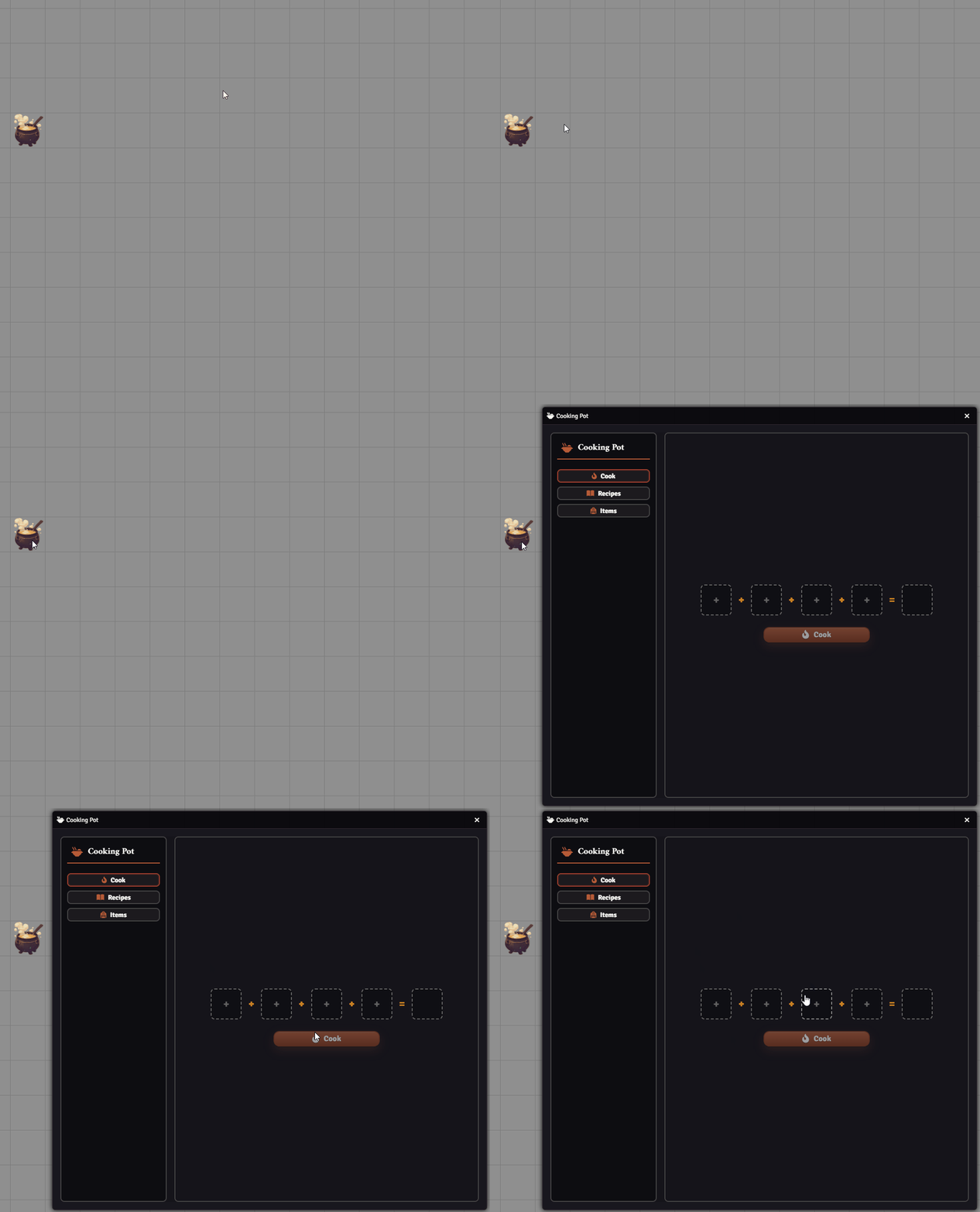
You can customize this shortcut in Configure Settings -> Cooking Pot -> Open Hotkeys Manager:
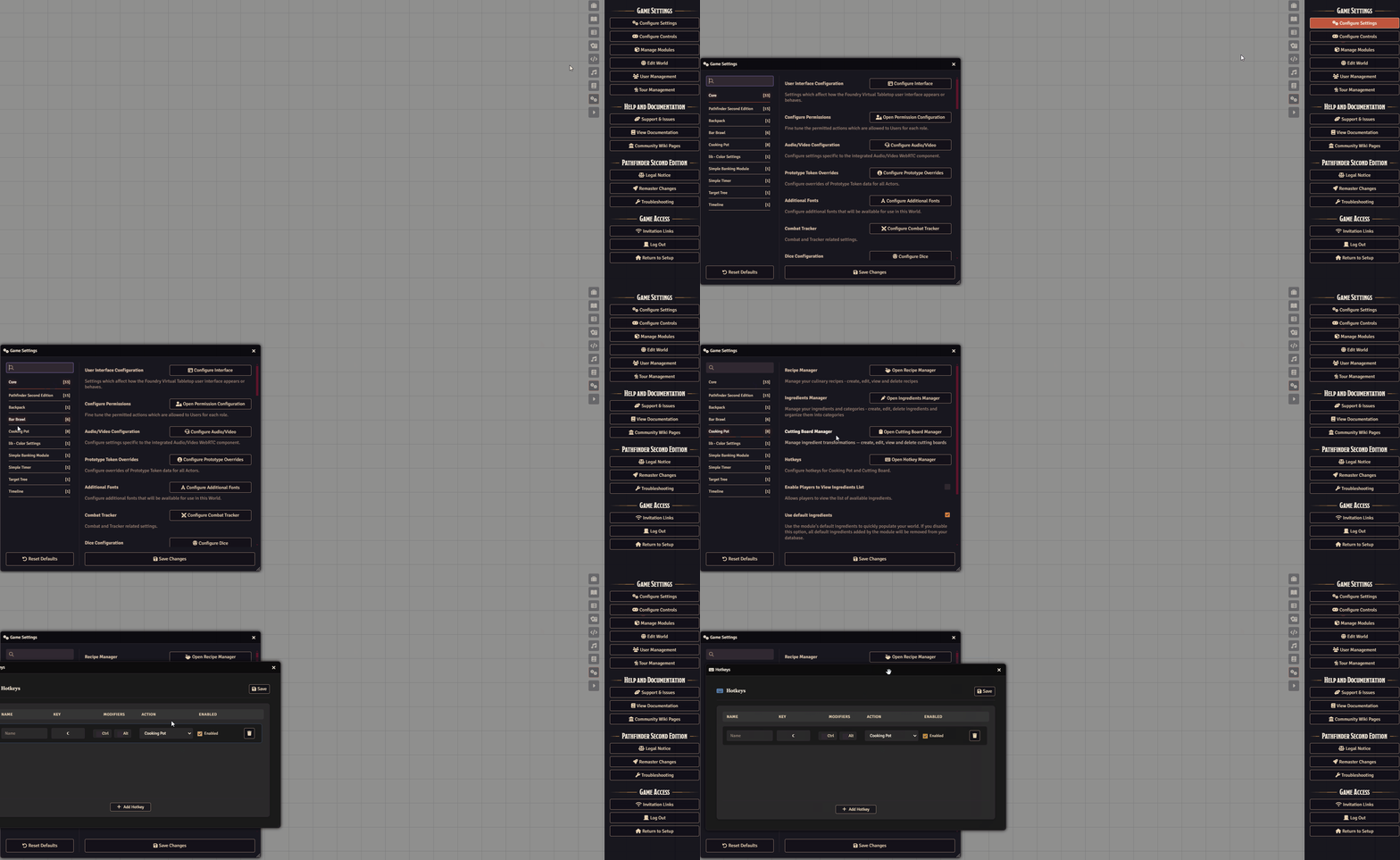
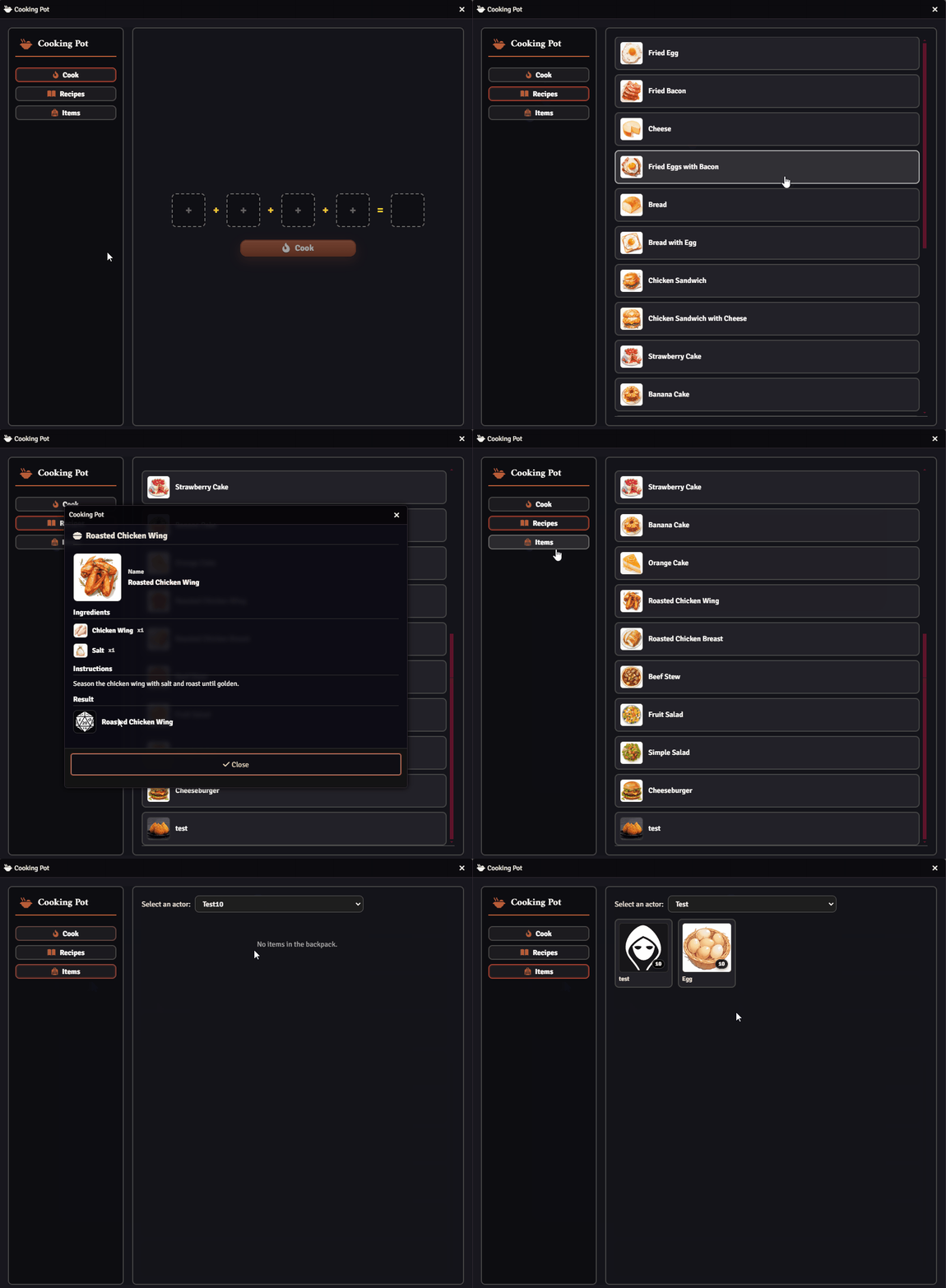
Inside the Cooking Pot Interface, you can:
- Cook
- Check recipes
- Review items players currently have
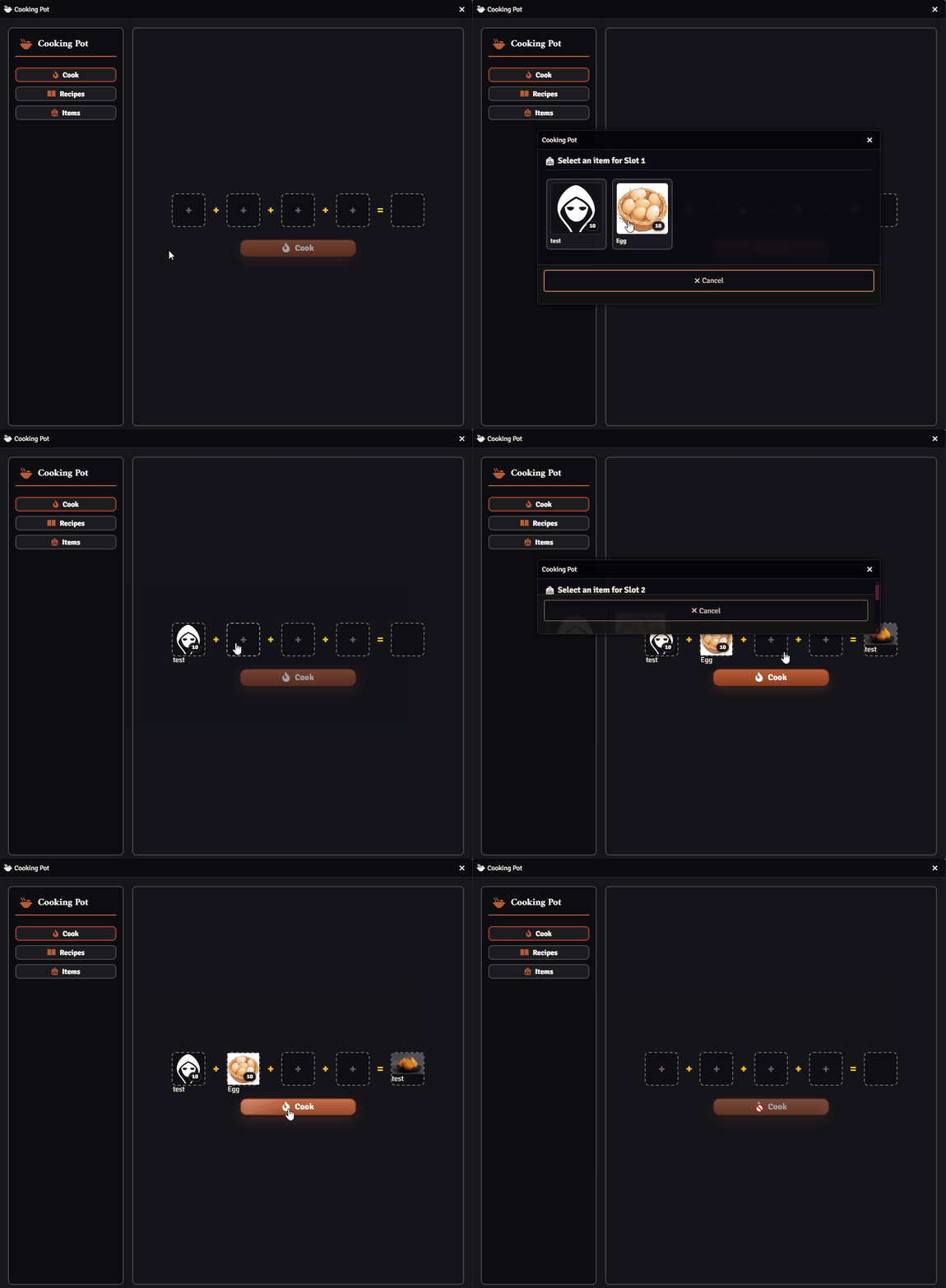
To cook, click the + button and add ingredients until the result appears, confirming the recipe is correct:
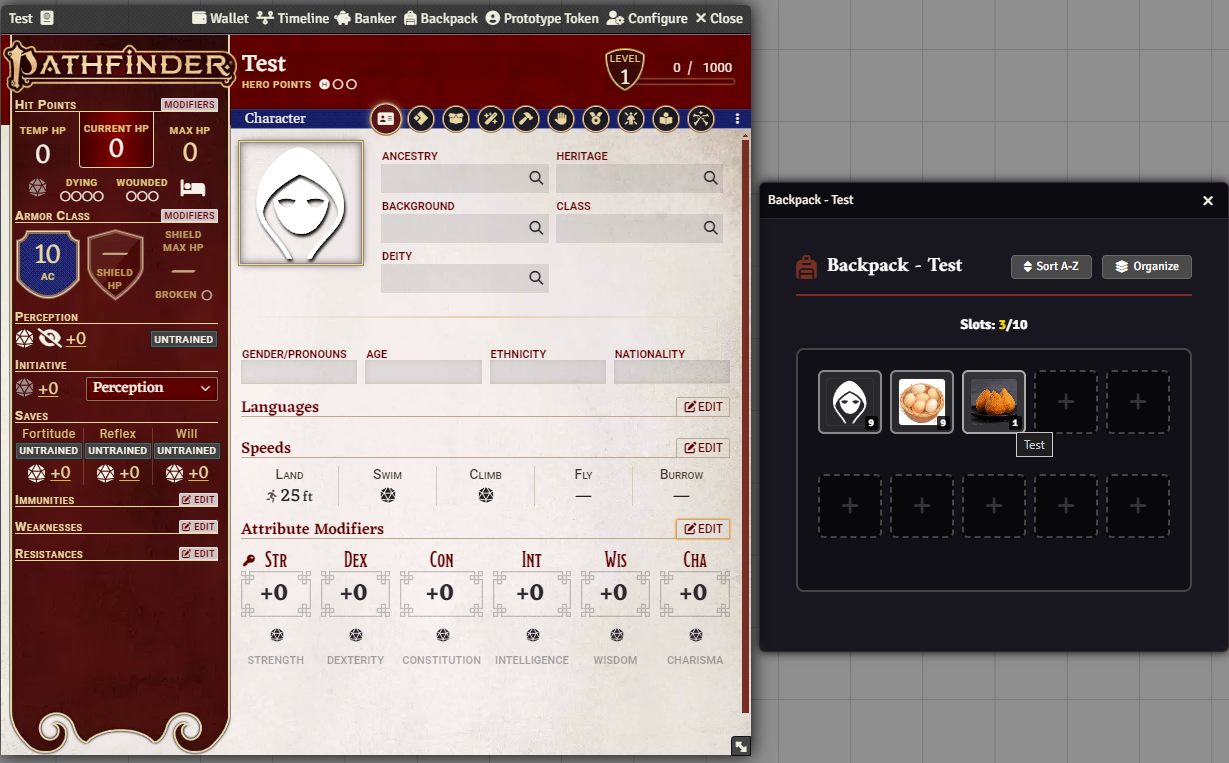
The resulting item will appear directly in the character’s Backpack:
Further Reading
Section titled “Further Reading”- Visit the Cooking Pot module page to learn more.