Show Images
The Show Images module for Foundry VTT adds a custom token control button that allows Game Masters and players to easily display and share images during a session. When activated, it opens a dialog where users can:
- Add images via URL, paste, or drag-and-drop
- Preview added images as thumbnails
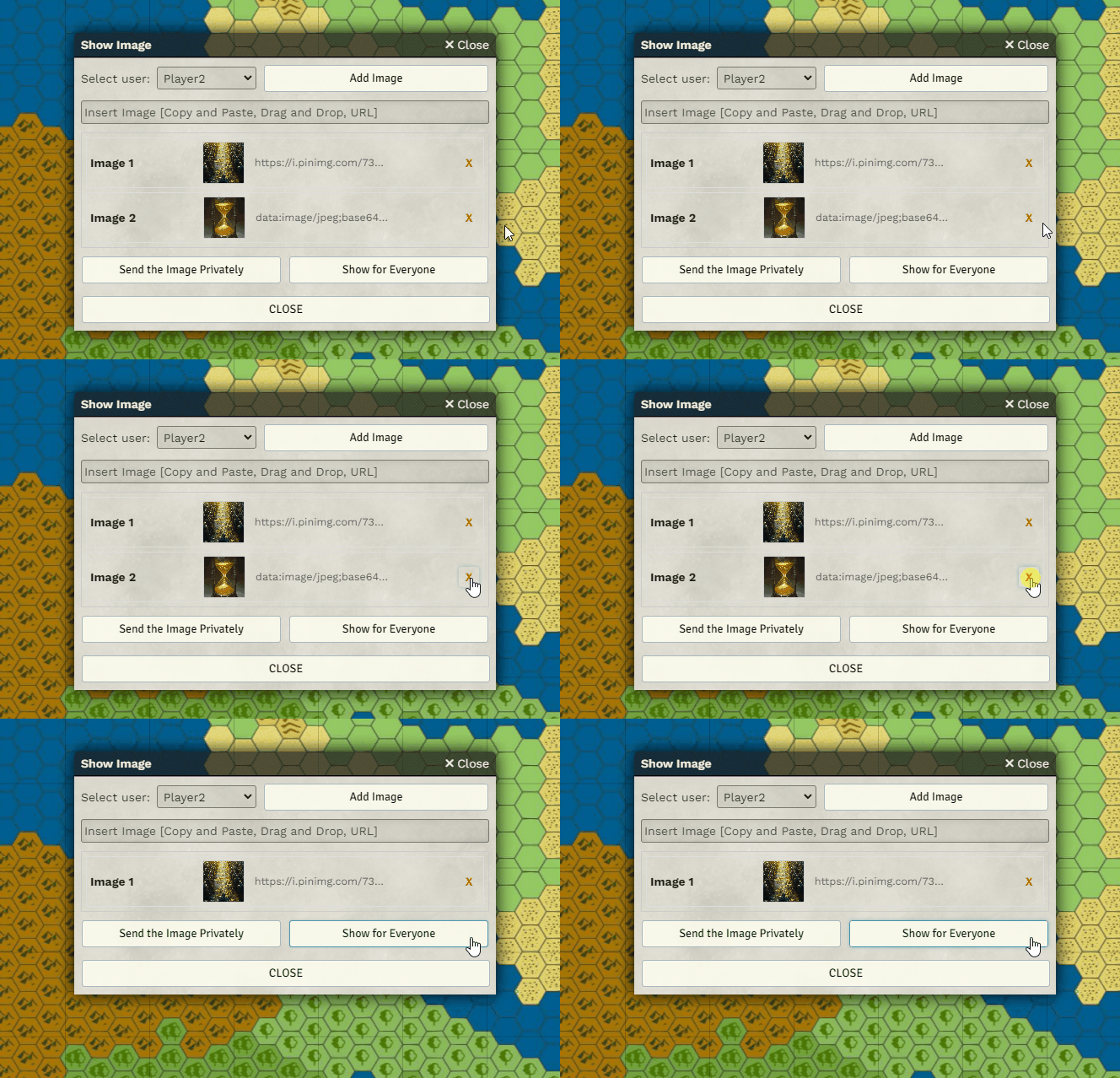
- Remove unwanted images from the list
- Select a target recipient from a dropdown
Images can then be:
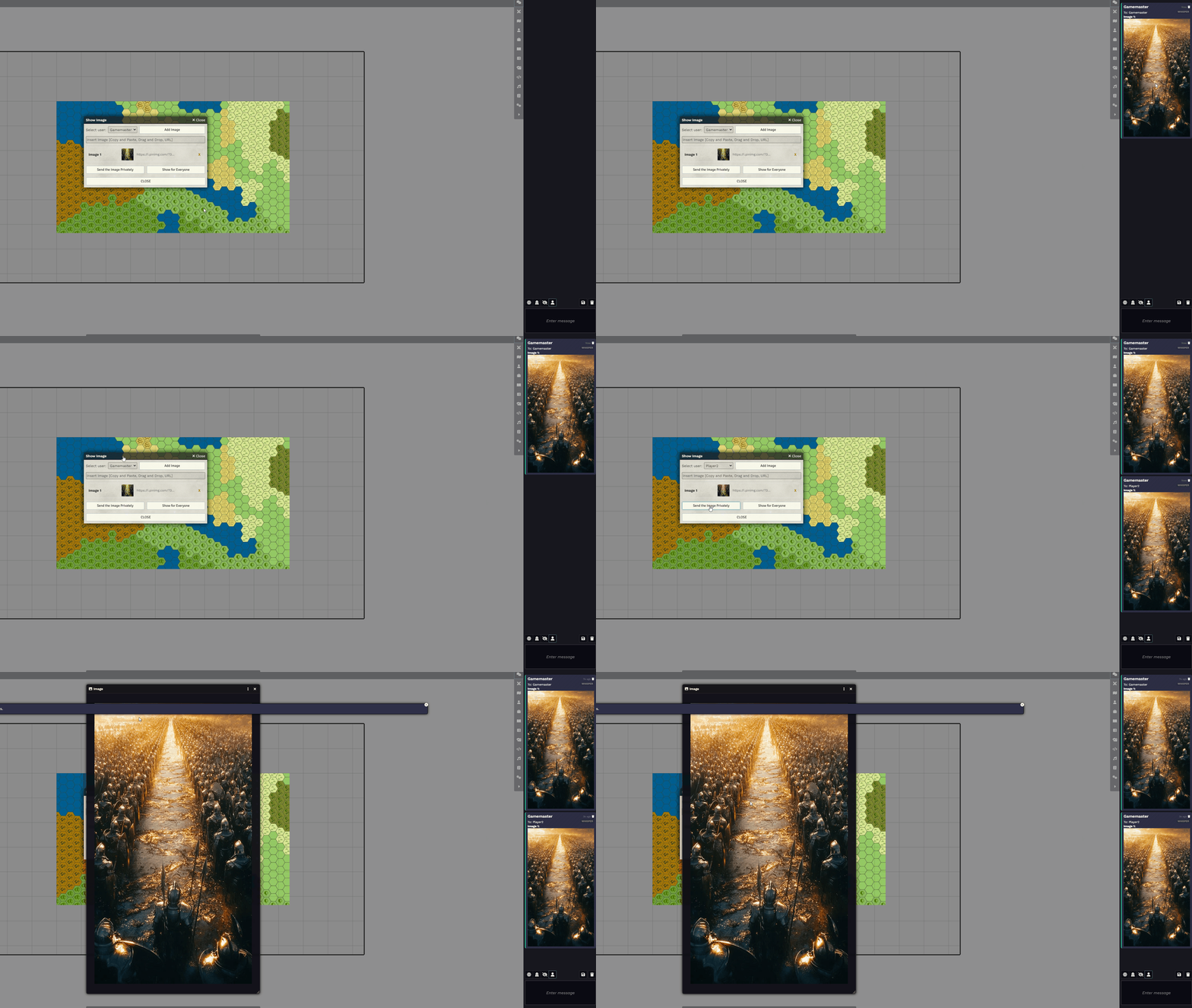
- Sent privately (via whisper in chat) to a specific player
- Displayed to everyone in a pop-out window
Enabling the Module
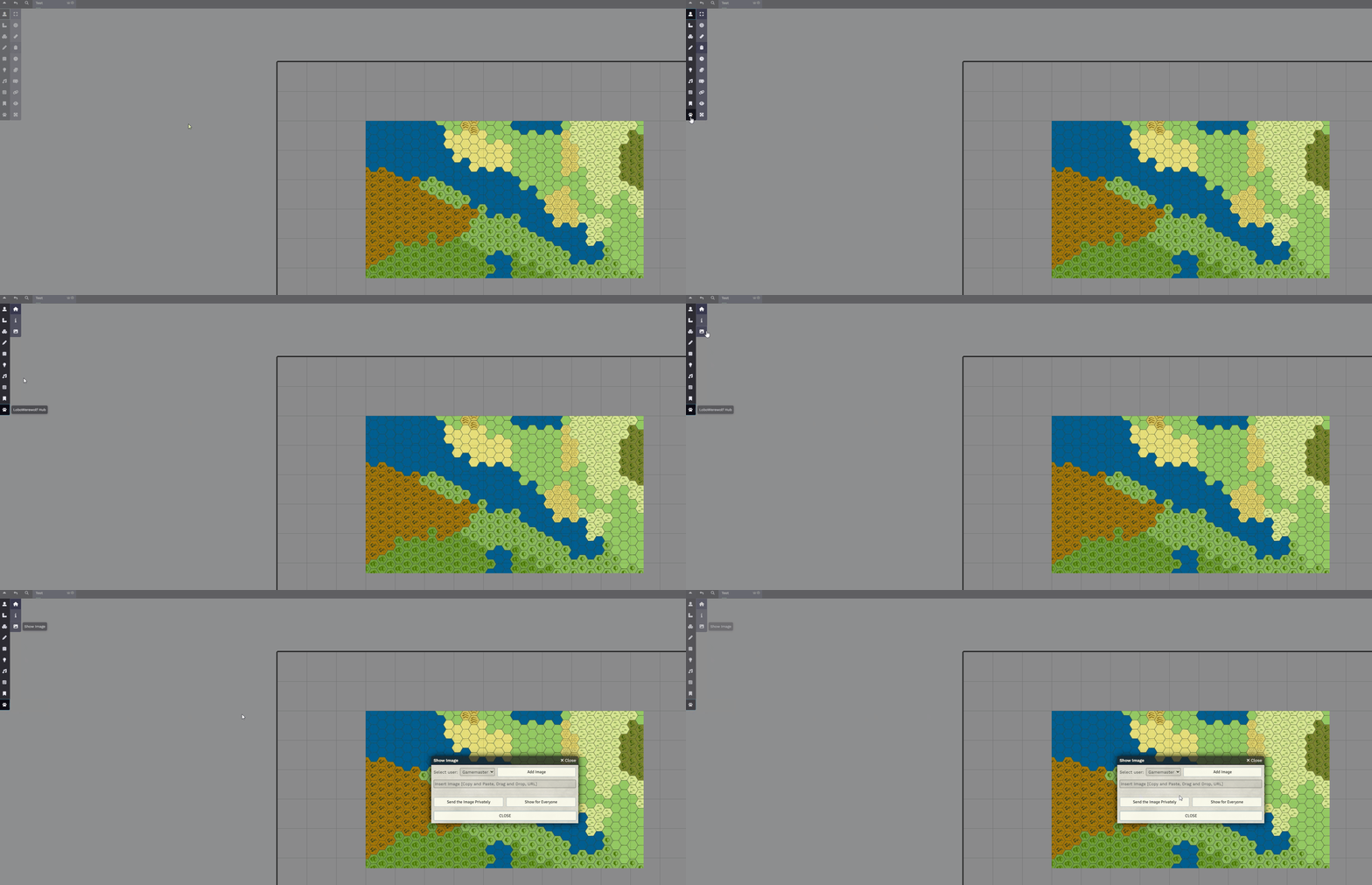
Section titled “Enabling the Module”Make sure the module is enabled. It requires the LoboWerewolf Hub module to function:

Accessing the Feature
Section titled “Accessing the Feature”To open the interface:
LoboWerewolf Hub -> Show Image
Adding Images
Section titled “Adding Images”You can add images in three ways:
- Paste an image directly into the “Insert Image” field
- Drag and drop an image file into the window
- Enter an image URL and click “Add Image” to load it into the list
Via URL:
Section titled “Via URL:”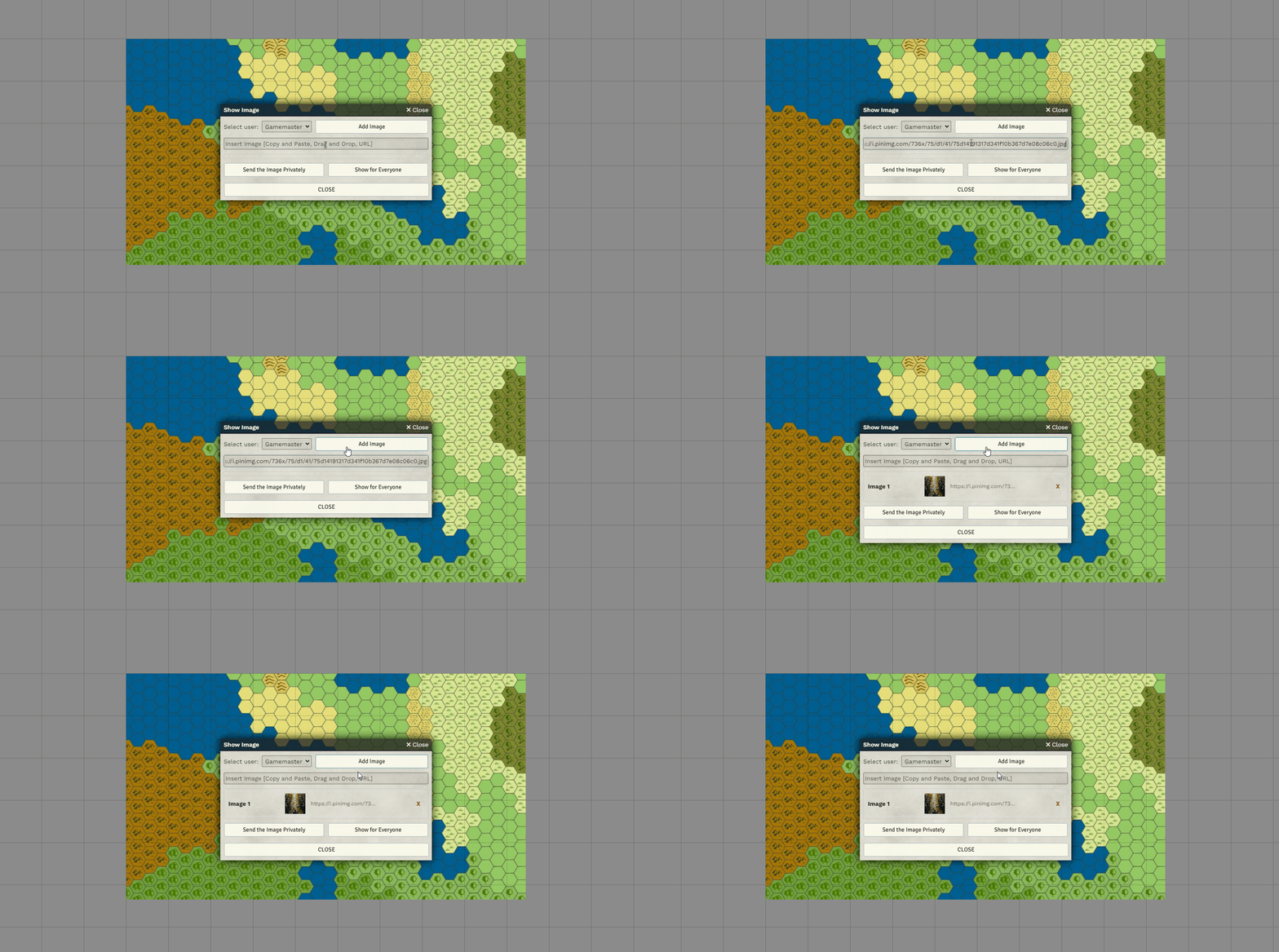
Drag and Drop:
Section titled “Drag and Drop:”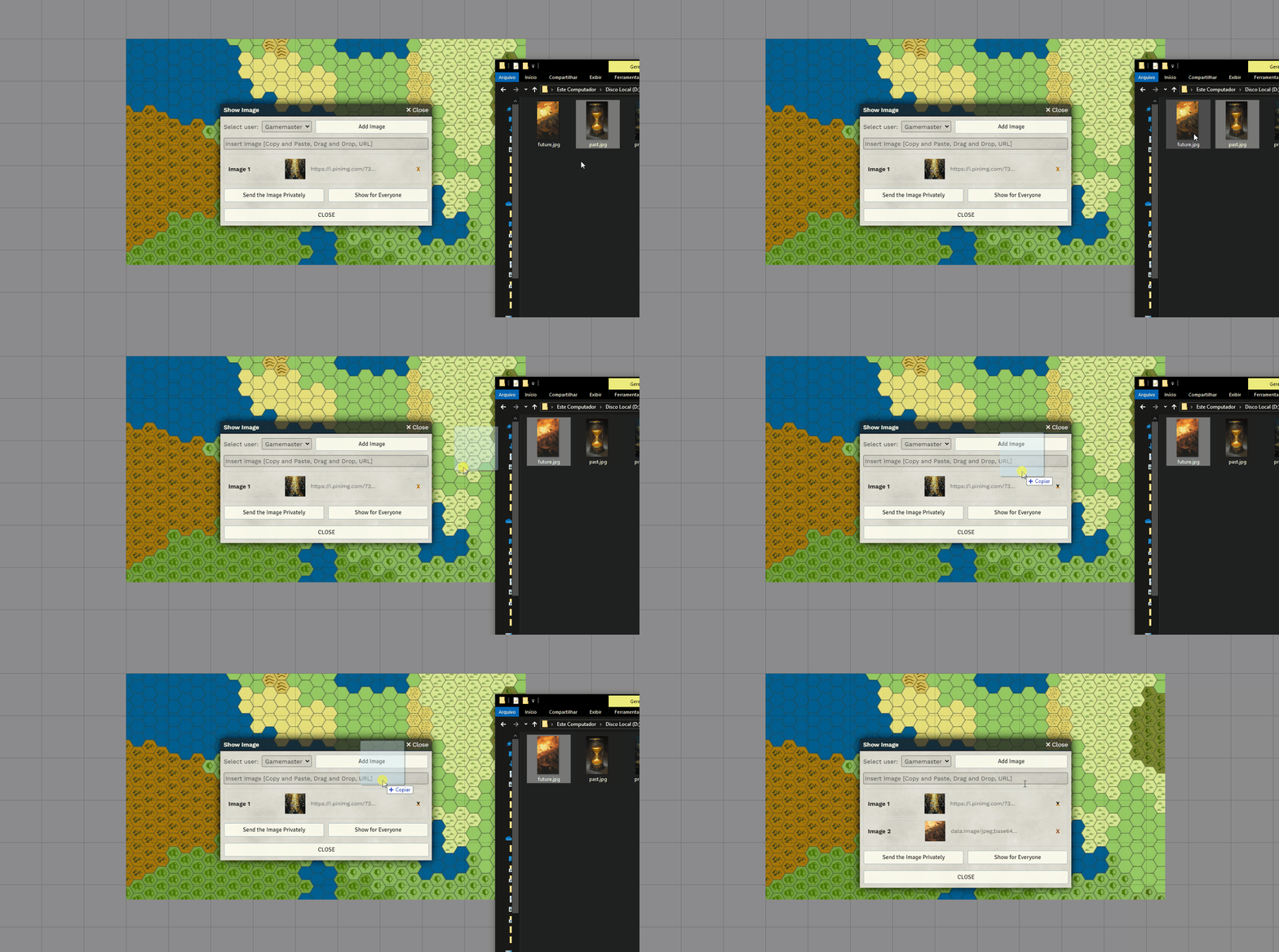
Sharing Images
Section titled “Sharing Images”Once your images are listed, choose how you’d like to display them:
- Send the Image Privately sends it as a chat whisper to the selected player
- Show for Everyone displays the image in a pop-up window for all users
Removing Images
Section titled “Removing Images”To remove an image from the list, simply click the X next to it:
Further Reading
Section titled “Further Reading”- Learn more on the Show Images module page