
Backpack
Backpack is a module for Foundry VTT that manages what a character is currently carrying. It allows you to define a carrying capacity for each user, either using a default value or setting it individually per character.
Enabling the Module
Section titled “Enabling the Module”First, make sure the module is enabled:

Configuring Backpack Capacity
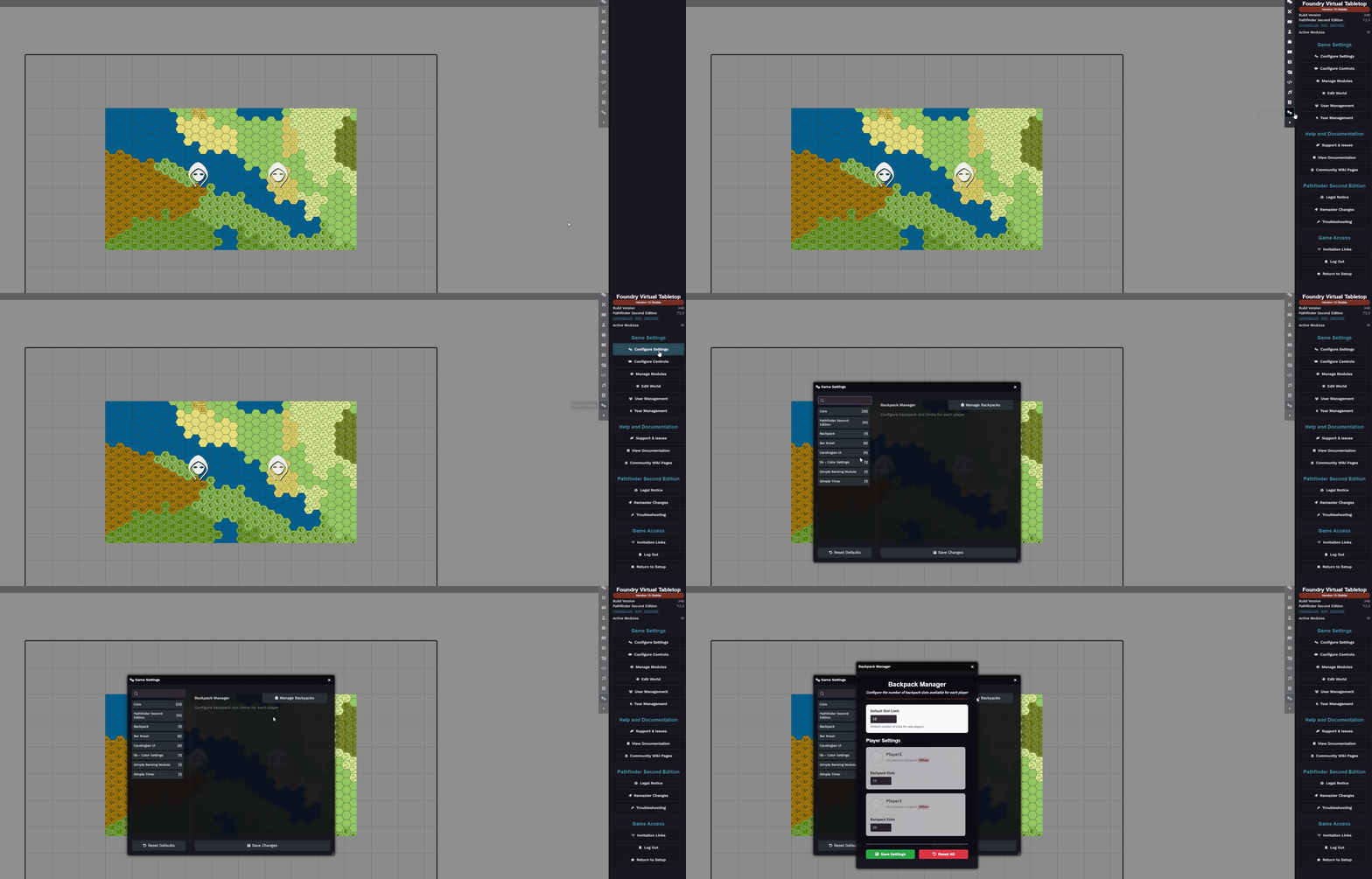
Section titled “Configuring Backpack Capacity”You can set how much each user can carry. The default value is 10, but this can be customized.
To change this:
Go to Game Settings -> Configure Settings -> Backpack -> Manage Backpacks, then adjust the capacity values as needed:
Using the Backpack in the Character Sheet
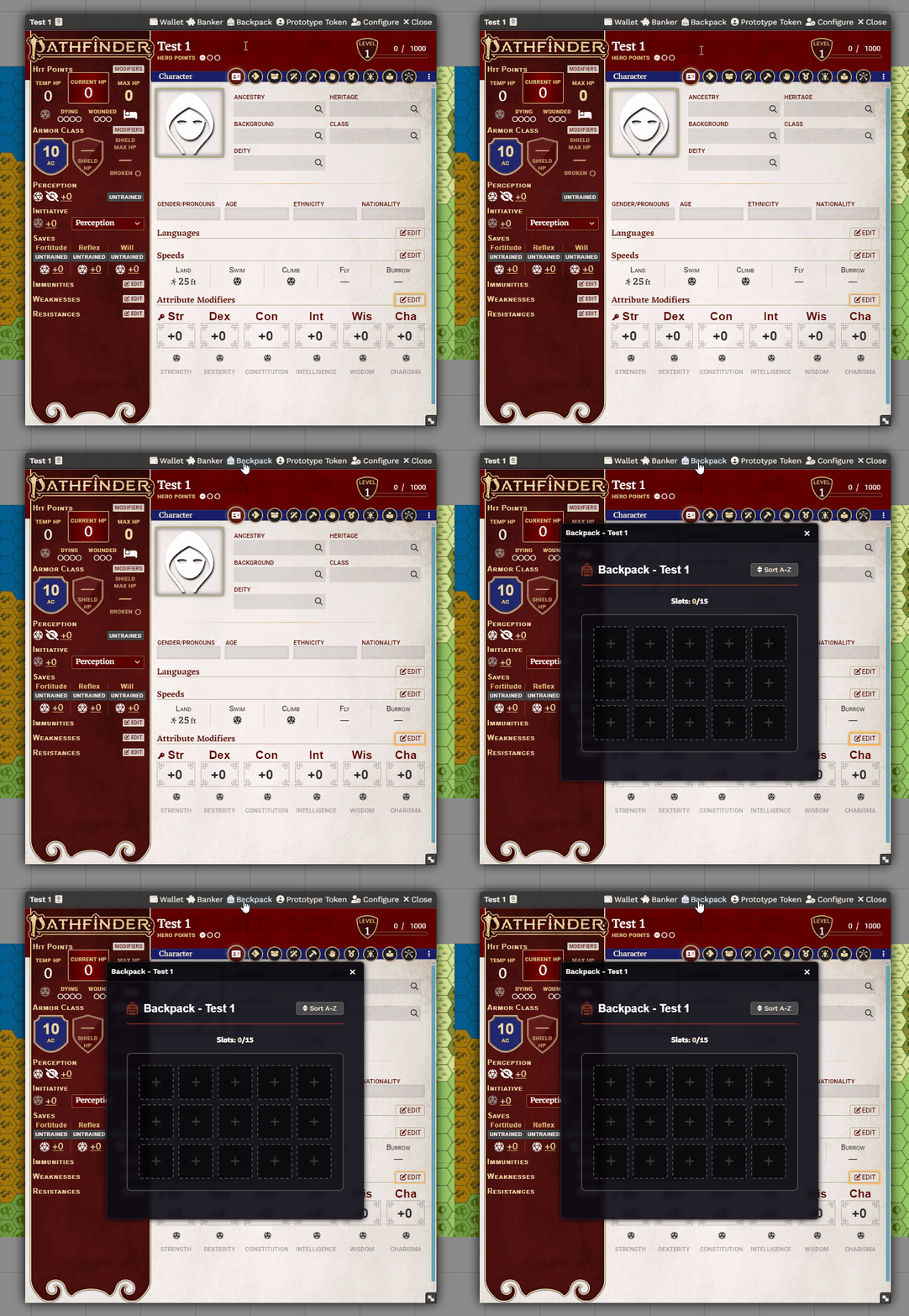
Section titled “Using the Backpack in the Character Sheet”Once enabled, the Backpack section will appear at the top of the character sheet:
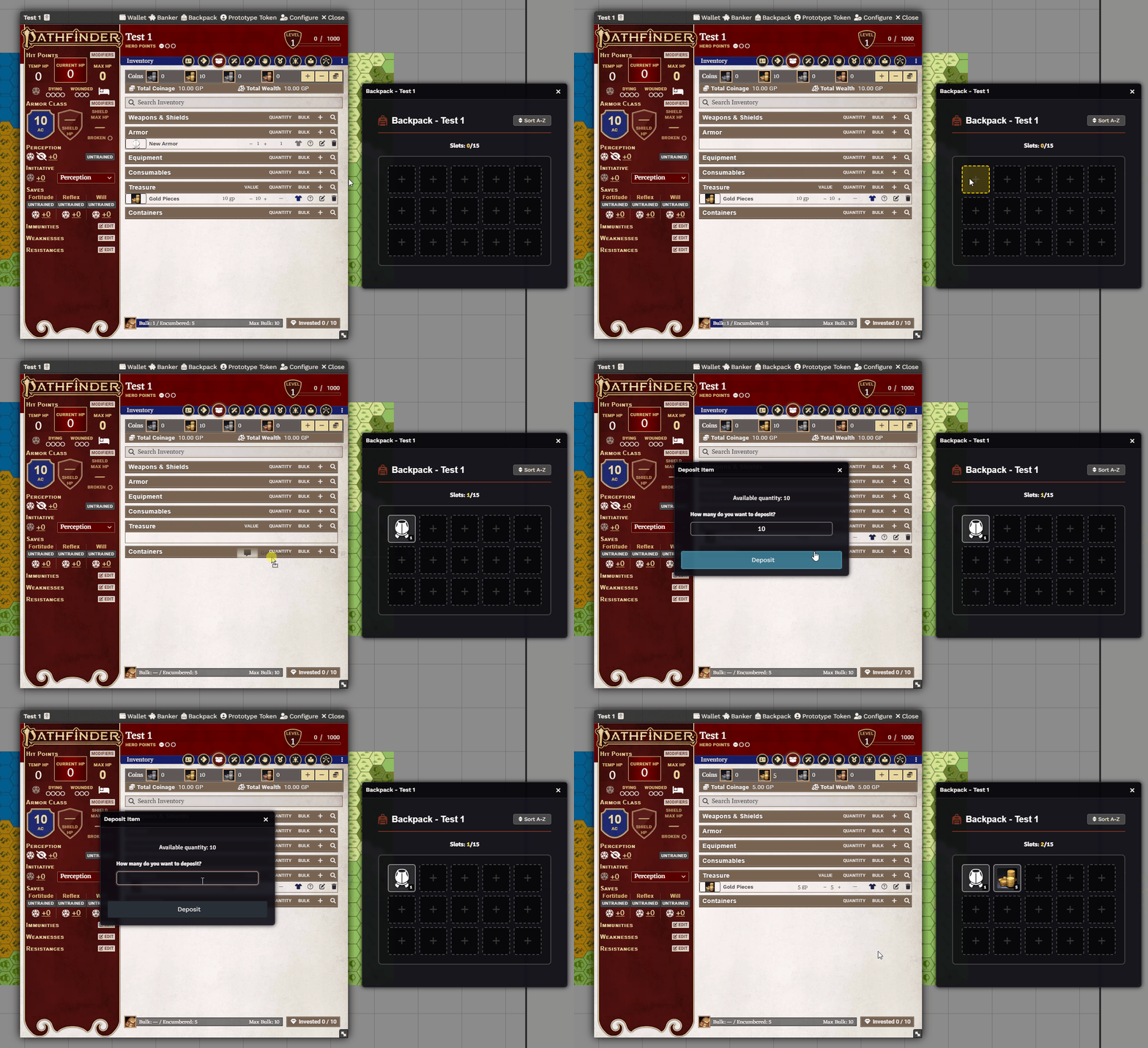
Players can drag items from their inventory into the Backpack to store them:
Removing Items
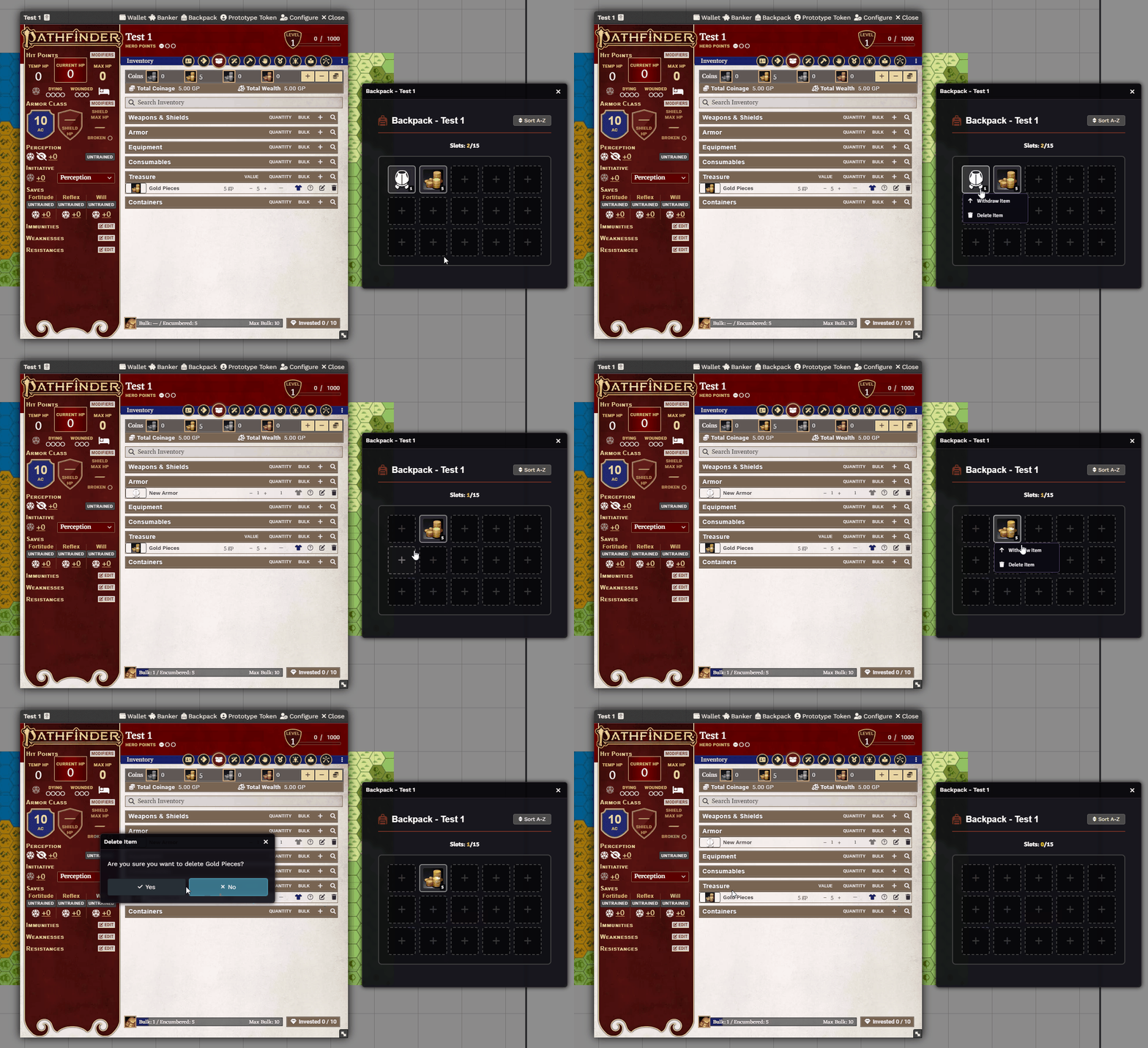
Section titled “Removing Items”To remove an item from the Backpack:
- Right-click the item and choose to withdraw or delete it.
Further Reading
Section titled “Further Reading”- Visit the Backpack module page to learn more.