
Mission Board
The Mission Board module gives you and your players a controll on avalilable missions and undergoing ones and the players involveld, great to control informations and progress on it.
⚙️ Key Features
Section titled “⚙️ Key Features”- Create and Manage Missions: Set up missions with objectives, rewards, notes, images and status indicators. Everything can be edited at any time through the Missions Manager.
- Player and Actor Tracking: Players can subscribe or unsubscribe from missions. The module tracks progress individually per user and per actor, making it easy to follow who is involved they are.
- Mission Board View: A visual board displays all missions in a structured layout, helping both GMs and players keep quests organized.
- Actor Missions Panel: Each actor gets a dedicated view listing all missions they are tracking, making progress updates straightforward and accessible.
Perfect for:
- Narrative-Focused Campaigns: Keeps quests clear and organized, supporting smooth storytelling and shared objectives.
- Groups That Enjoy Structured Play: Provides a simple way to coordinate goals and track party progress across any ruleset.
⚠️ Notice:
The module does not include sample missions. All content is created and managed by the GM, ensuring full compatibility with any game system or campaign style.
✅ Enabling the Module
Section titled “✅ Enabling the Module”First, ensure the module is enabled:

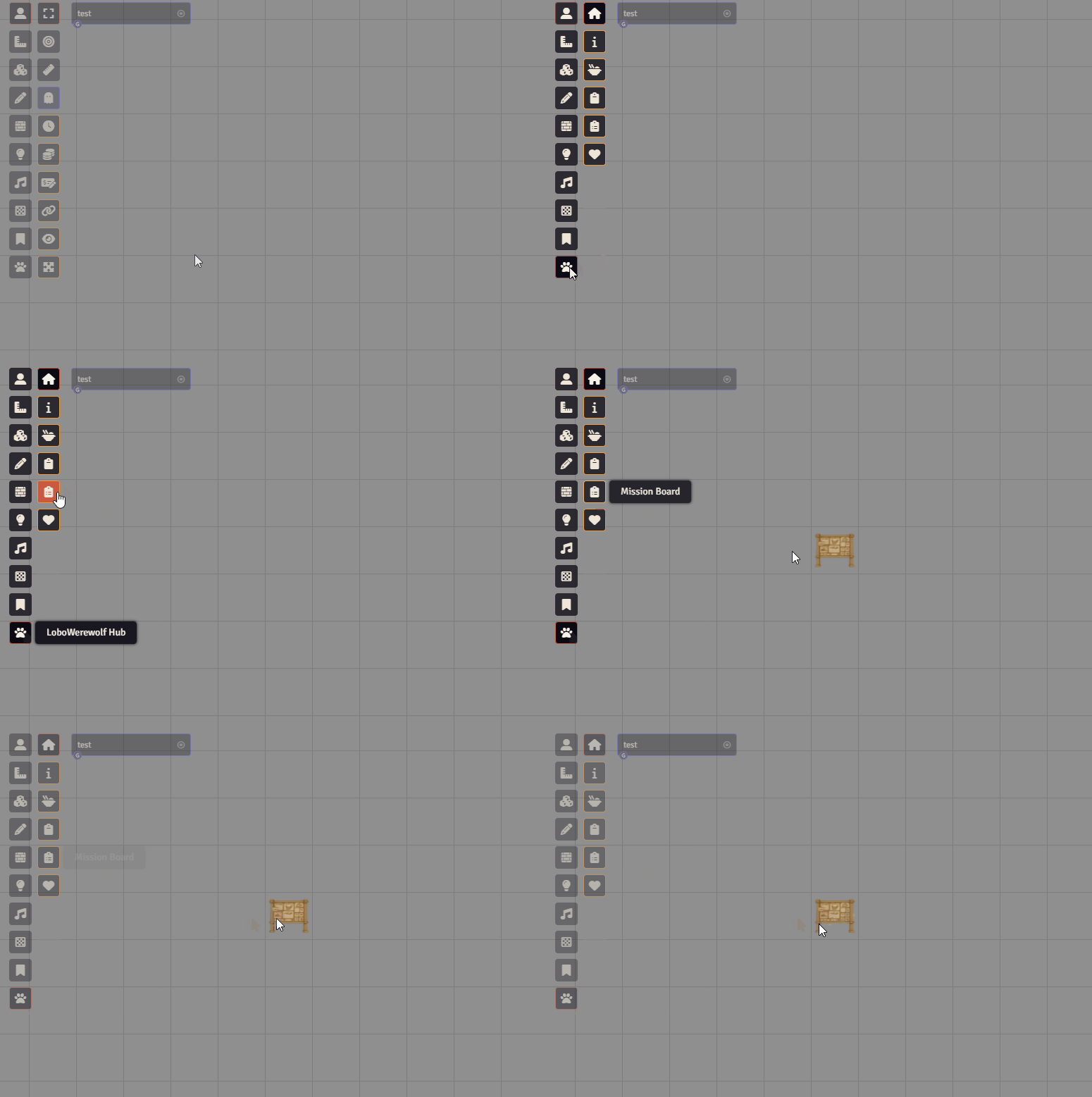
To access the module, open the LoboWerewolf Hub and click on the Mission Board icon. This will create the Board token(you can click multiples times to see all the desings):
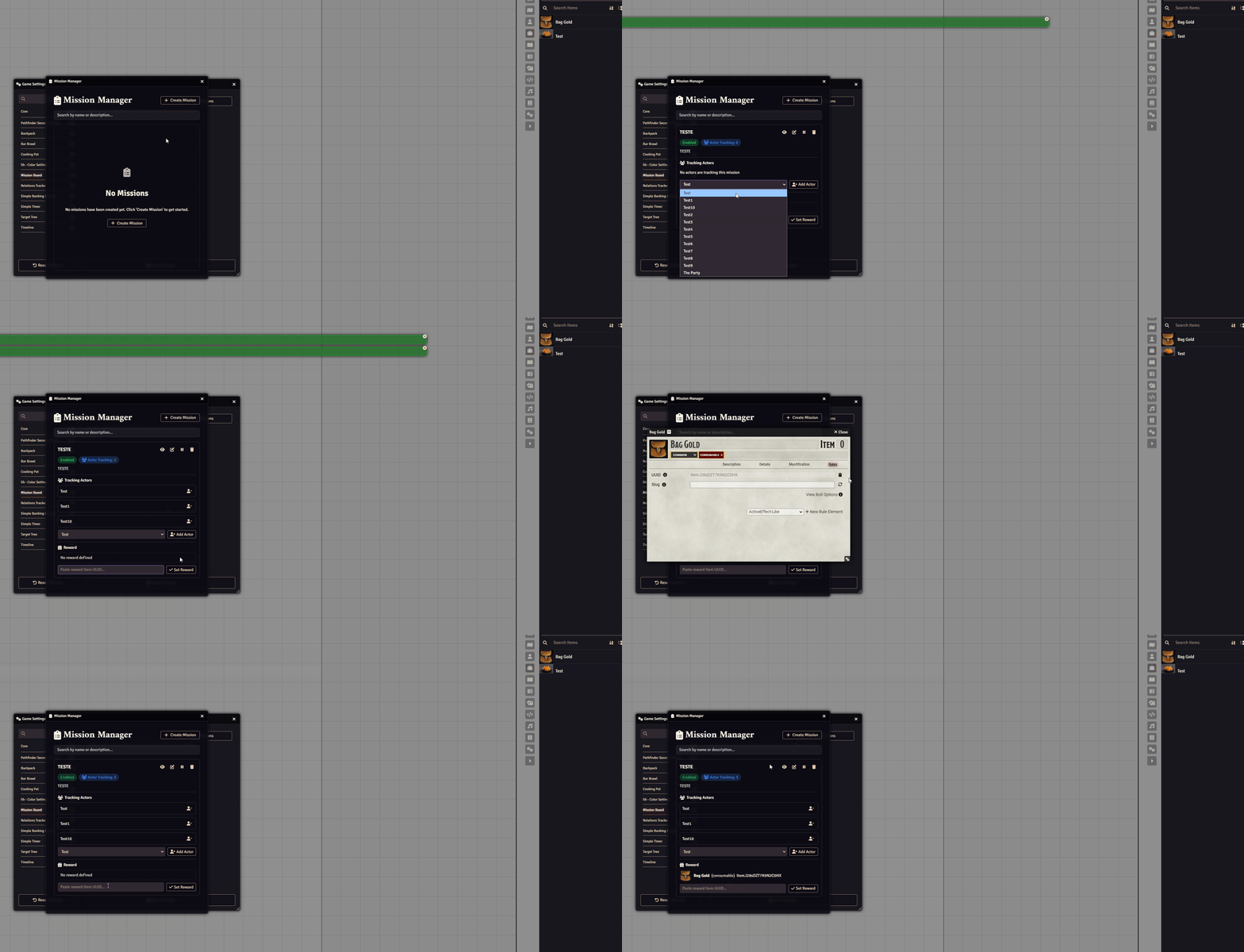
Under Game Settings → Configure Settings → Cooking Pot, you can configure the module:

Use the + Create Mission to create a new mission, you can define the Name, Description and put an image to it, wif the mission created you can define the players involved wif it and define a reward:
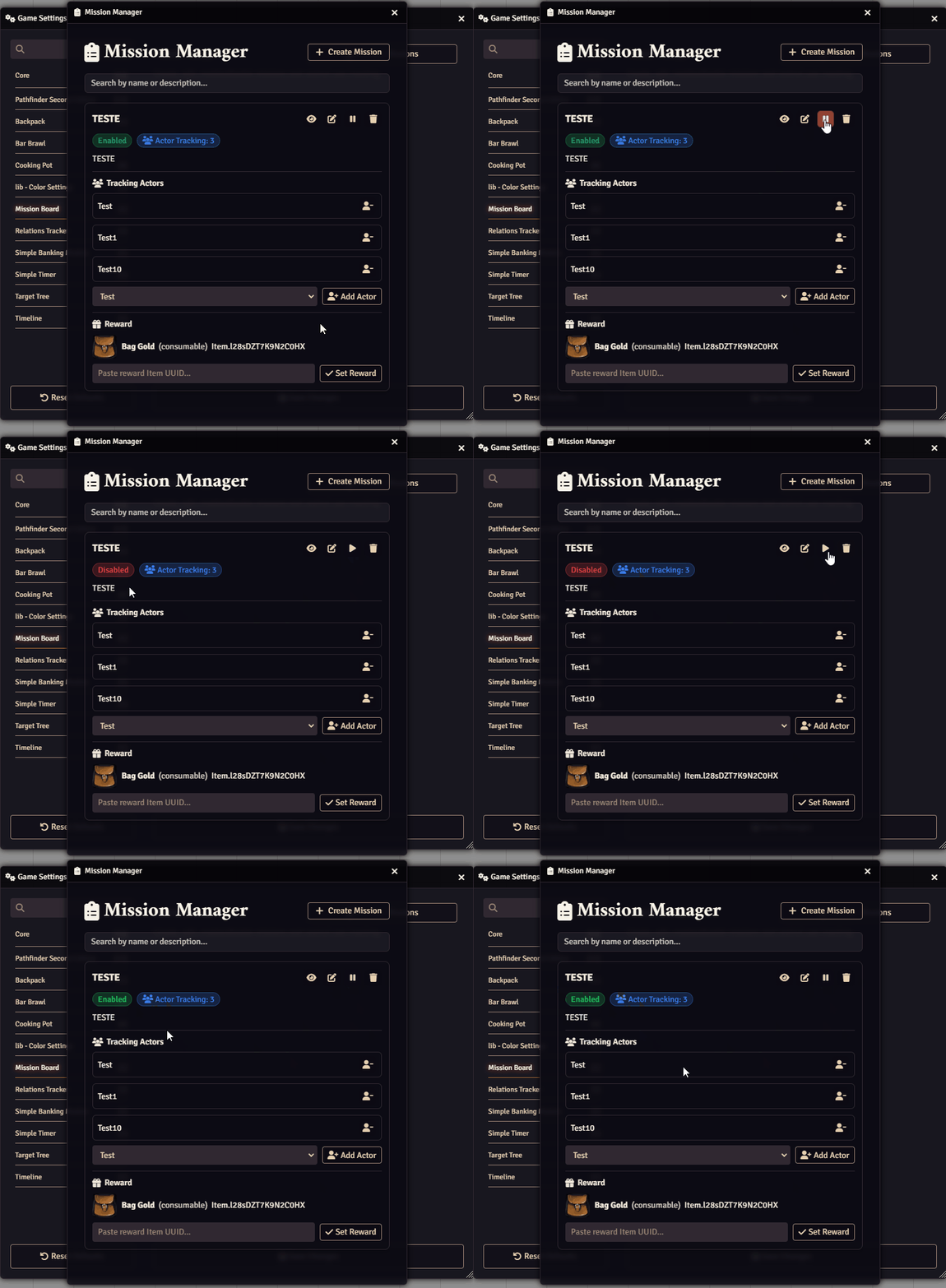
You can usa the Pause and Play Button to make the mission Enabled or Disabled:
By holding Shift and Cliking on the Mission Board Tile it will open the Mission Menu, there you can Add the missions that players will be able to engage wif:
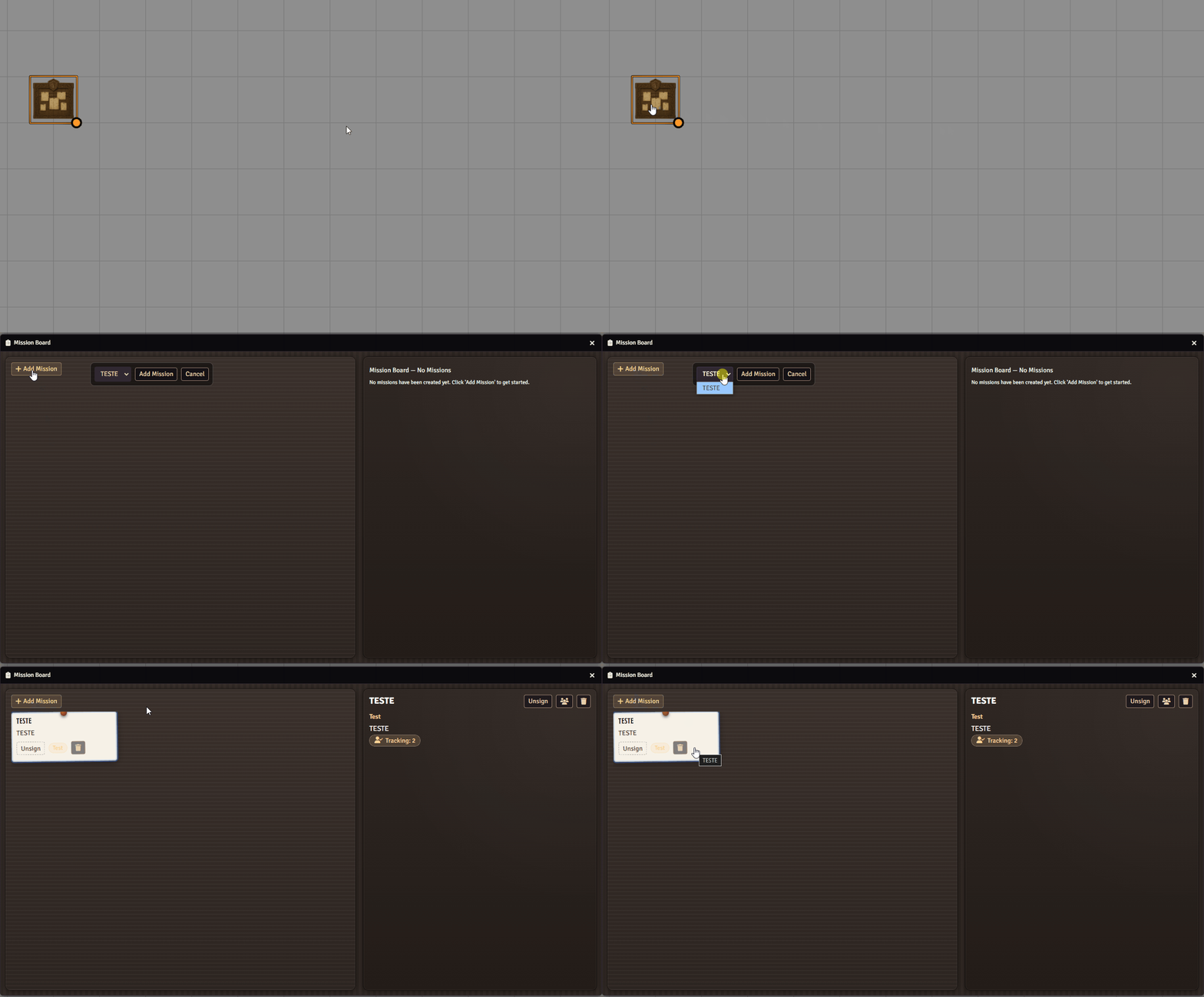
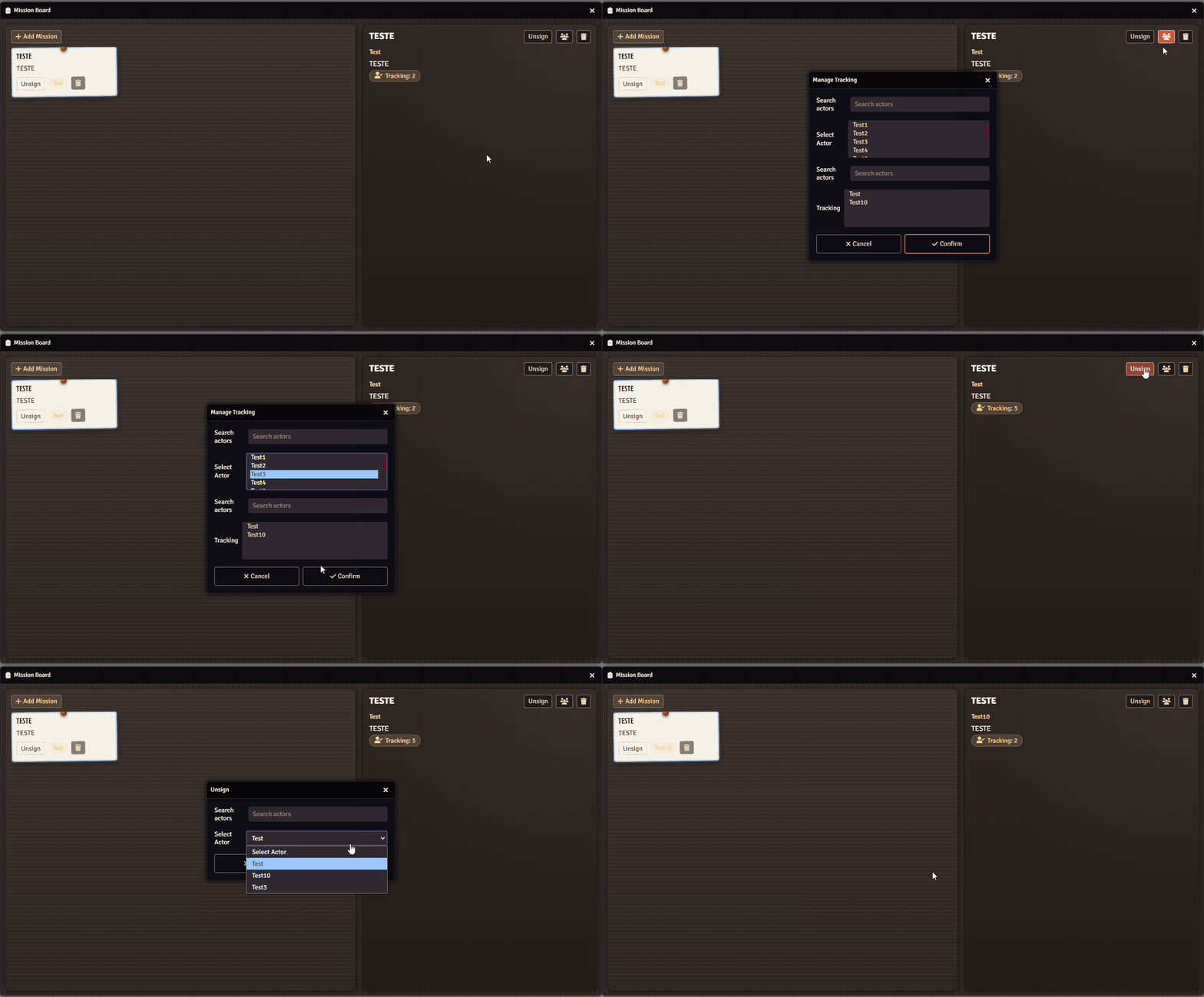
There you can also add new Actors to the Track or remove:
📚 Further Reading
Section titled “📚 Further Reading”- Visit the Mission Board module page to learn more.